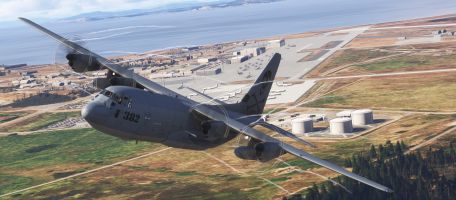
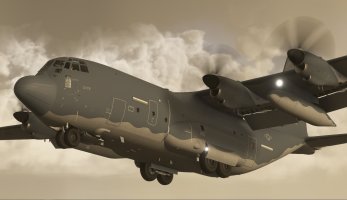
Blackbird Simulations "Dirty 30" C-130J

Navy Chief

Senior Member
I downloaded/installed the latest version. Aircraft looks/handles fine except now I see visual airflow lines coming from the props. I checked settings for such a effect in Settings, but it is OFF.

While I am waiting for Blackbird Sims to the post I put on their Support Forum, I thought I would ask about it here. NC

[url=https://flic.kr/p/2s2oeFW]lines by retnavycpo, on Flickr[/URL]
 
It happens also to me
It was already reported in Balckbird Discord.

Apart from this and another small bugs. Very happy with this version. Only needs some polishing now.
 
How in the name of the pantheon of the gods do you ship an update with this issue? Hardly a "small" bug if you use the exterior view at all. They must have been so focused on the panel that nobody looked outside.

Microsoft Flight Simulator 2024 3_18_2026 4_31_23 PM.png
 
They SAY they're working on it. One guy posted on their forum that he thought those were contrails and looked cool! Yeah, whatever dude.....:cautious:
 
They've released an update to v1.0.3.

The streaming strings behind the props appear to have been resolved, despite not being mentioned in the change log, Frame rates look better with it hovering around 45fps, although I do get a little stutter now & then.

Changelog v1.0.3

Interior:
Added HUD sunshades/clickspots
Added various sunshades/clickspots

Tablet:
Ramp and Cargo Door popup redone as crew commands instead of sliders
Ramp and Cargo Door popup removed aux hyd pump button
Ramp/door commands now automatically executed using aux pump or hand pump as available

Sound:
Fixed hyd aux pump not audible in external view

MC:
Fixed bug in SAR initialization
Fixed bug in aileron boost pressure reducer in/out logic
Fixed bugs in aileron boost pressure ACAWS logic

CNI-SP:
Fixed bug in PERF INIT CRUISE cruise speed initialization

Autopilot:
Updated controller parameters

Keith.
 
New update for D-30 out v1.0.65....

Changes since 1.0.56

Stability/MSFS:
Added workaround to avoid memory corruption caused by MSFS file system
Switched to SU6 build tools
Added progress bar on all screens during initial file sync

TCAS:
Added workaround for MSFS SU6 behavior change causing chaff/flare to trigger TCAS
Now ignoring ground flag for multiplayer aircraft which is incorrectly set in SU6

Perf/Optimization:
Further reduced WASM heap usage
Cut stack reservation size to reduce memory usage

Controls:
Fixed bug in NWS default (linked) mode
Reversed NWS axis sense

Flight Dynamics:
Tweaked aileron effectiveness

Autopilot/Flight director:
FD SOURCE setting now global (not per-side)
All FD/AP controls now affect both FDs, not just onside
AP engagement now automatically selects FD SOURCE
Onside FD approach mode now canceled if CDI source changes
Pitch/Lat off buttons now operate regardless of whether AP is engaged

AMU:
non-master INAV now hidden in NAV SELECT CDI menu
Fixed missing S in DEFAULTS on main menu

HUD:
Fixed bugs in AP status messages
Fixed AT disconnect message not displaying
Fixed bug causing CAT 2 monitoring to deliver erroneous warning under certain conditions
Flight Director cue now removed below 80ft on approach
Navaids layer now automatically selected whenever FD NAV mode is active or armed
When APPR selected on FD, HUD VISUAL mode is deselected and Navaids layer is selected

PFD:
Fixed bugs in AP status messages
Fixed AT disconnect message not displaying

MC:
Fixed TOLD INDEX not accepting non-airport waypoints
TOLD INDEX no longer rejects entries when runway not found
Tweaked parallel search logic per new ref
Last waypoint of SAR now named *EXIT
Removed POD CTRL from MC INDX

HDD nav pages:
Tweaked mission waypoint symbols

CNI-SP:
RTE page 2+: fixed bug where route segments could be displayed starting from wrong index
RTE page 2+: fixed L6 not changing to "ERASE" with mod route
RTE page 2+: fixed bug in R6 ACTIVATE vs PERF INIT logic
RTE page 1: Wiping route by entering new origin in L1 no longer deactivates route
RTE pages: ACTIVATE now only appears if route contains at least 1 leg per new ref (counter to manual)

Tooltips:
Fixed value for APU BLEED button
Fixed value for AP Pitch wheel
 
From Developer (Farley-Discord):

I am extremely happy to be able to finally announce that we now have a pinpoint diagnosis of the random WASM crashes (orange screens) which have afflicted this and other products. As we have long suspected, it is a bug internal to MSFS's memory allocation system. It affects ALL wasm modules which make any significant allocations and deallocations, however the probability roughly scales with the size and number of allocations. Unfortunately, the particularly extensive systems and feature set of the C-130J - graphics for 16 complex display pages, hi-res radar imagery and terrain databases, full TAWS and TCAS simulations, nav database, obstacle database, digital map, more than 200 performance/TOLD tables etc - also made it particularly susceptible to this bug. Asobo has stated that the actual fix may not make it into the sim until SU 8, however in the meantime there is fortunately a work-around, which will be applied to the C-130J in the next update (ASAP), and to the rest of our wasm-based aircraft as soon as practical. I would like to personally thank all of you for your patience, understanding, and support, and especially those of you who have devoted considerable amounts of time and effort to testing the C-130J, helping us fix this and other issues, giving important feedback, and helping us grow this simulation into what it is today.

 
Back
Top