• There seems to be an uptick in Political comments in recent months. Those of us who are long time members of the site know that Political and Religious content has been banned for years. Nothing has changed. Please leave all political and religious comments out of the forums.

    If you recently joined the forums you were not presented with this restriction in the terms of service. This was due to a conversion error when we went from vBulletin to Xenforo. We have updated our terms of service to reflect these corrections.

    Please note any post refering to a politician will be considered political even if it is intended to be humor. Our experience is these topics have a way of dividing the forums and causing deep resentment among members. It is a poison to the community. We appreciate compliance with the rules.

    The Staff of SOH

  • Please see the most recent updates in the "Where did the .com name go?" thread. Posts number 16 and 17.

    Post 16 Update

    Post 17 Warning

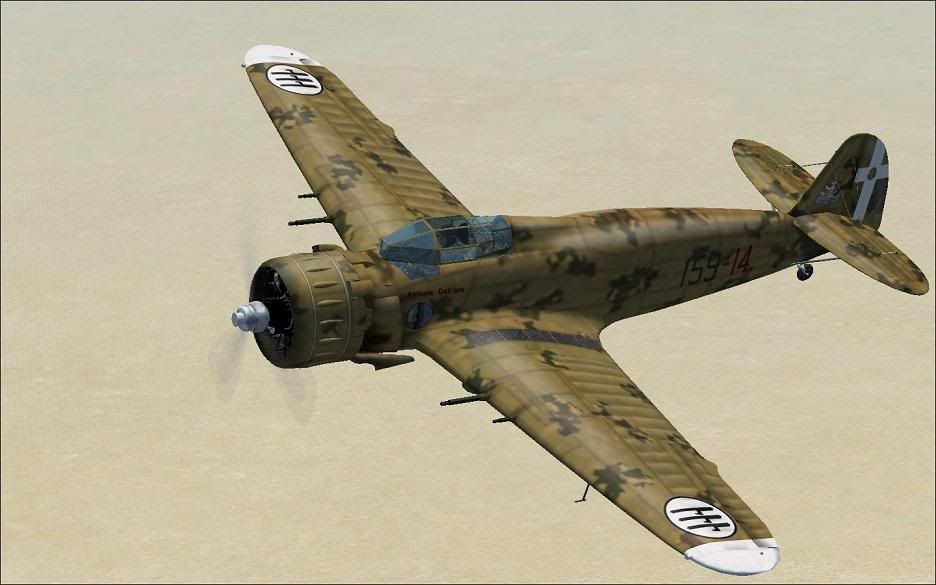
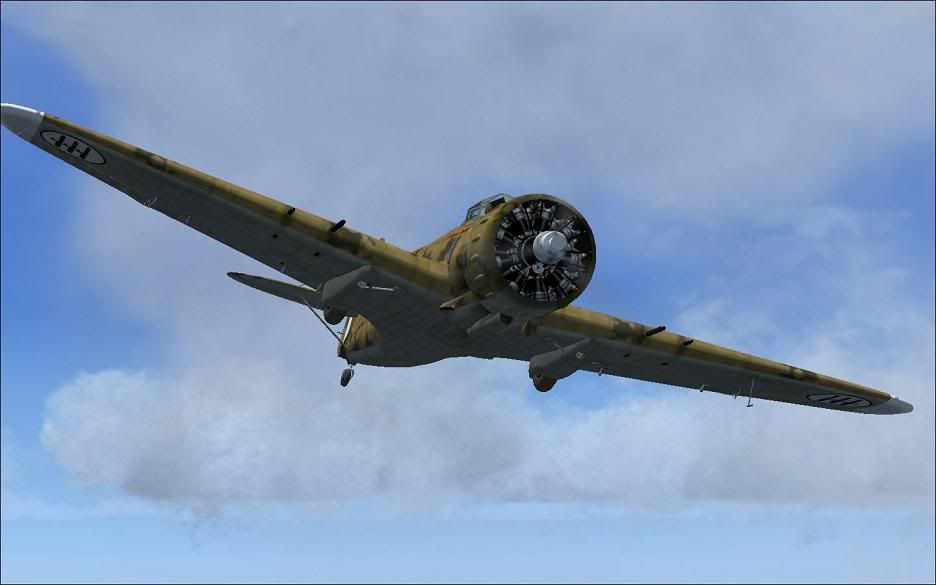
Breda BA65 (A.80)

peter12213

FSX Acceleration!
Ok one more, found it at flightsim.com, its a lovely model not native though unfortunately, Great VC one of the best I've seen for animations its really nice, a few errors in accel though!

Again just learning to edit shots, but I think it looks ok!
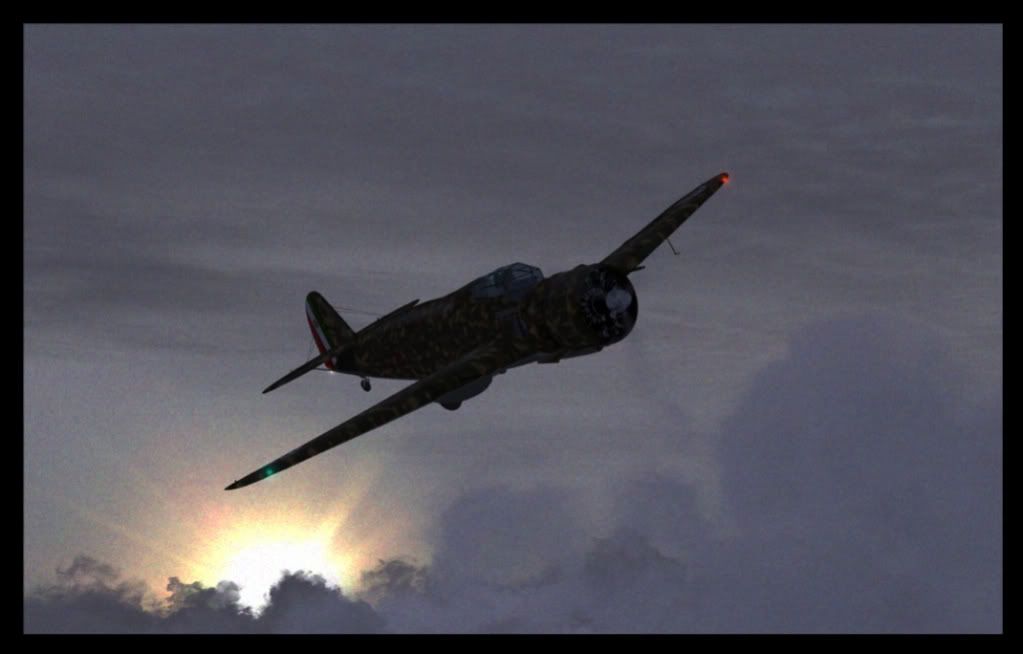
2010-5-6_22-45-35-953-2.jpg
 
This was the original shot, I'm posting it because it shows the aircraft more clearly thats all! I also forgot to menton there is a problem with the prop too, with the cloud showing through it unfortunately, but I'm sure this will be resolved at some point!

View attachment 7046
 
I know its a port over, but the model is absolutely incredible. There are a few things to change in the aircraft.cfg file when you want to use it in FSX. But its definitely worth the efforts! (you have to see the details on this VC and engine to believe it!)

Cheers,
Huub

breda_1.jpg


breda_2.jpg
 
Huub what did you have to edit in the cfg?

Peter the only way to resolve the prop issue is to darken the alpha. Also I used the prop bmp for the prop rear (after darkening the alpha) as the prop rear wasn't effective in FsX.

Breda65.jpg
 
Yeah same here Roger but I wasn't happy having an invisible prop mate plus I'm rather worse for ware after having been to the Pub tonight lol, have you guys fixed that sight problem in the vc, you know the iron sight for the guns and that square thats shows in clouds and etc?
 
Strange.....I just added the contents on the "Common Textures" folder to all the textures and everything works perfectly.....:salute:
 
Roger,

A few instruments from the Breda didn't work properly in FSX. I made the adjustments which were suggested in the FS2004 thread and now everything works perfect.

The alphas from the backside from the prop textures were darkened a bit.

I added a thumbnail in the "texture.65_16_11" as this was missing.

And instead of copying all textures from "common_textures_to copy_to_all_txts_folders" to all other texture folders, I renamed this folder in "texture" and did put a small "texture.cfg" file in the other texture folder instead.

For those who want to do the same I have put all these files in a zip, which is attached to this post.

Cheers,
Huub
 
Roger,
........
And instead of copying all textures from "common_textures_to copy_to_all_txts_folders" to all other texture folders, I renamed this folder in "texture" and did put a small "texture.cfg" file in the other texture folder instead......
Cheers,
Huub

Yep I did the same thing. Saves on repeating the common files for every texture folder.
Visually the only thing I have an issue with is the canopy but I think this is where I have to accept it's a port-over and just enjoy a stunning model:ernae:
 
Roger,

A few instruments from the Breda didn't work properly in FSX. I made the adjustments which were suggested in the FS2004 thread and now everything works perfect.

The alphas from the backside from the prop textures were darkened a bit.

I added a thumbnail in the "texture.65_16_11" as this was missing.

And instead of copying all textures from "common_textures_to copy_to_all_txts_folders" to all other texture folders, I renamed this folder in "texture" and did put a small "texture.cfg" file in the other texture folder instead.

For those who want to do the same I have put all these files in a zip, which is attached to this post.

Cheers,
Huub


Thanks Huub...greatly appreciated, sir! The Breda is one very fine addition to the FSX hanger.
Ted
<input id="gwProxy" type="hidden"><!--Session data--><input onclick="jsCall();" id="jsProxy" type="hidden">
 
Back
Top