
musterpilot
Members +
When will this one be ready for download Jeansy ?
John
John

Please see the most recent updates in the "Where did the .com name go?" thread. Posts number 16 and 17.
Just when you think you have everything running some what better...
You get a message from the Hosting company. Short story they need to move us to a new server. I have been working with them to plan a good date for all concerned. Here is what we have come up with as a schedule.
If all goes well we should be back online on November 8th.
To keep you updated we will post updates on AVSIM forums.
Thank you for your support.
Hi Matt. Yeah i have no idea either!? I uninstalled V1.1 and installed V1.2 as usual -which should use the correct aircraft.cfg when you select "P3Dv4" in the install process.
The only thing I have added is your paints and aircraft.cfg entries
Beats me!?!
When will this one be ready for download Jeansy ?
John

You manually need to change the cfgs. the installer only finds the directory not installs the x64 cfg as default, you need to do that
Its a new thing with them and carenado who only have recently included 3 versions of the cfg
Hey Matt, I gave the aircraftx64.cfg (renaming it to "aircraft.cfg" then renaming the original one to "aircraftFSX.cfg") a go......but my battery still drains!?!?
Beats me!?!?!
Timmy, I didnt notice this (and I have P3Dv4 also). Did You start from default start or saved flight? Maybe try to take default Maule, start the engine, turn off all and save the flight as Default flight. Next You will have cold and dark situation for every aircraft. Maybe it helps.


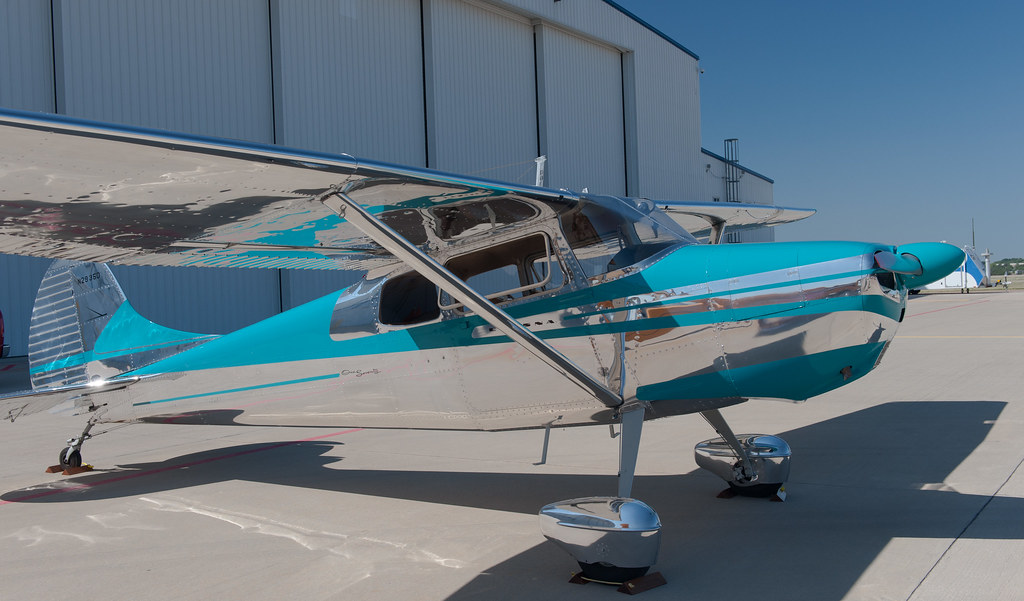
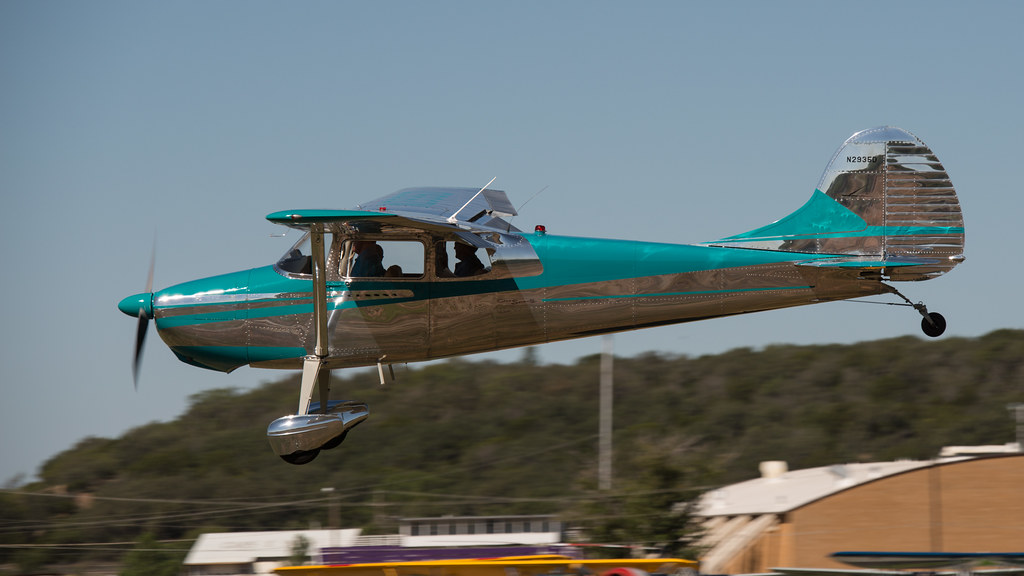

I added the One Seventy script to my personal airplanes...I've tried doing this style of paint as it's actually from the 1955 catalog. 1955 was the first year for the enlarged rear window, too. The stock red and blue over metal, while very nice, are a few years earlier, maybe '52 or '53. I managed to get a decent all metal paint, but I simply could not get all the color edges to line up from the nose bowl, cowling, firewall section, door, and main fuselage. These parts are scattered over the EXT1 file so it's very hard to line them up by eye. I don't know how they did it at Alabeo, but I sure couldn't. Also, the edge of paint along the main fuselage wouldn't come out straight. It looks like an oscilloscope. Any hints to doing this? I'll keep trying. The only "paint kit" are the two PSD's in texture.PSD in the main folder. They are the typical Alabeo flat PSD docs. I did get the "Cessna" and "One Seventy" lettering , though. I'd sorta like to see Alabeo re-shape the rear window to the original semi-ellipse, but I doubt that will happen.
62stratfan


