gray eagle
SOH-CM-2026
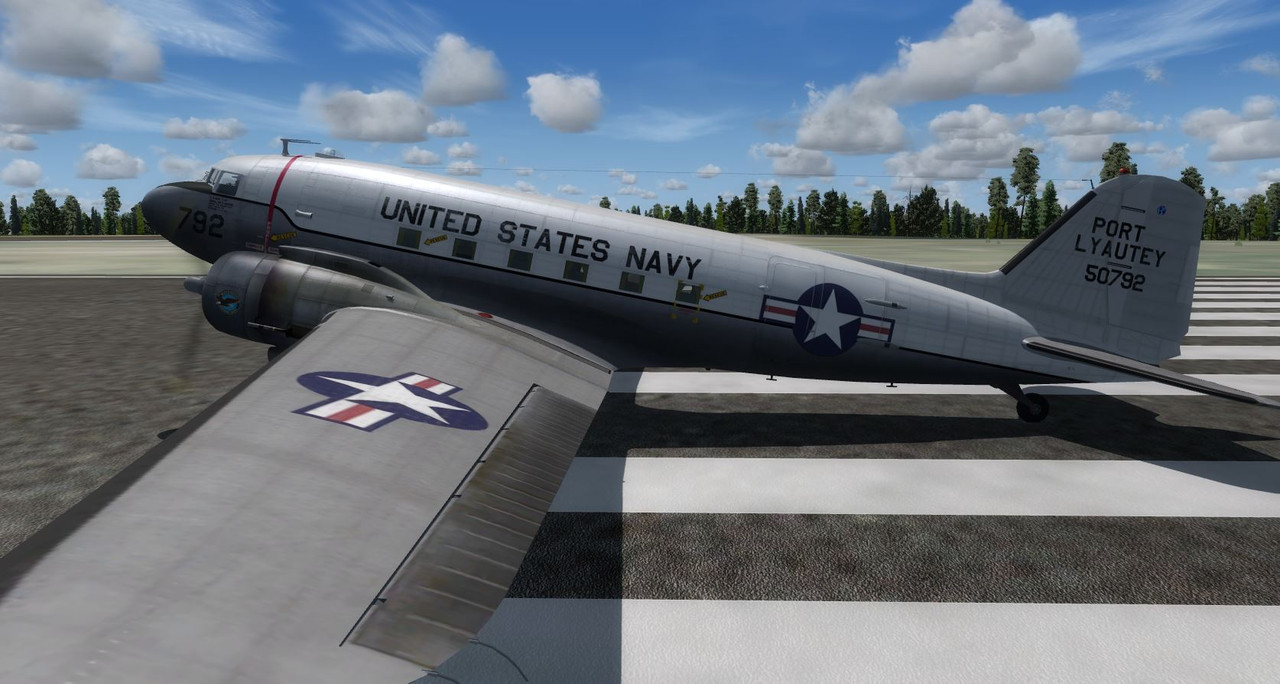
This C-47 is done in PBR and has two textures, why I don't know. I would like to know how to remove the PBR effect and render it for P3D in conventional mode. I think the textures
images (DDS) are in 4096 x 4096. If I use a model other then the one stated (DAK01) the plane is all chrome. It has two textures: texture.dgint and texture.USN_Port_Lyautey
the texture/cfg calls on the texture.dgint (Why I don't know). I just wanted a plane Jane version without the PBR effect
It uses the dak01 model and I wanted to use the C47_2 model. When I do that the plane is all chrome.
http://www.sim-outhouse.com/sohforums/local_links.php?linkid=26173&catid=216
images (DDS) are in 4096 x 4096. If I use a model other then the one stated (DAK01) the plane is all chrome. It has two textures: texture.dgint and texture.USN_Port_Lyautey
the texture/cfg calls on the texture.dgint (Why I don't know). I just wanted a plane Jane version without the PBR effect
It uses the dak01 model and I wanted to use the C47_2 model. When I do that the plane is all chrome.
http://www.sim-outhouse.com/sohforums/local_links.php?linkid=26173&catid=216