
-
Please see the most recent updates in the "Where did the .com name go?" thread. Posts number 16 and 17.
-
IMPORTANT DOWNLOADING INFORMATION - ALL MEMBERS PLEASE READ
Please see this thread for updates. Update Thread
SOH ADMINISTRATION
You are using an out of date browser. It may not display this or other websites correctly.
You should upgrade or use an alternative browser.
You should upgrade or use an alternative browser.
DDS texture conversion
- Thread starter Hooky722
- Start date


delta_lima
Charter Member 2015
... a Cutlass, you say ... 
One of the nicer portovers ... will be watching for this!
dl
One of the nicer portovers ... will be watching for this!
dl
... a Cutlass, you say ...
One of the nicer portovers ... will be watching for this!
dl
Bought up a load of the cheaper Virtavia designs lately. Its been pretty well overhauled for FSX no glass issues shadowing bump maps the works! but the only repaints I've found for it were done for the FS9 version (and they look fantastic) but I can't get the same shine on them in FSX!
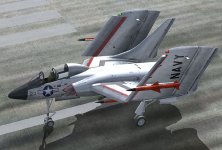
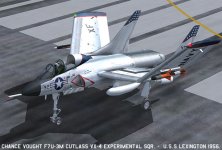
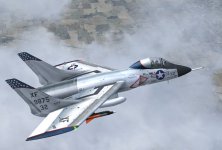
I'm sure there is a way for doing it I'm just still more fluent with Fs2004 techniques than I am with FSX I nearly had a fit trying to alter some traffic files yersterday
 thanks for the input fella's
Hooky

Lane Street
Charter Member
Unless you are converting the model to FSX native, or using an AGP video card, there is no need to convert the textures at all.
FS9 format Extended Bitmaps work just fine in FSX.
cheers,
Lane
FS9 format Extended Bitmaps work just fine in FSX.
cheers,
Lane

vonstroheim
SOH-CM-2026
bmp2dds.bat
You can use an automated script to convert a bunch of bmp files to dds. I'm using this old trick by Wozza.
You'll need "imagetool.exe". You may already have it somewhere in your FSX installation. If not, get it here
And my "bmp2dds.bat" script file looks like this:
Edit this file to correct the path to your copy of imagetool.exe. Then put a copy of "bmp2dds.bat" inside the folder where your bmp files are, and double-click on it.
Not sure if this script does what you are looking for (improve reflection) but it's so easy to use, why don't you give it a try? Converting BMP to DDS with this script has some advantages, like reducing the file size, removing the mipmaps (useless for non-AI aircrafts), fixing some DX10 issues... I use it with all my FS9 portovers.
You can use an automated script to convert a bunch of bmp files to dds. I'm using this old trick by Wozza.
You'll need "imagetool.exe". You may already have it somewhere in your FSX installation. If not, get it here
And my "bmp2dds.bat" script file looks like this:
Code:
"C:\Program Files (x86)\FsxTools\imagetool.exe" -nobeep -nomip -DXT5 -dds -nodither *.bmpEdit this file to correct the path to your copy of imagetool.exe. Then put a copy of "bmp2dds.bat" inside the folder where your bmp files are, and double-click on it.
Not sure if this script does what you are looking for (improve reflection) but it's so easy to use, why don't you give it a try? Converting BMP to DDS with this script has some advantages, like reducing the file size, removing the mipmaps (useless for non-AI aircrafts), fixing some DX10 issues... I use it with all my FS9 portovers.
delta_lima
Charter Member 2015
Yes, thanks Hooky.
Mine is working fine in FSX - and those paints by Pierre Llerreux embody a wonderful, fun/fast paced period in FS history.
I'm picturing what Rick did with the B-58, with those highly reflective textures, and it's a very exciting prospect ...
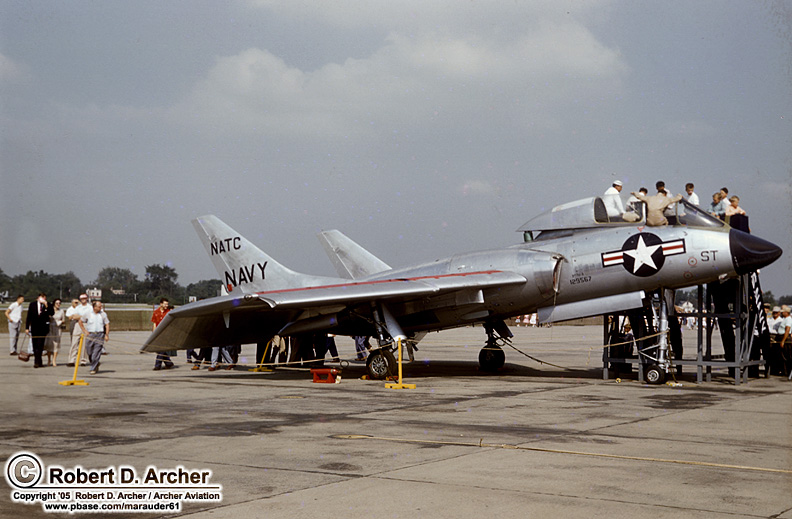
Mine is working fine in FSX - and those paints by Pierre Llerreux embody a wonderful, fun/fast paced period in FS history.
I'm picturing what Rick did with the B-58, with those highly reflective textures, and it's a very exciting prospect ...

I'm sure there is a way for doing it I'm just still more fluent with Fs2004 techniques than I am with FSX I nearly had a fit trying to alter some traffic files yersterday
Hooky
Did you succeed in altering the traffic files?

Cees

DaveQ
Charter Member
Have you tried using DX10? I've found that with some FSX models reflective textures don't work with DX9. Don't ask me why.... An example is Manfred Jahn's C-47. Could be my graphics card because I've only recently become aware of the problem. I'm using an Nvidia GeForce GTX 760 Ti with an Intel i7-4820 processor.
DaveQ
DaveQ
Did you succeed in altering the traffic files?
Cees
No Cees I'm afraid not. I was going to take a crack at it again this weekend if I have time. I was trying to edit the Captain Sim traffic files that come with the CS Weapon expansion so that the Eastern Block aircraft stay in the DDR and Western aircraft don't wind up in North Korea sat next to a load of Migs!!!
You can use an automated script to convert a bunch of bmp files to dds. I'm using this old trick by Wozza.
You'll need "imagetool.exe". You may already have it somewhere in your FSX installation. If not, get it here
And my "bmp2dds.bat" script file looks like this:
Code:"C:\Program Files (x86)\FsxTools\imagetool.exe" -nobeep -nomip -DXT5 -dds -nodither *.bmp
Edit this file to correct the path to your copy of imagetool.exe. Then put a copy of "bmp2dds.bat" inside the folder where your bmp files are, and double-click on it.
Not sure if this script does what you are looking for (improve reflection) but it's so easy to use, why don't you give it a try? Converting BMP to DDS with this script has some advantages, like reducing the file size, removing the mipmaps (useless for non-AI aircrafts), fixing some DX10 issues... I use it with all my FS9 portovers.
I'm afraid that didn't work I'm probably doing something wrong tbh because there all still bmp's not DDS! lol nevermind, worth a try anyway, thank you But I think I'm going to have to live how they are anyway as it's just getting a little bit too complex for me at the moment, But next questions does anyone know of any decent afterburner effects that would look good on the AS Skyray the one's included look a little dated now to be honest.