
• Please see the most recent updates in the "Where did the .com name go?" thread. Posts number 16 and 17.

    Post 16 Update

    Post 17 Warning old domain name stealing credentials

  • Special Server Maintenance

    Just when you think you have everything running some what better...

    You get a message from the Hosting company. Short story they need to move us to a new server. I have been working with them to plan a good date for all concerned. Here is what we have come up with as a schedule.

    1. November 4th 17:00 -5UTC shut off the forums and start backup proceedures. During this time there will be no access to the forums or the Resource Section.
    2. November 5th Continue with Backups and download same until complete.
    3. November 6th 7:00 turn over server to hosting company to move system to new server
    4. November 7th - 8th restore backups and upgrade forum software.

    If all goes well we should be back online on November 8th.

    To keep you updated we will post updates on AVSIM forums.

    Thank you for your support.

Default Ground showing under Photoreal

falcon409

SOH-CM-2026
I would post this on FSDevelopers but it has decided it doesn't know who I am and won't let me reset my password.

The color screenshot below illustrates the problem and the other B&W (0,0,0 and 255,255,255) shows the water mask and Blur mask. In all the years I've done scenery I have avoided, as often as possible, doing anything that required working around water. . .for this very reason.

Does anyone know how to eliminate the ground texture so that the real coastline shows?
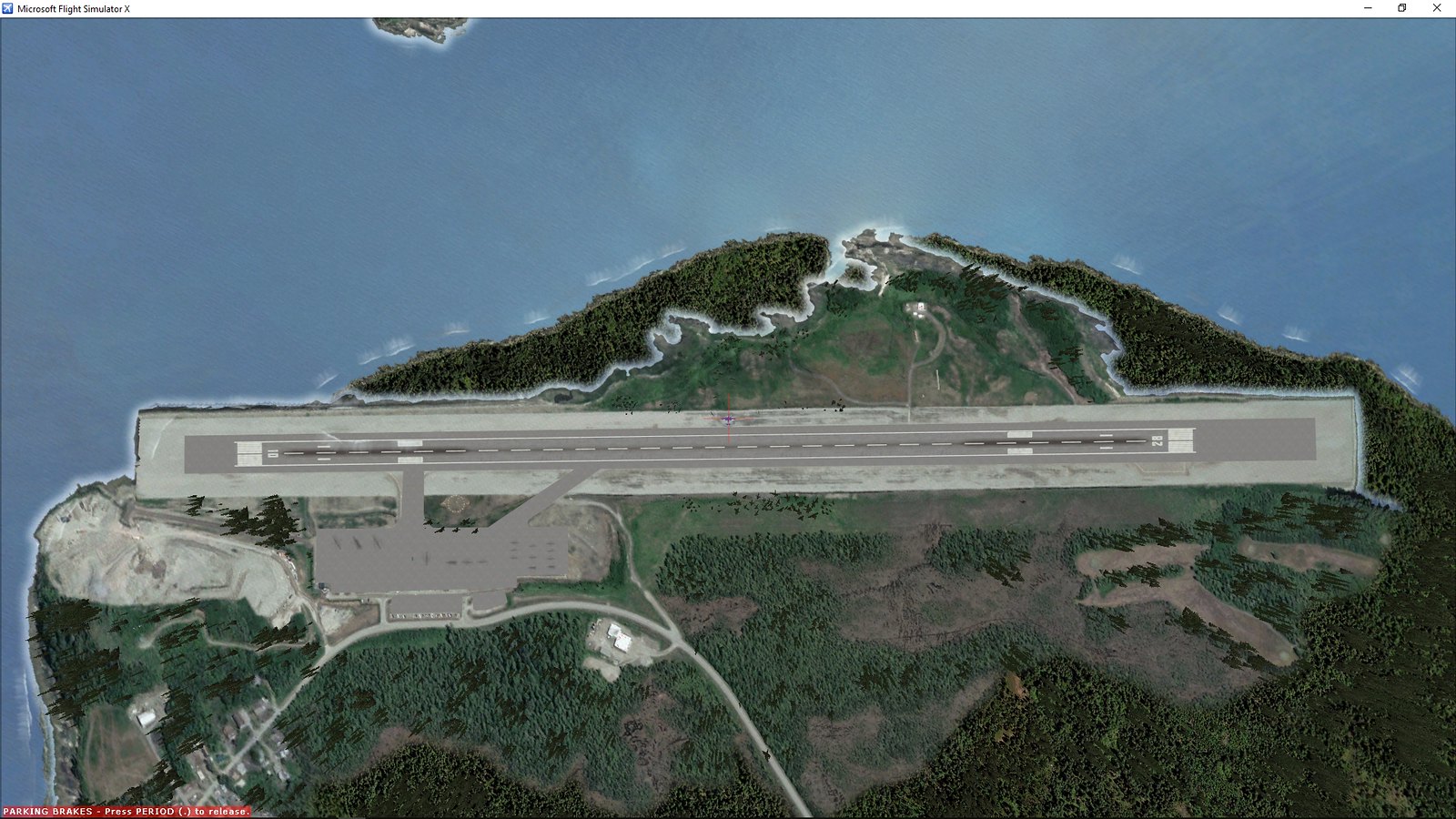
Wrangell-2019-jul-29-004 by Ed Wells, on Flickr

Wrangell-2019-jul-29-005 by Ed Wells, on Flickr
 
Ed, the only way I have been able to do this is using SBuilderX. You create a hole by tracing the shoreline of the photoreal and make your hole show as ocean. The details of how to do this is found in the SBuilderX tutorials. Learning how to make an island with photoreal is where to look. It works the same with coastlines. Hope this helps.
 
Ed, the only way I have been able to do this is using SBuilderX. You create a hole by tracing the shoreline of the photoreal and make your hole show as ocean. The details of how to do this is found in the SBuilderX tutorials. Learning how to make an island with photoreal is where to look. It works the same with coastlines. Hope this helps.
Yep, never considered that for this problem. I've used it occasionally for Islands but since this didn't really seem to fit that scenario I went looking for the hard way to do it, lol. Anyway, worked perfectly. . .thanks Tom!
 
Ed, I let SBuilderX sit on the shelf just for this kind of situation. I did the U.S.Navy base on Attu some time back. The default coast line showed big time there. SBuilderX cleaned it up very nicely. Glad you got the situation solved.
 
Back
Top