

falcon409
SOH-CM-2026
I would post this on FSDevelopers but it has decided it doesn't know who I am and won't let me reset my password.
The color screenshot below illustrates the problem and the other B&W (0,0,0 and 255,255,255) shows the water mask and Blur mask. In all the years I've done scenery I have avoided, as often as possible, doing anything that required working around water. . .for this very reason.
Does anyone know how to eliminate the ground texture so that the real coastline shows?
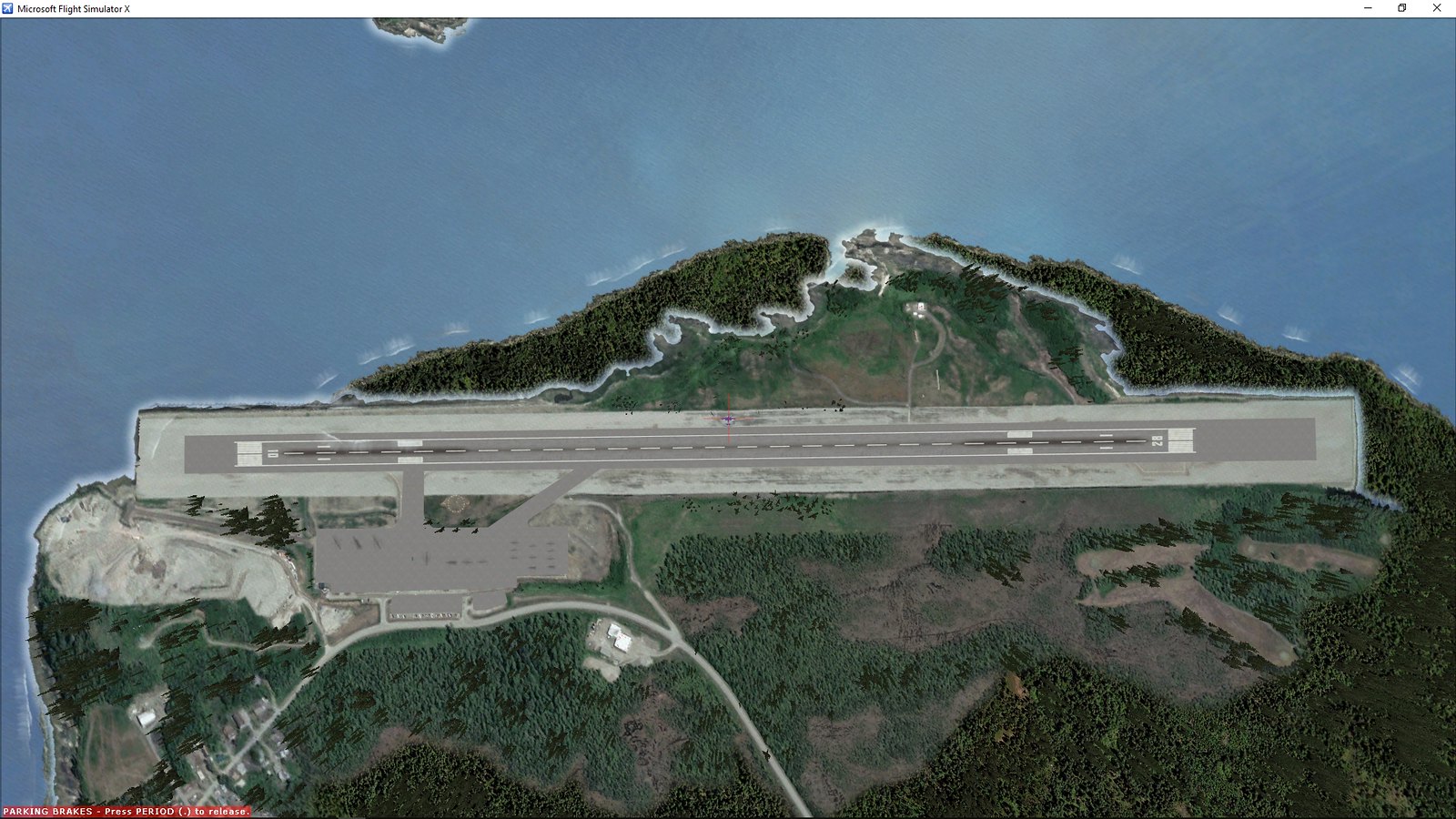 Wrangell-2019-jul-29-004 by Ed Wells, on Flickr
 Wrangell-2019-jul-29-005 by Ed Wells, on Flickr
The color screenshot below illustrates the problem and the other B&W (0,0,0 and 255,255,255) shows the water mask and Blur mask. In all the years I've done scenery I have avoided, as often as possible, doing anything that required working around water. . .for this very reason.
Does anyone know how to eliminate the ground texture so that the real coastline shows?
Wrangell-2019-jul-29-004 by Ed Wells, on FlickrWrangell-2019-jul-29-005 by Ed Wells, on Flickr