• Please see the most recent updates in the "Where did the .com name go?" thread. Posts number 16 and 17.

    Post 16 Update

    Post 17 Warning old domain name stealing credentials

  • Special Server Maintenance

    Just when you think you have everything running some what better...

    You get a message from the Hosting company. Short story they need to move us to a new server. I have been working with them to plan a good date for all concerned. Here is what we have come up with as a schedule.

    1. November 4th 17:00 -5UTC shut off the forums and start backup proceedures. During this time there will be no access to the forums or the Resource Section.
    2. November 5th Continue with Backups and download same until complete.
    3. November 6th 7:00 turn over server to hosting company to move system to new server
    4. November 7th - 8th restore backups and upgrade forum software.

    If all goes well we should be back online on November 8th.

    To keep you updated we will post updates on AVSIM forums.

    Thank you for your support.

DX 11 vs DX 12 (Beta)

Cazzie

SOH-CM-2026
Gents,

Since I received my new unit, I have been having a blast, but I have also been concerned about that 100% pull on my GPU using DX 11. So for a test, I switched to DX 12 (Beta). Looks like with the ATI card I shall be using this, I did not like DX 12 (Beta) using the nVidia cards, I got screen flashes. But on this ATI card, with either it is smooth as silk. However, with DX 12 (Beta) I am getting faster frames rates at a lower % usage of my GPU. Check these screenshots, both from tests using each. DX 11 is using 100% of my GPU to achieve the fps seen (all setting are Ultra save trees, too many of them on Ultra or High, I set mine to Low).

Cazzie

DX 11

View attachment 91769

DX 12 (Beta)

View attachment 91768
 
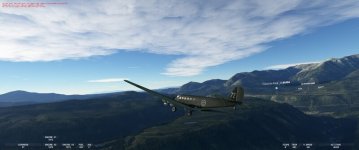
Hi , i had DX11 /TAA since the beginning , but now i have switch to DX12 / TAA and never looking back , much clearer and nice sky´s :)

Microsoft Flight Simulator Screenshot 2023.09.14 - 03.28.01.69.jpg Converted to Jpeg


HB
 
I have a problem in that when I select DX12 and reboot the sim and check the graphics settings, it still says DX11!?!?

NC
 
I like flying the glass cockpit GA, turboprops and exec jets but DX12 makes the screens too blurred to read on an 8Gb RTX3060Ti even in the zoom views.
When dialling in an altitude for example, the numbers which are scrolling become invisible so I can't tell when to stop. Useless.
 
I have a problem in that when I select DX12 and reboot the sim and check the graphics settings, it still says DX11!?!?

NC

Hi Chief,

You have a GTX1080TI, right? If and when you activate DX12 in the sim, avoid trying to activate DLSS, your card isn't compatible. Try selecting DX12 and TAA, click on apply, close down and restart the sim. That should work, because your card IS DX12 ready.

Cheers,

Jan
 
Hi Chief,

You have a GTX1080TI, right? If and when you activate DX12 in the sim, avoid trying to activate DLSS, your card isn't compatible. Try selecting DX12 and TAA, click on apply, close down and restart the sim. That should work, because your card IS DX12 ready.

Cheers,

Jan

Finally a answer! Thank you! Will try later today. Chief
 
Back
Top