• Please see the most recent updates in the "Where did the .com name go?" thread. Posts number 16 and 17.

    Post 16 Update

    Post 17 Warning old domain name stealing credentials

  • Special Server Maintenance

    Just when you think you have everything running some what better...

    You get a message from the Hosting company. Short story they need to move us to a new server. I have been working with them to plan a good date for all concerned. Here is what we have come up with as a schedule.

    1. November 4th 17:00 -5UTC shut off the forums and start backup proceedures. During this time there will be no access to the forums or the Resource Section.
    2. November 5th Continue with Backups and download same until complete.
    3. November 6th 7:00 turn over server to hosting company to move system to new server
    4. November 7th - 8th restore backups and upgrade forum software.

    If all goes well we should be back online on November 8th.

    To keep you updated we will post updates on AVSIM forums.

    Thank you for your support.

DX10 Fixer Cloud Shadows!

Tim-HH

SOH-CM-2023
Hi,

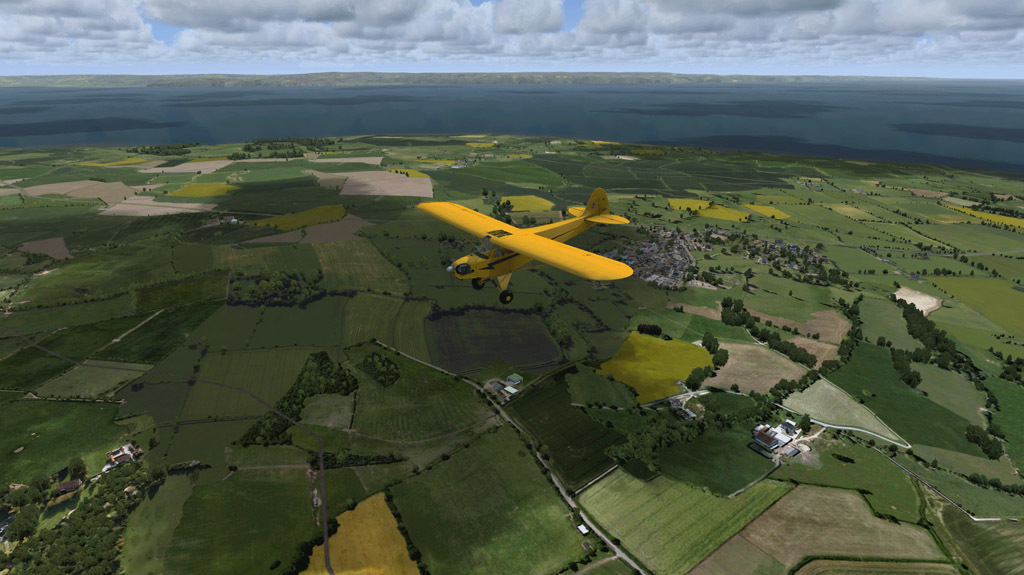
Steve has released an addon for his DX10 Fixer that adds cloud shadows to FSX :applause:

2016-8-18_13-50-8-1568olgw.jpg


It's available for $11,99: DX10 Cloud Shadows

Greetings
Tim
 
Yeah I love the continuous development! And cloud shadows although I only fly P3D and X-Plane 11 beta.
 
works great. shadows smoothly fade in/out as altitude passes around 1000ft agl, very nice.


cs_1.jpg


cs_4.jpg
 
Ok, this will probably persuade me to get the fixer.
So, it will work when the DX10 preview is enabled in FSX?

Well, it most certainly won't work unless it is.
Here are a few lines from the manual

In order to use DX10 Cloud Shadows you require
 FSX (DVD or Steam Edition)
 DX10 Scenery Fixer version 3.1
 The water slider in FSX settings to at least 2.Mid
 “aircraft cast shadows on itself” option turned on in FSX Settings
 Original cloud, water , terrain and general shaders.
 
Simply wow - but my PC is an i2500 (no k) at 3.4 Ghz...So to get the shadows to work it is recommended to set the water settings to 2 at minimum I guess. This is hard, because this drops my frames a lot. So I am torn between buy it or not... Anyway, Steve's shown what's possible to squeeze out of this da..n old flightsim. Well done, Steve!
 
Simply wow - but my PC is an i2500 (no k) at 3.4 Ghz...So to get the shadows to work it is recommended to set the water settings to 2 at minimum I guess. This is hard, because this drops my frames a lot. So I am torn between buy it or not... Anyway, Steve's shown what's possible to squeeze out of this da..n old flightsim. Well done, Steve!

Manschy,

My cpu is only a 3.33 ghz, so does that mean my settings would have to be even lower? NC
 
Back
Top