DXT3 Textures

vincentf563

Members +
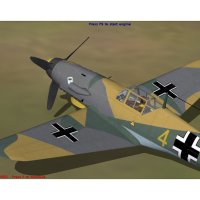
Hey Everyone!! Just have been going over the textures on my old planes trying to address my horrible textures. I just narrowed down a major issue to the conversion program I'm using. I use DXTBmp and it's ruining my textures. Is there something I'm doing wrong using the program or is it the program itself? I convert from a .psd to extended bitmap DXT 3. Any help would really be appreciated
 
I use Paint Shop Pro, not Photo Shop. The working files are in psp format, and I think Photo Shop working files are in psd format.

With Paint Shop Pro, in order to import into DXTbmp it is necessary to save the psp file as a bmp (Windows or OS/2 bitmap) file and then import it into DTXbmp.

DTXbmp can't read a psp file and I think maybe the same goes for a psd file. Save your psd files to a bmp format and try importing that. I wouldn't be surprised if that works.
 
Thanks Captain Kurt!! I'm glad to know that you use DXTBmp so I'm at least ok there. So I was doing my textures 2048x2048. Some reason when DXT Bitmap shrinks it down to 1024 there is a serious drop in detail. I resized my file to 1024 and repaired my lines and rivets and that seemed to fix it. Who knows... I might actually be getting to know what I'm doing with textures. Gah they are ugly compared to what I see here...Yuk
 
Experiment with the save formats. Not ever texture will work well with every texture format.

IIRC CFS2 is capped at 1024x1024.
 
Back
Top