
• Please see the most recent updates in the "Where did the .com name go?" thread. Posts number 16 and 17.

    Post 16 Update

    Post 17 Warning old domain name stealing credentials

  • Special Server Maintenance

    Just when you think you have everything running some what better...

    You get a message from the Hosting company. Short story they need to move us to a new server. I have been working with them to plan a good date for all concerned. Here is what we have come up with as a schedule.

    1. November 4th 17:00 -5UTC shut off the forums and start backup proceedures. During this time there will be no access to the forums or the Resource Section.
    2. November 5th Continue with Backups and download same until complete.
    3. November 6th 7:00 turn over server to hosting company to move system to new server
    4. November 7th - 8th restore backups and upgrade forum software.

    If all goes well we should be back online on November 8th.

    To keep you updated we will post updates on AVSIM forums.

    Thank you for your support.

Eagle Rotocraft Simulations De Havilland Canada Dash 8 Serie

PeteHam

Charter Member
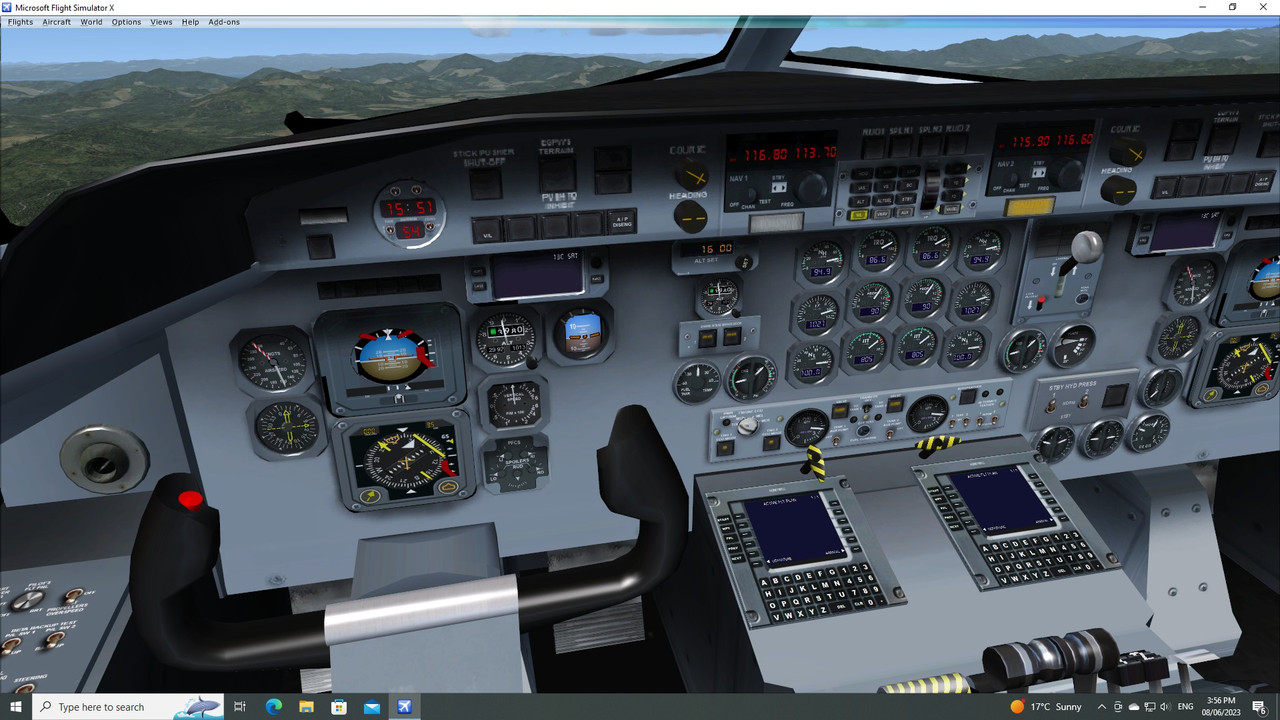
I'm wondering if there's any FSX repaints done for Eagle Rotocraft Simulations De Havilland Canada Dash 8 Series


I'm mainly looking for liveries of the 100/200 & 300 versions. I've searched but can't find any.


It's the ex Dreamwings Design and I've aliased my VC to the Virtualcol De Havilland Canada Dash 8


Thanks for any help.


Pete.
 
Unless I am mistaken, I believe that all repaints from Dreamwings Dash 8 are compatible with Eagle Rotocraft Dash 8 model bases.

Regards,

Aharon
 
Hi Aharon, thanks for your reply.

As far as the old Dreamwings textures go, it states in the readme .... " While all models are based on the sources from Dreamwings Designs, there are compatability issueswith the Q100 and 200 models. Textures from the original models will not work with the new models,a new paintkit is supplied. "


To alias the VC (this is from the payware Vcol model) , add the " .... _interior.MDL " to the model folder plus the relevant text to the model CFG file.

You'll also have to copy across any VC textures plus the Panel folder. Also the [Views] entry will have to be adjusted in the new aircraft cfg.

It's really a bit of trial and error to see if it will work.

Pete.
 
The problems with the new models is that George made them unable to be "Read" by MCX so it's very difficult to check progress (lining stuff up ect) without having to load into the sim every time you make a change.
 
Back
Top