
-
Please see the most recent updates in the "Where did the .com name go?" thread. Posts number 16 and 17.
-
Special Server Maintenance
Just when you think you have everything running some what better...
You get a message from the Hosting company. Short story they need to move us to a new server. I have been working with them to plan a good date for all concerned. Here is what we have come up with as a schedule.
- November 4th 17:00 -5UTC shut off the forums and start backup proceedures. During this time there will be no access to the forums or the Resource Section.
- November 5th Continue with Backups and download same until complete.
- November 6th 7:00 turn over server to hosting company to move system to new server
- November 7th - 8th restore backups and upgrade forum software.
If all goes well we should be back online on November 8th.
To keep you updated we will post updates on AVSIM forums.
Thank you for your support.
You are using an out of date browser. It may not display this or other websites correctly.
You should upgrade or use an alternative browser.
You should upgrade or use an alternative browser.
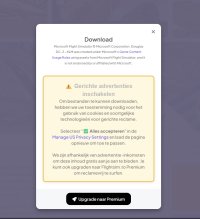
Flightsim.to hacked?
- Thread starter ftl818
- Start date

Before trying that, give this a try: open the command prompt with elevated rights, i.e. type CMD in the search field of the task bar, when the command prompt is shown, click on "run as administrator".
In the command prompt type ipconfig /flushdns and hit enter
Reboot your machine and try again with different browsers.
Priller
In the command prompt type ipconfig /flushdns and hit enter
Reboot your machine and try again with different browsers.
Priller

This is why I rely on Windows Defender and Ghostery ad blocker, then watch where I click. All these third party packages do is slow down your 'puter and screw up your life with false positives.Problem found and solved, it was Malwarebyte safe browsing.

tiger1962
SOH-CM-2026
Windows Defender plus Ghostery and uBlock Origin on MS Edge works for me - you can easily "whitelist" the sites you visit regularly on either one (sometimes both) and it's well worth it for the peace of mind, plus:
I use MS Edge for the MS Rewards I get just for using it - the points can be exchanged for MS or Xbox credits, both of which I can spend in MSFS Marketplace. You can't beat getting FREE STUFF just for using a web browser!
I use MS Edge for the MS Rewards I get just for using it - the points can be exchanged for MS or Xbox credits, both of which I can spend in MSFS Marketplace. You can't beat getting FREE STUFF just for using a web browser!
Last edited:

Navy Chief
Senior Member
I use Brave browser, and it stops popups.