• There seems to be an uptick in Political comments in recent months. Those of us who are long time members of the site know that Political and Religious content has been banned for years. Nothing has changed. Please leave all political and religious comments out of the forums.

    If you recently joined the forums you were not presented with this restriction in the terms of service. This was due to a conversion error when we went from vBulletin to Xenforo. We have updated our terms of service to reflect these corrections.

    Please note any post refering to a politician will be considered political even if it is intended to be humor. Our experience is these topics have a way of dividing the forums and causing deep resentment among members. It is a poison to the community. We appreciate compliance with the rules.

    The Staff of SOH

  • Please see the most recent updates in the "Where did the .com name go?" thread. Posts number 16 and 17.

    Post 16 Update

    Post 17 Warning

FS2004 Screenshots Here!!!

I remain amazed by how nice your FS2004 looks.

Not much different than yours… to be honest :D just with some more payware addons as it seems like… also I don’t really show the images inflight as the default scenery below inflight still looks as crappy as FS2004 basic is… :D
 
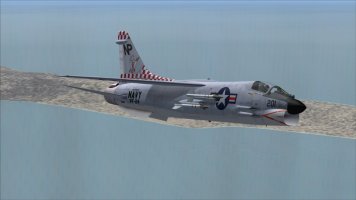
VF-24.jpg

Rage 201, VF-24, cruising around San Clemente on a hazy day.
The Alphasim Crusader is one of those planes I love to hate to love. :dizzy:
Like the Phantom, I need to fly it enough to figure out its quirks.
Until then, it just kicks my ###.

I started goofing around with it while I was putting my phantom carrier in the Gulf of Oman into commission.
I upgraded the afterburner and added some automatic 3D smoke. Then did some research on all of the repaint squadrons for stuff like call signs and home bases.
 
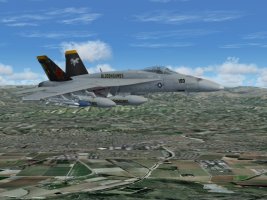
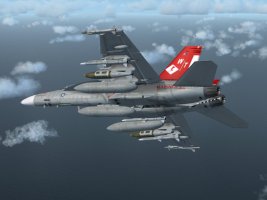
Bugging around; with the VRS Superbug and some fsx paints converted for fs9; (before Flightsim.com went 'dark' I found a dds to bmp batch converter in their library, bit of trial and error, some convert easy others not so; you basically convert the whole texture folder in one go)

ttfn

Pete


superbug_1.jpgsuperbug_2.jpg
 
  • Like
Reactions: jgf
How did you manage to get it working without remapping all of your controls? :unsure:
I still have it installed but I gave up when I could only get the APU running.
 
Just be aware, it looks great BUT it is VERY procedural and the docs aren't very clear (IMO).
You'll also have to REMAP all of your controls, making your FS install more like a single-plane VRS install.
I got the impression VRF designed this thing for folks who wanted to build their own stand-alone home cockpits for ONE airplane.
I've kept it installed but "recycled" some stuff like the sound folders for other aircraft. (F-22 and the KBT Super Hornet)

I bought mine at the old Flightsim.com site, I'm not sure who else still sells it.
 
Unfortunately, I can't get the VRS Superbug to work with FS2004 in combination with Windows 10.
My previous experiences:
A very elaborately made add-on. Simply getting in and flying doesn't work, you have to invest some time in preparation.
Not suitable for a quick after-work flight.
 
Unfortunately, I can't get the VRS Superbug to work with FS2004 in combination with Windows 10.
My previous experiences:
A very elaborately made add-on. Simply getting in and flying doesn't work, you have to invest some time in preparation.
Not suitable for a quick after-work flight.

Ah that sounds bad… so it probably won’t even run in my WIN11 2H25 Installation… so i bother if i should buy it or not… probably better not…
 
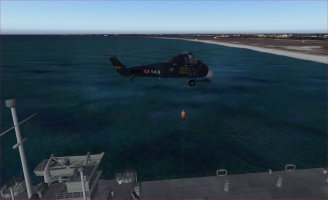
Once an other view of flight operations and a creative use of FS9 possibilities. Thanks Michael!

Bernard
 
Bonsoir Bernard,

as tu recu via ce site la scène de Oedheim (EDGO) ?
A part ca comme je travaille encore sur le SA55 je regardais aussi ou il y en avait.
Ben entre-autres aussi à Lanveoc-Poulmic. D' origine FS2004 c' est très pauvre.
Et ce que j' ais comme add-on scenery beuhhhhhh pas vraiment convainquant.
Bon je dois sortir le chien
Ca donnera au pc un peu de temps pour se nettoyer

Kenavo

Michael
 
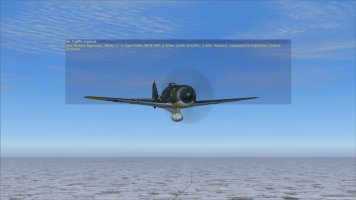
For you FW-190 pilots, notice the text with ATC. What you read is what was said. :wiggle:

White3.jpg

The "White 3" part was easy enough with my (shameless plug) "color/number" call signs. The trick is hearing "Focke Wulf 190" and here's how to do it:

[General]
atc_type=FOCKE WULF
atc_model=C190

performance=Focke-Wulf Fw 190 A-8\n\nEmpty Weight: 7,652 lbs. \nWingspan: 34.5 feet \nWing Area: 196.98 square feet \nNormal Takeoff Weight: 9,481 lbs. \nMaximum Takeoff Weight: 10,724 lbs. \nTop Speed, altitude: 408 mph TAS @ 18,700 feet MSL \nTop Speed, Sea Level: 353 mph TAS \nStalling Speed, clean (8,500 lbs.): 118 mph IAS \nStalling Speed, landing (8,500 lbs.): 98 mph IAS \nPowerplant: BMW 801D-2, 1700 HP for takeoff, 2100 HP with MW50 methanol-water injection. \nArmament: 2-13mm machine guns and four 20mm cannon\s various combinations of ordnance.
editable=1

:ernaehrung004:
 
How did you manage to get it working without remapping all of your controls? :unsure:
I still have it installed but I gave up when I could only get the APU running.
Go into the ACM (where you set payload) ; preferences tab, uncheck 'cold and dark', as for controls you have to reverse rudder axis restart sim, reverse axis again ,go fly runs mostly OK in Win 10 with fs9

ttfn

Pete
 
Back
Top