
-
Please see the most recent updates in the "Where did the .com name go?" thread. Posts number 16 and 17.
-
IMPORTANT DOWNLOADING INFORMATION - ALL MEMBERS PLEASE READ
Please see this thread for updates. Update Thread
SOH ADMINISTRATION
You are using an out of date browser. It may not display this or other websites correctly.
You should upgrade or use an alternative browser.
You should upgrade or use an alternative browser.
FS2004 Screenshots Here!!!
- Thread starter ZsoltB
- Start date

fs10inator
Members +
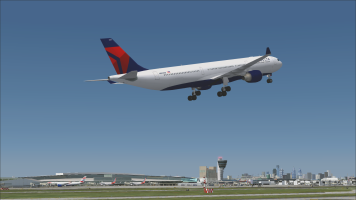
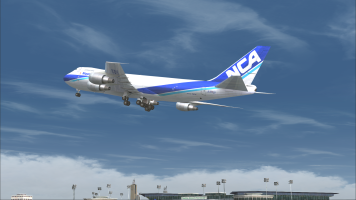
Remake of an old screenshot I took back in 2013
Motormouse
SOH-CM-2025
Ian, that is awesome.
Did you convert the skin to work on Alphasim's B-36 for FS2004?
I would love to get a copy, if possible.

I found a batch converter on Avsim that will convert fsx textures in one go. Im away working at present, back home Wednesday
Ttfn
Pete

When you convert .dds files to .bmp format you do this to use them on a FS2004 model. A FS2004 model doesn't do anything with a spec or bump map.MM, how does that batch converter handle FSX (DDS?) textures that contain a "bump layer"?
I use FSRepaint to convert DDS to BMP format and use some jiggery pokery to add the older alpha channels.
Cheers,
Huub
 You want some of Scott Minty's texture sets for the IRIS F-14 Tomcat that I back-converted from DXT5 to DXT3?
fs10inator
Members +
Motormouse
SOH-CM-2025
MM, how does that batch converter handle FSX (DDS?) textures that contain a "bump layer"?
I use FSRepaint to convert DDS to BMP format and use some jiggery pokery to add the older alpha channels.
Like Huub says fs9 doesnt do anything with those ; the converter runs in DOS you just drop the texture folder complete on top of the converter .exe then go in the folder and delete dds files , put the texture folder into your fs9 aeroplane folder make the necessary cfg entries and go fly
Ttfn
Pete

scotty
Members +
Check it out, simple as thatI'm just curious how these other converters work.

BaronFritz
Members +
Come fly with me....
BaronFritz
Members +
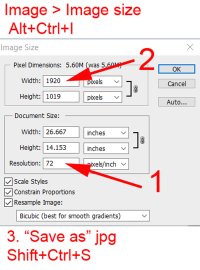
I was unable to locate information on the SOH site, as to how to go about posting a screenshot. I used a Brave search to come up with the following ;
-max size 10mb
-the recommended file type is .jpg
-the max dimension is 1920 by 1080
I have added a shot of the settings that I used in Photoshop if anyone is interested, however it was not without coaching by my wife, a Photoshop expert, that I was able to successfully produce a half decent post. Is this sort of information located on this site somewhere and I missed it? I think it would be a good idea if one of the SOH experten could collect all the needed information in a single article and post it with a link in the top bar, for us noobs. I think that would encourage more volks to post some of their screenshots.
-max size 10mb
-the recommended file type is .jpg
-the max dimension is 1920 by 1080
I have added a shot of the settings that I used in Photoshop if anyone is interested, however it was not without coaching by my wife, a Photoshop expert, that I was able to successfully produce a half decent post. Is this sort of information located on this site somewhere and I missed it? I think it would be a good idea if one of the SOH experten could collect all the needed information in a single article and post it with a link in the top bar, for us noobs. I think that would encourage more volks to post some of their screenshots.
Attachments

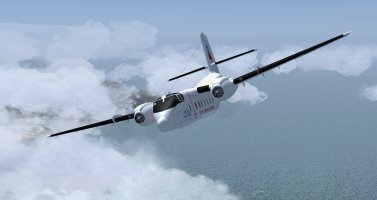
Which plane is that?
Good looking, Indeed!
BaronFritz
Members +
This is the De Havilland C7 Caribou, available at https://www.virtavia.com/Freeware/index.php, free download now however I bought it years ago, and I have some 3000 hours on it now. Thanks for the compliment!
scotty
Members +
Hi l'iguane,
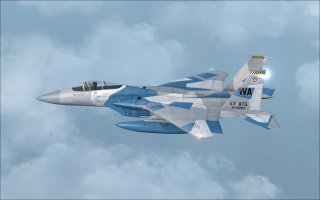
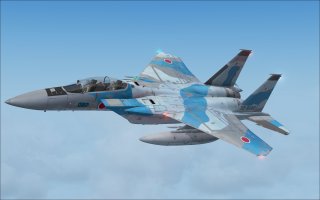
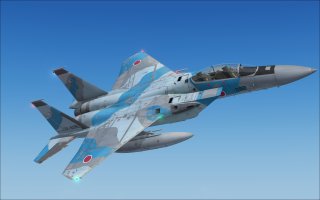
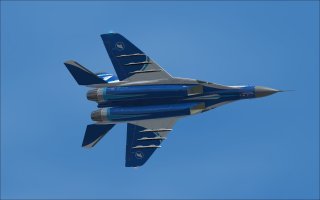
I just noticed that you responded to my post (#4,541) featuring your repaints of the IRIS F-15.
This is a wonderful opportunity to showcase more of your impressive repaints with a few images.
Thank you very much for continuing to support FS2004. It is most appreciated.
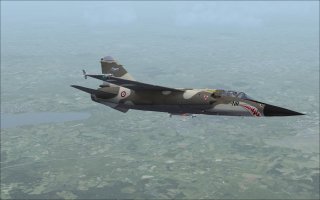
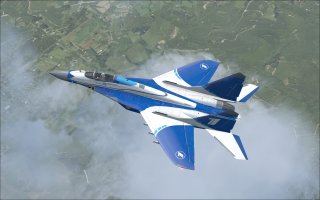
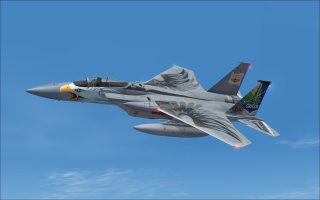
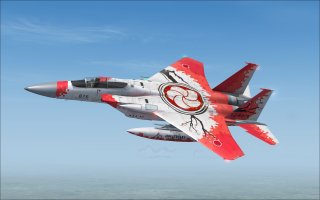
Regards
Scotty
I just noticed that you responded to my post (#4,541) featuring your repaints of the IRIS F-15.
This is a wonderful opportunity to showcase more of your impressive repaints with a few images.
Thank you very much for continuing to support FS2004. It is most appreciated.
Regards
Scotty

Hageneezz
Members +
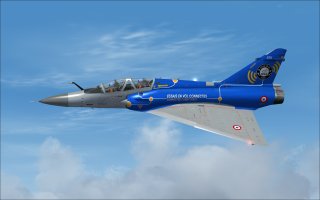
Great screenshots Scotty! Which designer made that first Mirage?Hi l'iguane,
I just noticed that you responded to my post (#4,541) featuring your repaints of the IRIS F-15.
This is a wonderful opportunity to showcase more of your impressive repaints with a few images.
Thank you very much for continuing to support FS2004. It is most appreciated.
View attachment 191331
View attachment 191332
View attachment 191333
View attachment 191334
View attachment 191335
View attachment 191336
Regards
Scotty

Sbob
SOH-CM-2026
^ THAT is the basic info you'll need.-the recommended file type is .jpg
-the max dimension is 1920 by 1080

Posting screen shots here is really a piece of cake.
I still use Paint Shop Pro 6, mostly because I can run it with eyes closed.
I'll compose a screen shot in FS where I try to get the sun angles right so it shows the textures best.
After that, I'll hit the PRINT SCREEN (PS) key and copy the screen to the clipboard.
You should have a CLIPBOARD selector in your "paint" program. Use that and your screen shot should show up.
At that point, I'll do any cropping or resizing to the image. Bigger isn't always better. I like my screen shots to fit nicely on the forum without any slider hassles. That makes it easier for everyone. At that point I'll use SAVE AS and give it a name while saving it in .jpg format and moving the image to my desktop.
From there, you'll see the Attach Files button on the lower left corner of your message. Click that then navigate to your desktop and select your .jpg image. The image should load to the forum as a thumbnail and you'll see an Insert button in the top-left corner of the thumbnail. Select FULL IMAGE and your screen shot will show up as full sized.
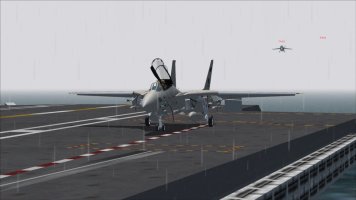
Note that this image is only 966 X 543 pixels. I lose a little sharpness but the pic still tells the story. Its a Tomcat on a rainy day at sea.
Last edited:
BaronFritz
Members +
The Caribou as downloaded from https://www.virtavia.com/Freeware/index.php, comes with the RCAF, RAAF and Vietnam era US paints. There is also a paint kit available on that site. I should mention that as shipped, the aircraft is rather plain and will require a fair amount work to get it up to spec, I can go into more detail as to what I have done to get it to resemble the aircraft as I use it. I have 12 additional repaints however as I have acquired them "eons ago", the file names and sources have been buried deep in my archives and will take a major search to unearth them. There was a website by caribou veterans which had tons of info in its archives however I've lost track of that, it may no longer exist.I'd forgotten about the Caribou.. In all my years of simming, somehow, I missed it.
I'll have to dig one up somewhere.. & the paint??
Nice!!