
• Please see the most recent updates in the "Where did the .com name go?" thread. Posts number 16 and 17.

    Post 16 Update

    Post 17 Warning old domain name stealing credentials

  • Special Server Maintenance

    Just when you think you have everything running some what better...

    You get a message from the Hosting company. Short story they need to move us to a new server. I have been working with them to plan a good date for all concerned. Here is what we have come up with as a schedule.

    1. November 4th 17:00 -5UTC shut off the forums and start backup proceedures. During this time there will be no access to the forums or the Resource Section.
    2. November 5th Continue with Backups and download same until complete.
    3. November 6th 7:00 turn over server to hosting company to move system to new server
    4. November 7th - 8th restore backups and upgrade forum software.

    If all goes well we should be back online on November 8th.

    To keep you updated we will post updates on AVSIM forums.

    Thank you for your support.

FSX Aircraft into FSX:SE install issue

PeteHam

Charter Member
Hi Guys,

I'm running FSX:SE and for a while I've been flying my FS9 Carenado Cessna 185 with only a few minor visual issues.

Today I thought I'd shout myself the FSX C185F Skywagon Bush.

There wasn't a specific one for FSX:SE so I purchased the FSX one.

But it won't install because it can't find FSX.

Is there a way around this?

Thanks,

Pete.
 
Well, I don't have any payware, so I can't speak to the Carendo installer specifically, but most installers have a way to select the folder you can install to manually. SO, two possibilities present themselves to my little pea-brain: 1) direct it to the Steam FSX folder manually, or 2) direct it to temp folder someplace, and manually copy it over your-self. Maybe, if you have to, direct it to a "pretend" FSX folder you created to make the installer happy, in place of a temp folder, and copy it over your-self. Like if it only looks in C:\Program Files\FSX then make one up. Be real careful about putting anything in that folder, though. Windows has some real bad personal problems allowing people to do ANYthing to files in it. Most especially Win10, so be careful.
If it absolutely has to "see" the FSX folder for it's self, you may have to change the entry for FSX in your registry. There is a program that's supposed to do this, but I'll be darned if I know what it is, never having needed it myself.
Pat☺
 
Hi Guys,

I'm running FSX:SE and for a while I've been flying my FS9 Carenado Cessna 185 with only a few minor visual issues.

Today I thought I'd shout myself the FSX C185F Skywagon Bush.

There wasn't a specific one for FSX:SE so I purchased the FSX one.

But it won't install because it can't find FSX.

Is there a way around this?

Thanks,

Pete.
You normally just need to point the installer to your FSX SE installation folder which is in within your Steam Folder. All Steam games are installed inside - Steam\steamapps\common. Therefore your FSX should be Steam\steamapps\common\FSX.

What you will need to know is where your Steam folder is. The default is C:\Program Files (x86)\Steam\steamapps\common\ but you may of selected a custom folder on a different drive.
 
Thanks for your replies.

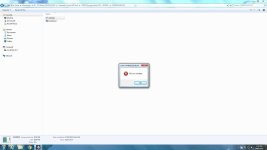
Unfortunately the Carenado 185 .exe doesn't have the option of selecting the install path.

I tried making a new FSX folder ( C:\Program Files\FSX ) and copy the FSX .exe from the main FSX:SE folder but that didn't work.

Pete.
 

Attachments

  • ss1134.jpg
    ss1134.jpg
    21.4 KB · Views: 0
Back
Top