
I get a splash screen, diminished size, and then FSX stops? The first thing I noticed was the diminished size.....I read something about an event viewer? Where can I find that? I run win11.

Cees
Cees

Please see the most recent updates in the "Where did the .com name go?" thread. Posts number 16 and 17.
Just when you think you have everything running some what better...
You get a message from the Hosting company. Short story they need to move us to a new server. I have been working with them to plan a good date for all concerned. Here is what we have come up with as a schedule.
If all goes well we should be back online on November 8th.
To keep you updated we will post updates on AVSIM forums.
Thank you for your support.

Click Start > Control Panel > System and Security > Administrative Tools. Double-click Event Viewer. Select the type of logs that you wish to review (ex: Windows Logs)
Logbook problem?
Maybe a need to verify game files?
To verify your game files please do the following:
1. Load the Steam platform and log into your account
2. Click the Library tab in the menu at the top of the screen
3. Click the List View from the view options on the top right of the screen
4. Right click on Microsoft Flight Simulator X: Steam Edition to bring up a popup menu
5. Click on Properties from the popup menu to bring up another popup box
6. Click on Local files from the popup box menu
7. Click on Verify integrity of game cache from the Local file options
8. Wait for the progress bar to finish verifying your files. Additional files may download
9. Restart Steam
10. Restart Microsoft Flight Simulator X: Steam Edition
or
1. Log on to Steam
2. Select "View Games Library" from the "Games" menu
3. Right-click the Microsoft Flight Simulator X: Steam Edition icon and select "Properties"
4. Select the "Local Files" tab and click on "Verify Integrity of Games Cache"


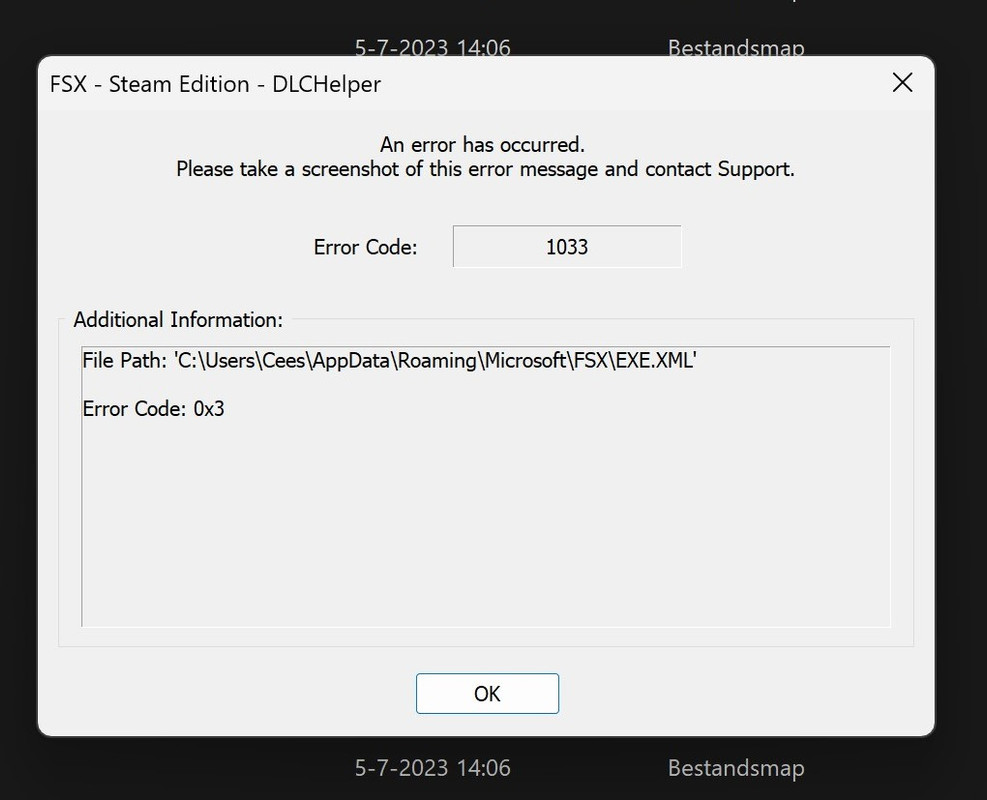
I decided to go for a clean install. But that is also cumbersome:
Cees


I got the clean install working and I'm rebuilding my install step by step.
Cees

Not sure whether this has been mentioned elsewhere, but I got a message yesterday to say that Steam will cease functioning on Windows 7 from 2024. Yes I'm a dinosaur !
