• There seems to be an uptick in Political comments in recent months. Those of us who are long time members of the site know that Political and Religious content has been banned for years. Nothing has changed. Please leave all political and religious comments out of the forums.

    If you recently joined the forums you were not presented with this restriction in the terms of service. This was due to a conversion error when we went from vBulletin to Xenforo. We have updated our terms of service to reflect these corrections.

    Please note any post refering to a politician will be considered political even if it is intended to be humor. Our experience is these topics have a way of dividing the forums and causing deep resentment among members. It is a poison to the community. We appreciate compliance with the rules.

    The Staff of SOH

  • Please see the most recent updates in the "Where did the .com name go?" thread. Posts number 16 and 17.

    Post 16 Update

    Post 17 Warning

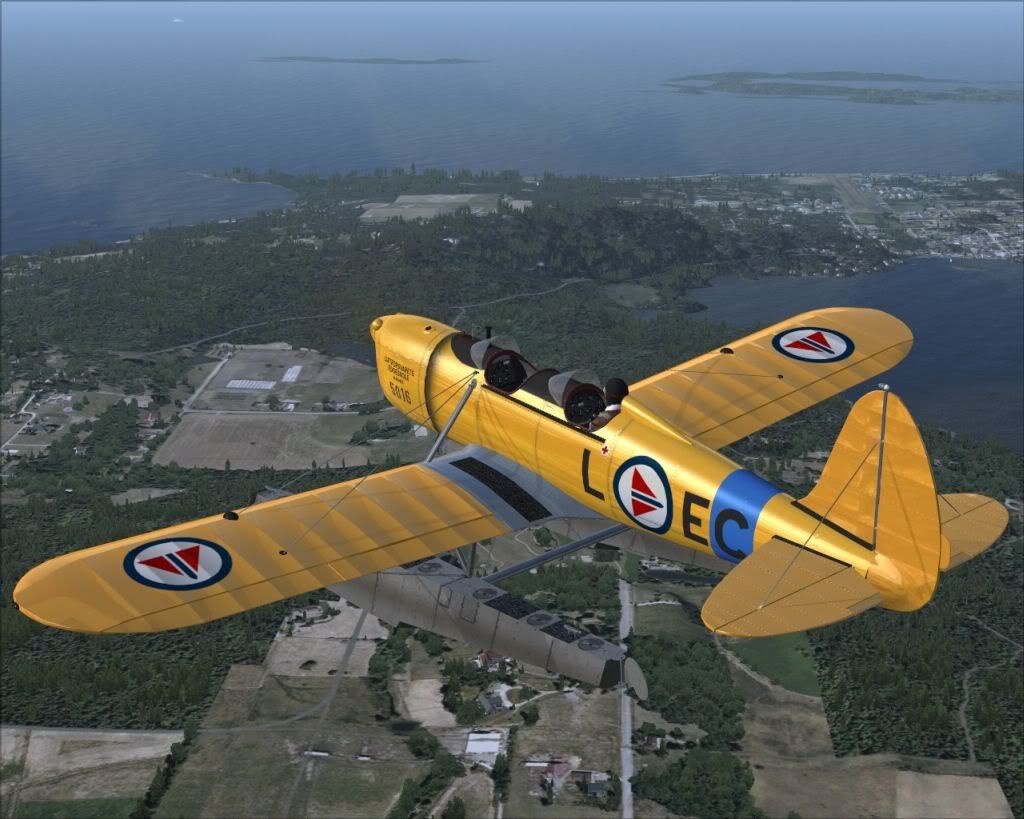
GAS Ryan ST Released! (payware)

To Grayrider: If I understand your problem correctly, I don't think it's the contact points. On this particular plane, at least on my install, the autorudder doesn't work while the plane is on the ground or on the water. You can see this if you look at the rudder and/or water rudders while on ground or water, and just move the joystick alone; nothing happens even with autorudder on.

In order to get the rudder and water rudders to work, you need to use dedicated rudder controls, be it buttons on the keyboard, twistgrip on your joystick, proper rudder pedals, or like I use, one of the paddles on the game box controller I'm using in lieu of a joystick at the present time.

Hope that helps.

Rob
 
Lovely stuff:applause:

rstgas-12.jpg
 
To Grayrider: If I understand your problem correctly, I don't think it's the contact points. On this particular plane, at least on my install, the autorudder doesn't work while the plane is on the ground or on the water. You can see this if you look at the rudder and/or water rudders while on ground or water, and just move the joystick alone; nothing happens even with autorudder on.

In order to get the rudder and water rudders to work, you need to use dedicated rudder controls, be it buttons on the keyboard, twistgrip on your joystick, proper rudder pedals, or like I use, one of the paddles on the game box controller I'm using in lieu of a joystick at the present time.

Hope that helps.

Rob

You are correct with the water rudders. I experimented with it yesterday and added the values to assign a turn radius to the contact points for the rudders (see below) in bold
[contact_points]
point.0=4.000, 5.55, -3.525, -5.80, 1068, 0.000, 0.00, 0.00, 0.25, 2.00, 0.70, 0.000, 0.000, 0.000, 0.000, 0.0
point.1=4.000, 5.55, 3.525, -5.80, 1068, 0.000, 0.00, 0.00, 0.25, 2.00, 0.70, 0.000, 0.000, 1.000, 0.000, 0.0 //7.590, 3.525, -5.800
point.2=4.000, -8.400, -3.600, -3.90, 1068, 0.000, 0.00, 0.00, 0.25, 2.00, 0.70, 0.000, 0.000, 2.000, 0.000, 0.0 //aft lt
point.3=4.000, -8.400, 3.600, -3.90, 1068, 0.000, 0.00, 0.00, 0.25, 2.00, 0.70, 0.000, 0.000, 3.000, 0.000, 0.0 //aft rt
point.4=5.000, -8.650, -3.525, -3.461, 0.00, 0.00, 0.00, 0.00, 180.00, 0.00, 0.00, 1.500, 1.500, 0 //left water rudder
point.5=5.000, -8.650, 3.525, -3.461, 0.00, 0.00, 0.00, 0.00, 180.00, 0.00, 0.00, 1.500, 1.500, 0 //right water rudder


I activated auto rudder and there was no difference. Then I assigned a keyboard command to the rudder for right and left and it worked fine. My suggestion is use the keyboard for water taxi and you'll be all set.

Best
Paul
 
Back
Top