• Please see the most recent updates in the "Where did the .com name go?" thread. Posts number 16 and 17.

    Post 16 Update

    Post 17 Warning old domain name stealing credentials

  • Special Server Maintenance

    Just when you think you have everything running some what better...

    You get a message from the Hosting company. Short story they need to move us to a new server. I have been working with them to plan a good date for all concerned. Here is what we have come up with as a schedule.

    1. November 4th 17:00 -5UTC shut off the forums and start backup proceedures. During this time there will be no access to the forums or the Resource Section.
    2. November 5th Continue with Backups and download same until complete.
    3. November 6th 7:00 turn over server to hosting company to move system to new server
    4. November 7th - 8th restore backups and upgrade forum software.

    If all goes well we should be back online on November 8th.

    To keep you updated we will post updates on AVSIM forums.

    Thank you for your support.

Graphic mod

rince33

Members +
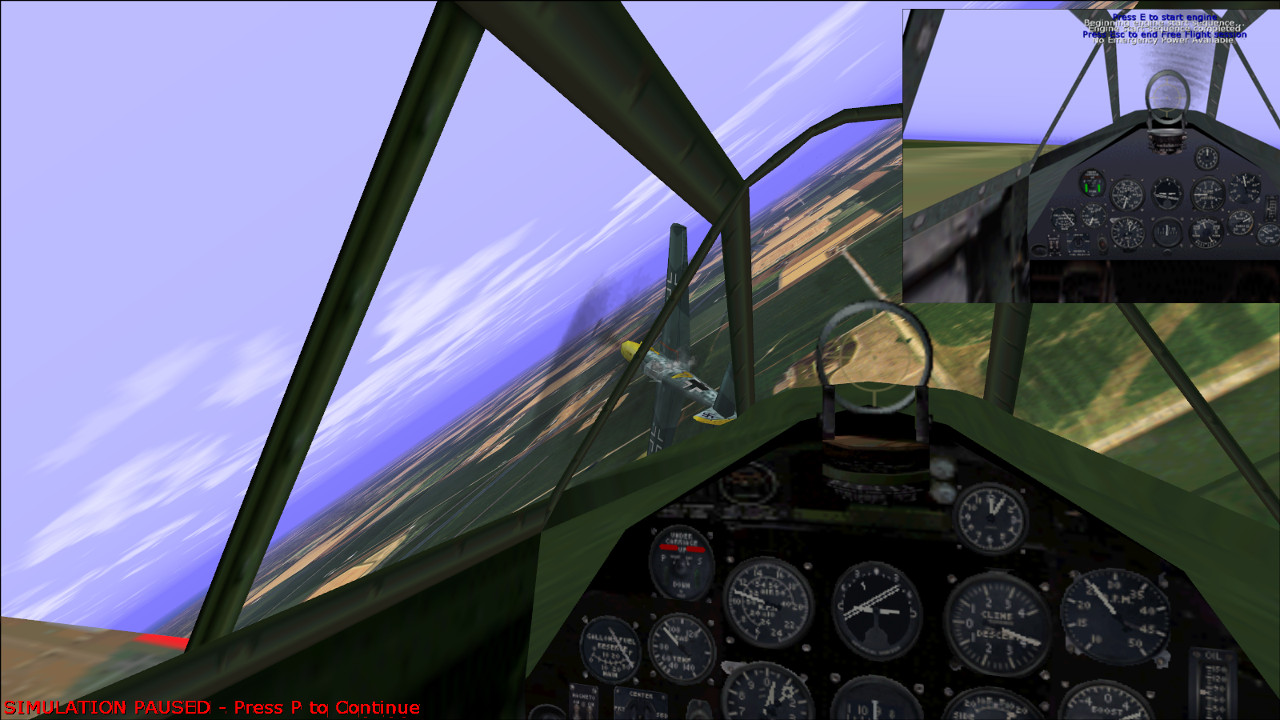
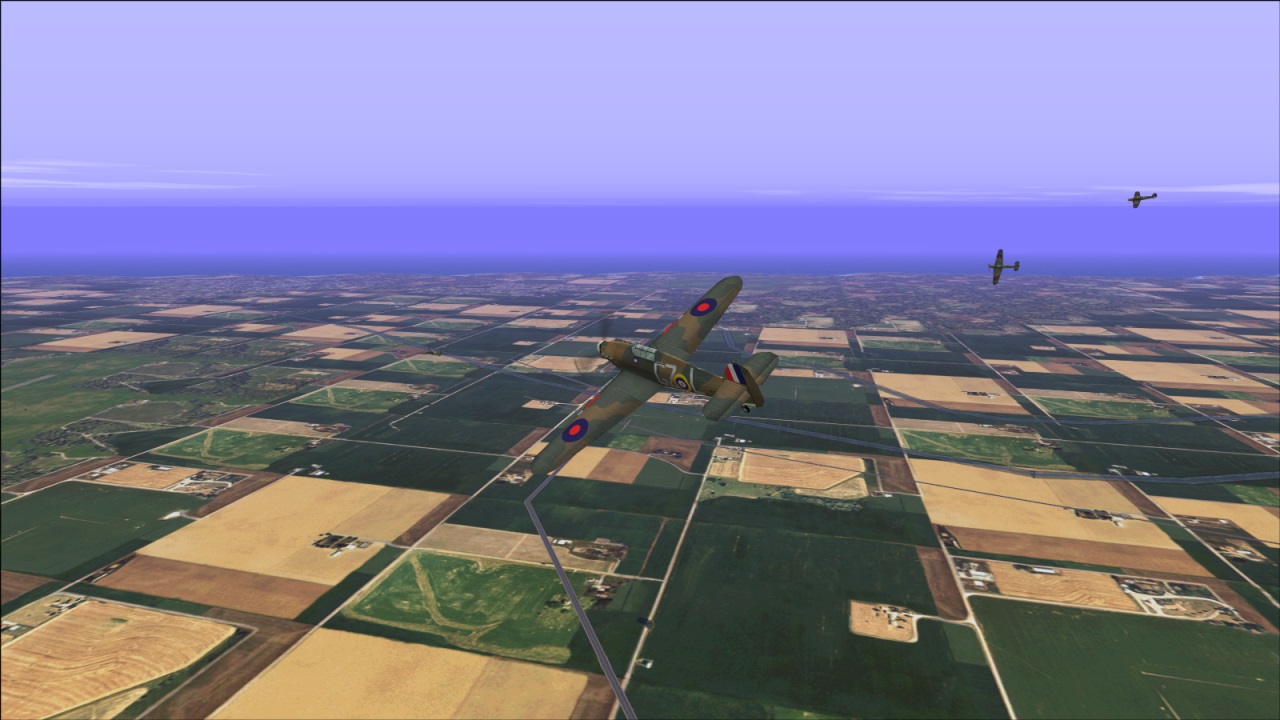
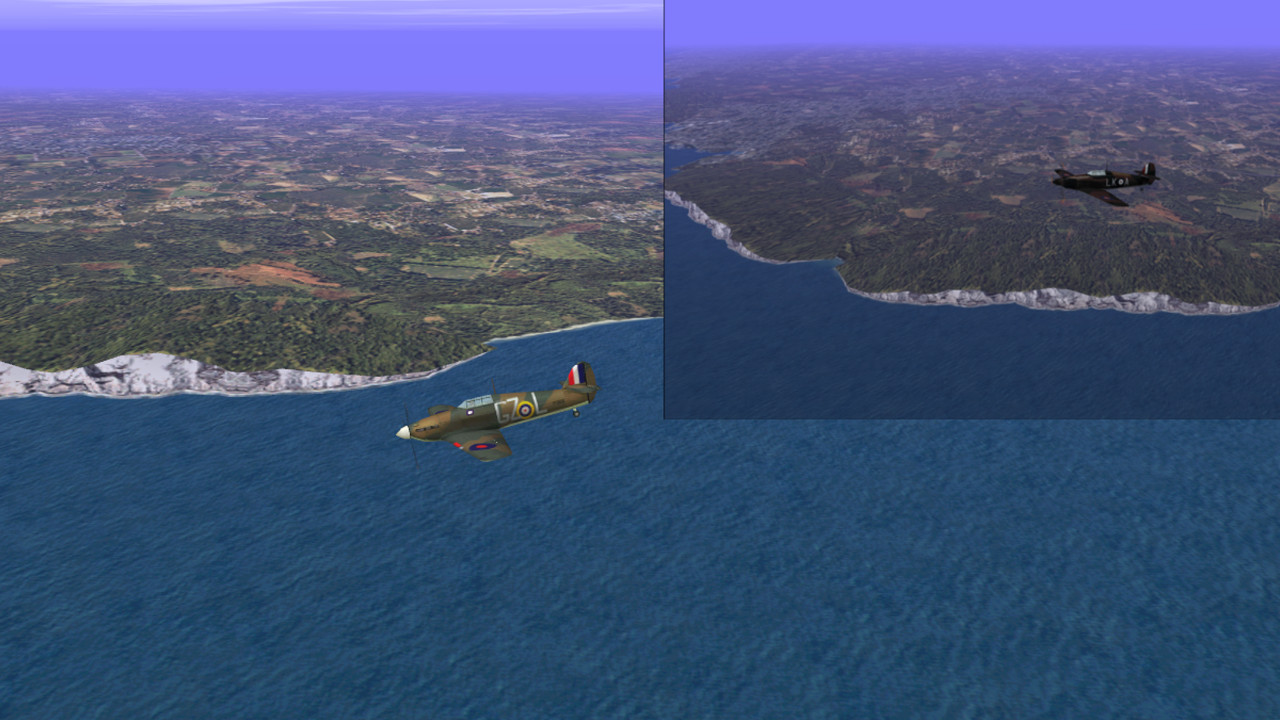
What I have done here is to lighten the terrain, cliffs and some of the ship textures and replace most of the aircraft textures with appropriate versions from the simviation site. Most of the aircraft textures were lightened to match the terrain brightness edit I have done. The Spit and Hurri Vc s are also different.
I did this a while back so I can't remember the creators of the various aircraft textures that were replaced.
I have also included my campaign folder containing two Bob mission campaigns by Waco Jaco and Ron Lewandowski. The readme files are in the campaign folder.

Backup and Replace the existing Aircraft, Textures and Campaign folders with the ones provided.

https://www.mediafire.com/file/ly19p1r4ifg485g/RRgraphic+edit+mod.rar/file
COMBATFS-2026-01-16-10-51-10-55.jpg


COMBATFS-2026-01-05-17-33-45-97.jpg


COMBATFS-2026-01-05-17-31-50-97.jpg
 
Last edited:
These are new static aircraft textures based on the replaced aircraft textures, and lightened vehicle textures for the above graphic mod. Place these in the texture folder and overwrite.

https://www.mediafire.com/file/m65vft7c4j5bgrg/static+textures.rar/file


I also recommend David Sumners 19airfields mod which places ground objects on about 20 odd airfields. If you like I can provide my scenery folder which already has it installed and activated. It does have American aircraft and vehicles on some of the airfields, not really ideal for Bob missions, but it's great eye candy if you are not too fussy, and showcases some of the lightened static vehicle and aircraft textures.
 
Last edited:
I was browsing the Free flight site today and I downloaded PJ'S aircraft textures from Smilo's Place and it looks like I used quite a few of his textures when I originally compiled this mod. I lightened most of them to match the terrain. I see that I forgot to include the static me109 lightened texture.
 
I would like to add it to the Cfs1 library, though I would like to first add the static textures to the main mod file so that it's one package. I also picked up a texture glitch with Smilo's b17g static aircraft texture and there are a few things that I may change or add first.
 
Hi Rince33,
Haven't seen you for a while.
Recently, I had been doing quite a bit of flight model work until it got a bit tedious and I took a break to do other hobbies for a while.

- Ivan.
 
Hi Ivan, nice to connect again.
I have been busy with a terrain mod on the Cfs3 forum for the last two years. I took a break to play some fun Cfs1 campaigns and also to spend some time on another hobby. I decided to release this mod that I have been sitting on for quite a while. I'm currently tweaking some of the textures, the b17g and he111 in particular, so it's still a wip. I want to include your do17 as an optional version of that aircraft as well if you don't mind.
 
Last edited:
Hello Rince33. While I did work on a Do 17, I never finished it, so the version you have is not mine.
The aeroplanes I build tend to be a bit resource intensive and may not be particularly suited for scenery in which you may have multiple copies on an airfield.
 
Another texture fix.
This is an update on the lower body portion of the HE111 texture which I neglected in
my rework. I flew a quick combat intercept mission and on attacking the HE111 from below
noticed that the underside looked hideous. This hopefully fixes this. The texture is a
combination of my rework and bits of Smilo's version.

Copy and replace the existing texture in the HE111 aircraft texture folder as well as the
static texture in the texture folder in the main directory.

https://www.mediafire.com/file/eetei1lxldc8nzi/he111+texturefix+.rar/file
 
Back
Top