• Please see the most recent updates in the "Where did the .com name go?" thread. Posts number 16 and 17.

    Post 16 Update

    Post 17 Warning old domain name stealing credentials

  • Special Server Maintenance

    Just when you think you have everything running some what better...

    You get a message from the Hosting company. Short story they need to move us to a new server. I have been working with them to plan a good date for all concerned. Here is what we have come up with as a schedule.

    1. November 4th 17:00 -5UTC shut off the forums and start backup proceedures. During this time there will be no access to the forums or the Resource Section.
    2. November 5th Continue with Backups and download same until complete.
    3. November 6th 7:00 turn over server to hosting company to move system to new server
    4. November 7th - 8th restore backups and upgrade forum software.

    If all goes well we should be back online on November 8th.

    To keep you updated we will post updates on AVSIM forums.

    Thank you for your support.

Grumman Mallard G-73 Goes Gold

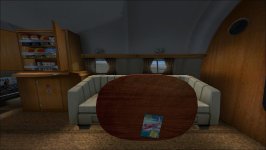
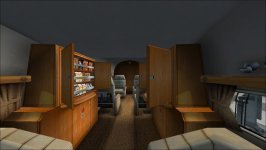
You have no idea how this helps ! When texturing the cabin, I had to move inside using the default FS keys, and it (took) takes ages !
I like to see if the carpet line is all matched with the walls, the bulkheads, etc...;)
The shading inside, etc, etc....this is great.
I say this because I'm still doing new cabin interiors, I mean, not new, just updating them slightly, and creating different sets for the different repaints.
As I just wrote to Milton, another sleepless night ;))))

I find you have to be discreet when checking if the carpet matches the drapes. :biggrin-new::pop4:
 
Had I known about these .cfg lines before, and the time it would have saved me when doing those textures!:banghead:
After finishing a few things in the turbine bitd, Im coming back to this gorgeous too. ;-) Miltons models are all beautifully designed, visually accurate, but the Mallard has been my favorite all these years! Lets see what I can still come up with soon.;-)
 
For P3Dv2.3+ users who wish to eliminate the transom water drops after water takeoff, do the following:

1) Open the aircraft.cfg
2) Find the "Lights" section
3) Comment out these two lines with leading slashes (//)

//light.5=9, -3.350000, -2.720000, -5.250000, SP2112_MALLARD_TRANSOM_DROP //LOGO
//light.6=9, -3.350000, 2.720000, -5.250000, SP2112_MALLARD_TRANSOM_DROP //LOGO

Sorry, I meant to document this in the release for P3Dv2.3+ users.

The effect can be corrected if you have P3Dv2.3+ and can change effects.
I do not have P3D so am unable to modify and test it properly.

If you can do this, the effect is called "SP2112_MALLARD_TRANSOM_DROP".
 
Back
Top