• Please see the most recent updates in the "Where did the .com name go?" thread. Posts number 16 and 17.

    Post 16 Update

    Post 17 Warning old domain name stealing credentials

  • Special Server Maintenance

    Just when you think you have everything running some what better...

    You get a message from the Hosting company. Short story they need to move us to a new server. I have been working with them to plan a good date for all concerned. Here is what we have come up with as a schedule.

    1. November 4th 17:00 -5UTC shut off the forums and start backup proceedures. During this time there will be no access to the forums or the Resource Section.
    2. November 5th Continue with Backups and download same until complete.
    3. November 6th 7:00 turn over server to hosting company to move system to new server
    4. November 7th - 8th restore backups and upgrade forum software.

    If all goes well we should be back online on November 8th.

    To keep you updated we will post updates on AVSIM forums.

    Thank you for your support.

Grumman S2Turbo Military Version for FSX, missing texture?

tommieboy

SOH-CM-2025
re: Grumman S2Turbo Military Version for FSX (FS9 Portover) (S2T-MIL), fsxs2tmil11.zip

Does any know if there is a texture file for the interior surface of rear gear doors? They currently appear to be jet black.

Thanks,

Tommy


GT_999.jpg
 
re: Grumman S2Turbo Military Version for FSX (FS9 Portover) (S2T-MIL), fsxs2tmil11.zip

Does any know if there is a texture file for the interior surface of rear gear doors? They currently appear to be jet black.

Thanks,

Tommy


GT_999.jpg

Tommy, see attached.

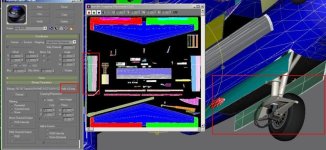
The inner doors are mapped to the tails_s2t.bmp on the left side as indicated.

Hope this helps.
 

Attachments

  • s2tmap.jpg
    s2tmap.jpg
    77.4 KB · Views: 0
Milton,

Thanks for the file name. I looked in the file and it shows the area in question as being textured....

All the texture files are in my folder are .dds files vs the .bmp file that is shown in your image. Does this matter?

Some info on the model.cfg:

[models]
normal=S2Tmil2

4,475 KB
11/12/2013 3:07 PM


GT_99825da9.jpg


Thanks,

Tommy
 
Milton,

Thanks for the file name. I looked in the file and it shows the area in question as being textured....

All the texture files are in my folder are .dds files vs the .bmp file that is shown in your image. Does this matter?

Some info on the model.cfg:

[models]
normal=S2Tmil2

4,475 KB
11/12/2013 3:07 PM


GT_99825da9.jpg


Thanks,

Tommy

Tommy,

I see the issue now. There are two models, one with specular highlights, one without.

The specular model added an _T to the texture names.
However, the inner sides of the gear bay doors did not get changed to use the _t bmp.

You can correct the visuals by copying the tails_s2t_t.bmp and naming it tails_s2t.bmp without the trailing T.

So you will end up with two tails_s2t bmps; one with a trailing _t like you have, one without.

Its a little late for me to try to correct the model here.
 
Thanks Milton,

The work around seems simple enough. I'll report back tomorrow.

Tommy

Tommy,

I see the issue now. There are two models, one with specular highlights, one without.

The specular model added an _T to the texture names.
However, the inner sides of the gear bay doors did not get changed to use the _t bmp.

You can correct the visuals by copying the tails_s2t_t.bmp and naming it tails_s2t.bmp without the trailing T.

So you will end up with two tails_s2t bmps; one with a trailing _t like you have, one without.

Its a little late for me to try to correct the model here.
 
Milton,

OK....copying and rename the texture file did indeed solve the problem......:encouragement:

Thanks to you and the rest of the team that worked on this project for such a wonderful aircraft!


Tommy
 
Back
Top