
-
Please see the most recent updates in the "Where did the .com name go?" thread. Posts number 16 and 17.
-
IMPORTANT DOWNLOADING INFORMATION - ALL MEMBERS PLEASE READ
Please see this thread for updates. Update Thread
SOH ADMINISTRATION
You are using an out of date browser. It may not display this or other websites correctly.
You should upgrade or use an alternative browser.
You should upgrade or use an alternative browser.
Grumman S2Turbo-PT6 WIP (FS9)
- Thread starter TuFun
- Start date


Bruce Thompson
Charter Member
Thanks for the HU TuFun and thank you Milton, it works very well in FSX including the Fire Retardant effect.:salute::salute:
Slight problem with the position of the retardant dropping. it appears to exit from the starboard engine.
Slight problem with the position of the retardant dropping. it appears to exit from the starboard engine.


Firekitten
Charter Member 2016
It looks good indeed, he did great work, I love the conair one myself. 
I hope you all like my Marsh S2T Textures... I've got a 2048x2048 fsx version that will be coming too... and if we go fsx native... bumps to go with
And watch this space for the new cockpit for both versions.
I hope you all like my Marsh S2T Textures... I've got a 2048x2048 fsx version that will be coming too... and if we go fsx native... bumps to go with
And watch this space for the new cockpit for both versions.

Daveroo
Members +
firekitten?..do you know what is on the side of the calfire "eight eight" pilots side,just under the window...i know the right side says or is supposed to say "grass Valley".....is it the pilots name?...ive got several close up shots from the grass valley ATB,but i never thought to photograph the left side...
grass valley is on the left of 230..

is this detail on the new tanker?.....lol....too much?....lol

grass valley is on the left of 230..
is this detail on the new tanker?.....lol....too much?....lol
Firekitten
Charter Member 2016
erm... not a clue, as far as I'm aware its the crest and nothing else...

TuFun
Riveter
Thanks for the HU TuFun and thank you Milton, it works very well in FSX including the Fire Retardant effect.:salute::salute:
Slight problem with the position of the retardant dropping. it appears to exit from the starboard engine.
Tested it and it runs great in FSX! The most immediate fix that it needs is the props and the alignment of the retardant drop effect. Other than that, it's awesome!
Try this...
In the Aircraft.cfg
[smokesystem]
smoke.0 = -05, 0, -02, fx_SOH_dump_Retardant, // use water or retardant, not both
View attachment 94503View attachment 94504View attachment 94505
Prop fix...
View attachment 94508View attachment 94509

euroastar350
SOH-CM-2023
Looking good. Will be converting this one to FSX native once I get the Dash 7 converted
Bruce Thompson
Charter Member
Try this...
In the Aircraft.cfg
[smokesystem]
smoke.0 = -05, 0, -02, fx_SOH_dump_Retardant, // use water or retardant, not both.
Thank you TuFun, that looks far better and also the props too.:salute::salute::salute:

malibu43
Charter Member
This thing is sweet!
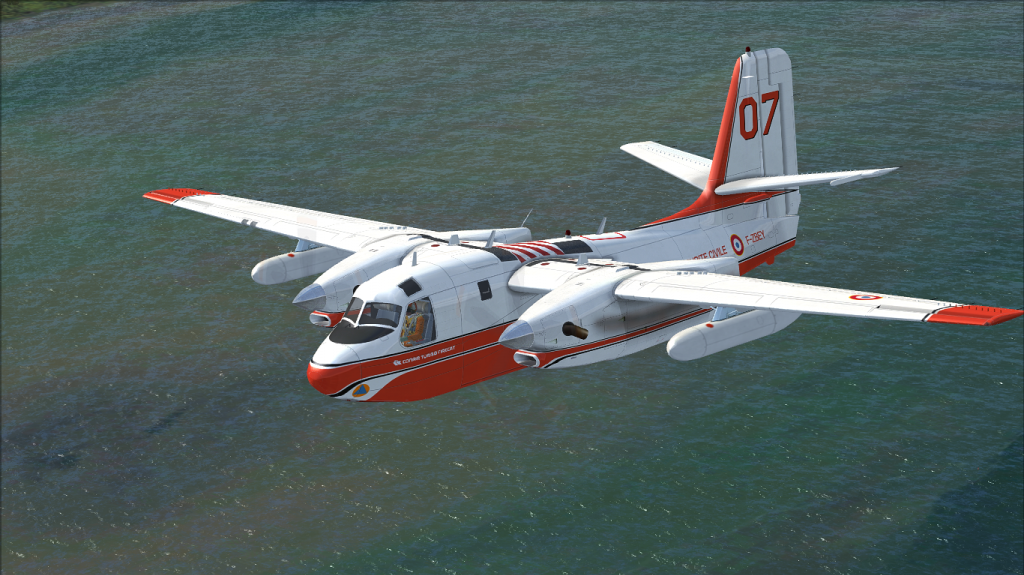
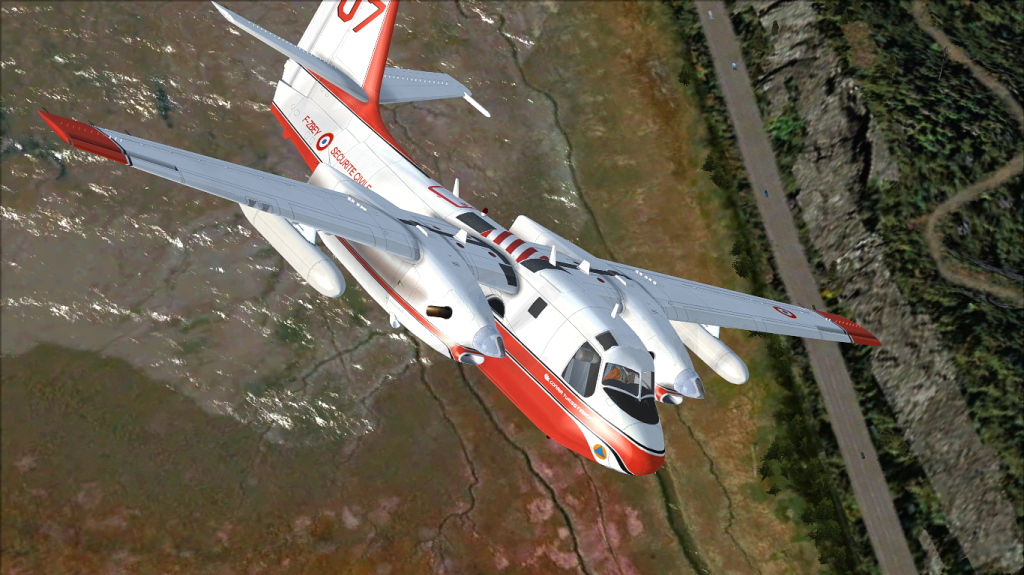
Very much looking forward to the FSX native versions! I'd love help out with beta testing when you get around to it (and if you need beta testers).


Looking good. Will be converting this one to FSX native once I get the Dash 7 converted
Very much looking forward to the FSX native versions! I'd love help out with beta testing when you get around to it (and if you need beta testers).
malibu43
Charter Member
Try this...
In the Aircraft.cfg
[smokesystem]
smoke.0 = -05, 0, -02, fx_SOH_dump_Retardant, // use water or retardant, not both
View attachment 94503View attachment 94504View attachment 94505
Prop fix...
View attachment 94508View attachment 94509
Any chance you can re-upload the prop fixes? I lost mine and it looks like the attachment links no longer work...
TuFun
Riveter
If you are still using the wip version... I recommend downloading the FSX port version. Should have the correct props.
Link: http://www.sim-outhouse.com/sohforums/local_links.php?linkid=17759&catid=33
Link: http://www.sim-outhouse.com/sohforums/local_links.php?linkid=17759&catid=33
TuFun
Riveter
Any chance you can re-upload the prop fixes? I lost mine and it looks like the attachment links no longer work...
Downloaded the port over version and found the props were lopsided, so here is a fixed prop version.
https://app.box.com/s/0n9j993acfr0o4r01hmj

airattackimages
Charter Member
Grass Valley is on both sides. None of Cal Fire's aircraft have pilot names.firekitten?..do you know what is on the side of the calfire "eight eight" pilots side,just under the window...i know the right side says or is supposed to say "grass Valley".....is it the pilots name?...ive got several close up shots from the grass valley ATB,but i never thought to photograph the left side...
malibu43
Charter Member
If you are still using the wip version... I recommend downloading the FSX port version. Should have the correct props.
Link: http://www.sim-outhouse.com/sohforums/local_links.php?linkid=17759&catid=33
Thanks. It's actually for my CDF tankers. I went to fly them the other day and it looked like I still had FS9 props with the trees showing through. Initially I was thinking that I'd come here and get the spinprop fix for them, but now that I think about it, I had the correct props at one point and I don't understand where they went.
Maybe I'll just do a fresh re-install, making sure I use the right package, and see if that fixes it.
Thanks.
TuFun
Riveter
Thanks. It's actually for my CDF tankers. I went to fly them the other day and it looked like I still had FS9 props with the trees showing through. Initially I was thinking that I'd come here and get the spinprop fix for them, but now that I think about it, I had the correct props at one point and I don't understand where they went.
Maybe I'll just do a fresh re-install, making sure I use the right package, and see if that fixes it.
Thanks.
Is this the one your talking about?
http://www.sim-outhouse.com/sohforu...Grumman-S2T-CDF-Tankers-for-FSX-Port-V1-1-zip
malibu43
Charter Member
Is this the one your talking about?
http://www.sim-outhouse.com/sohforu...Grumman-S2T-CDF-Tankers-for-FSX-Port-V1-1-zip
Ya. That's the one.
Like I said, I'm not sure what happened because I used to have the correct prop (I have older screenshots that show it), but now they're FS9 props. Maybe I installed the wrong version at some point... I'll check later.
TuFun
Riveter
Ya. That's the one.
Like I said, I'm not sure what happened because I used to have the correct prop (I have older screenshots that show it), but now they're FS9 props. Maybe I installed the wrong version at some point... I'll check later.
This version 1.1 has the correct props. Might add, beautiful paint work Firekitten!
This version 1.1 has the correct props. Might add, beautiful paint work Firekitten!
Really nice sound set with this. Great turbo start up and flight. Looking for more skins.
d