
-
Please see the most recent updates in the "Where did the .com name go?" thread. Posts number 16 and 17.
-
IMPORTANT DOWNLOADING INFORMATION - ALL MEMBERS PLEASE READ
Please see this thread for updates. Update Thread
SOH ADMINISTRATION
You are using an out of date browser. It may not display this or other websites correctly.
You should upgrade or use an alternative browser.
You should upgrade or use an alternative browser.
GSL issue
- Thread starter dasuto247
- Start date

Blood_Hawk23
Charter Member
f8071c.gob Henderson
set GSLedit to the exe file you plan on editing. Open the GSL file. update airfield list. reopen GSL file. Airfields should be listed.
set GSLedit to the exe file you plan on editing. Open the GSL file. update airfield list. reopen GSL file. Airfields should be listed.
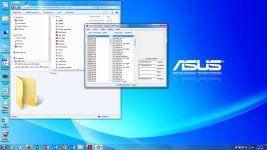
Please take a screenshot of your GSLEdit window and post it so we can have a look-see.
Thanks.
MR
Here you go MR This is current CFS2. gsl file in my "early install". Stock GSL objects now show up as do those that I enable.I understand how to remove and add objects after reading instructions.Key now is being able to locate proper areas.I want to locate Henderson Field and remove everything but trees, perhaps add some to represent what area looked like in May 1942 before japanese began constructing the airfield.This will fit well with the Tulagi strikes in my "Coral Sea missions" I plan to release in coming days as all are finished and testing is almost complete.Wrapping up issues such as this.
Attachments
Blood_Hawk23
Charter Member
That is really small. You may need to zoom in a little.
There is a Kool feature to the gsledit that I just noticed. It is the ability to save the GOB as a Layout. Just save the GOB as a Layout. You can then load up the Layout in MB. Edit it and add the new edited layout as a GOB.
You know I haven't used GSLEdit since I got it. I've always used LW's method. I'll have to give this another look. It might allow me to fix some errors faster.
There is a Kool feature to the gsledit that I just noticed. It is the ability to save the GOB as a Layout. Just save the GOB as a Layout. You can then load up the Layout in MB. Edit it and add the new edited layout as a GOB.
You know I haven't used GSLEdit since I got it. I've always used LW's method. I'll have to give this another look. It might allow me to fix some errors faster.
There is a Kool feature to the gsledit that I just noticed. It is the ability to save the GOB as a Layout. Just save the GOB as a Layout. You can then load up the Layout in MB. Edit it and add the new edited layout as a GOB.
You know I haven't used GSLEdit since I got it. I've always used LW's method. I'll have to give this another look. It might allow me to fix some errors faster.
Lucked up and found the correct gob after noticing the name Henderson in README screenshot of various GOB's.So mission accomplished.Also saved a Henderson layout before hand to edit for later and use when want facilities at Henderson.I forgot though.How do you save changes to a layout once make them in the MB?

MaskRider
Tiller of Soil
Here you go MR This is current CFS2. gsl file in my "early install". Stock GSL objects now show up as do those that I enable.I understand how to remove and add objects after reading instructions.Key now is being able to locate proper areas.I want to locate Henderson Field and remove everything but trees, perhaps add some to represent what area looked like in May 1942 before japanese began constructing the airfield.This will fit well with the Tulagi strikes in my "Coral Sea missions" I plan to release in coming days as all are finished and testing is almost complete.Wrapping up issues such as this.
Did you go to CFS2 -> Update Airfield List? and CFS2 -> View Airfield list?
If neither of those worked than all I can conclude is that some where along the line in your efforts to remove stock airfields you must have edited some key CFS2 file that keeps all of the airfield entries straight.
Perhaps your cfs2afd.bgl? Or maybe your allrunways.BGL? Or maybe your runways.BGL?
I have zero cklue as I have never messed with any of those files myself. You need to restore that information. Hopefully whatever file it may have been that you edited you kept a copy of the stock version so it can be replaced? All I know is that the reason why the airfields are not listed has zero to do with editing the GSL.
MR
PS Do any of the stock airfields show up in the drop-down list in FF?
Blood_Hawk23
Charter Member
You know, I forget... We really need a face : plam Icon...

The cfs2afd.bgl has the starting points for FF and QC. allrunways.BGL places the runways on the ground. airbases.dat has the starting point for missions.
Keys for loading and saving GSL.
View attachment 39389
Below is mb_main_backgrnd.jpg that has layout and GSL load and save keys. Put it in the \UIRES\MB. It replace the stock mb_main_backgrnd.jpg.
View attachment 39390
Keys for loading and saving GSL.
View attachment 39389
Below is mb_main_backgrnd.jpg that has layout and GSL load and save keys. Put it in the \UIRES\MB. It replace the stock mb_main_backgrnd.jpg.
View attachment 39390
The cfs2afd.bgl has the starting points for FF and QC. allrunways.BGL places the runways on the ground. airbases.dat has the starting point for missions.
Keys for loading and saving GSL.

Below is mb_main_backgrnd.jpg that has layout and GSL load and save keys. Put it in the \UIRES\MB. It replace the stock mb_main_backgrnd.jpg.
View attachment 39390
Allen, would you reload your attachments? Says they are invalid when attempted to download them
"How do you save changes to a layout once make them in the MB?"
I wash my hands.
MR
Hey, a lot to absorb at once. I'm learning as I go here.
You know, I forget... We really need a face : plam Icon...
I agree. Learning curve and all though.
Allen, would you reload your attachments? Says they are invalid when attempted to download them
I see SOH crapped the bed.. try below.
View attachment 39392
View attachment mb_main_backgrnd.zip