MZee1960
SOH-CM-2023
Hi Guys,
My ATI Radeon HD 7970 bit the dust after 9 years of faithful service.
Today, I opted to install Gigabyte GeForce GTX 1660 Ti as a 'temporary replacement measure' until a new system is built (planning early 2020 now - waiting to see what will happen between P3DV5, XP12, and MFS2020 re offerings/specs etc.... before finalizing everything). Hopefully early 2020 will bring a clearer picture of where the state of sim will be heading.
To my disappointment, my sim (FSX currently) is running with screen tearing, jagged-edged aircraft wings, lots of shimmering textures everywhere, etc. - a total, cartoonish mess... My old ATI card had Catalyst Control Centre with a slew of settings for AA, Anisotropic filtering, V-Sync, etc. My new GeForce card seems to have only 'Nvidia Settings' which is bare bones and very, very limited. I thought I was upgrading somewhat by choosing the 1660 Ti card, and at the very least was expecting better graphics than what I am getting.
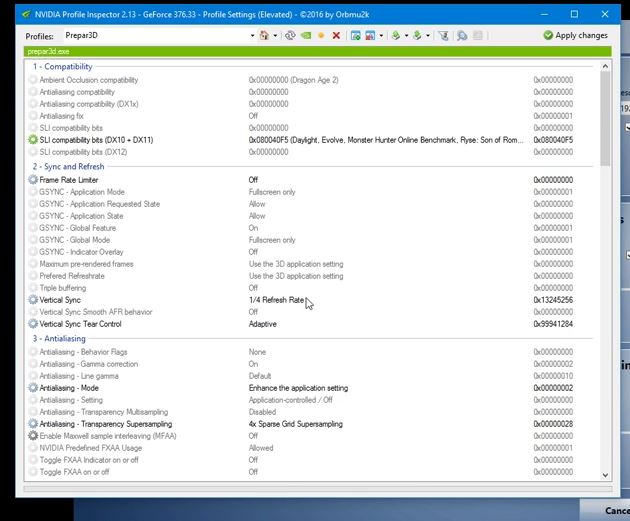
I would very much appreciate if someone could point me in the right direction to set-up this new card properly. I have heard of Nvidia Inspector with it's truckload of settings, but having never used it before, I fear I will just make things worse, not knowing what settings will work best in FSX. I know Nvidia cards are very good, just have to find out how best to 'tune them', using what settings, and with what software.

Thank-you, in advance, for any help.
Milan ...
My ATI Radeon HD 7970 bit the dust after 9 years of faithful service.
Today, I opted to install Gigabyte GeForce GTX 1660 Ti as a 'temporary replacement measure' until a new system is built (planning early 2020 now - waiting to see what will happen between P3DV5, XP12, and MFS2020 re offerings/specs etc.... before finalizing everything). Hopefully early 2020 will bring a clearer picture of where the state of sim will be heading.
To my disappointment, my sim (FSX currently) is running with screen tearing, jagged-edged aircraft wings, lots of shimmering textures everywhere, etc. - a total, cartoonish mess... My old ATI card had Catalyst Control Centre with a slew of settings for AA, Anisotropic filtering, V-Sync, etc. My new GeForce card seems to have only 'Nvidia Settings' which is bare bones and very, very limited. I thought I was upgrading somewhat by choosing the 1660 Ti card, and at the very least was expecting better graphics than what I am getting.
I would very much appreciate if someone could point me in the right direction to set-up this new card properly. I have heard of Nvidia Inspector with it's truckload of settings, but having never used it before, I fear I will just make things worse, not knowing what settings will work best in FSX. I know Nvidia cards are very good, just have to find out how best to 'tune them', using what settings, and with what software.
Thank-you, in advance, for any help.
Milan ...