• Please see the most recent updates in the "Where did the .com name go?" thread. Posts number 16 and 17.

    Post 16 Update

    Post 17 Warning old domain name stealing credentials

  • Special Server Maintenance

    Just when you think you have everything running some what better...

    You get a message from the Hosting company. Short story they need to move us to a new server. I have been working with them to plan a good date for all concerned. Here is what we have come up with as a schedule.

    1. November 4th 17:00 -5UTC shut off the forums and start backup proceedures. During this time there will be no access to the forums or the Resource Section.
    2. November 5th Continue with Backups and download same until complete.
    3. November 6th 7:00 turn over server to hosting company to move system to new server
    4. November 7th - 8th restore backups and upgrade forum software.

    If all goes well we should be back online on November 8th.

    To keep you updated we will post updates on AVSIM forums.

    Thank you for your support.

HU for the Breezer Sport

grunau_baby

SOH-CM-2026
With all the new aircraft being released recently it is hard keeping up.

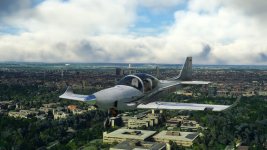
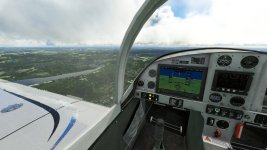
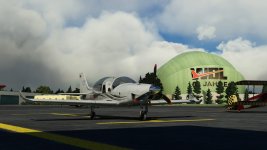
This little freeware gem deserves a little attention: the Breezer Sport
MSFS_149.jpg

MSFS_147.jpg

MSFS_148.jpg

Still work in progress, but allready a joy to fly. Fast and agile.

Some information about the real thing you´ll find here.

Alex
 
She's a looker, that's for sure! Like a modernized SF-260 on steroids!

Priller
 
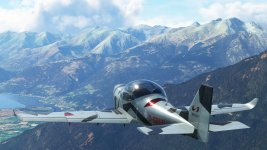
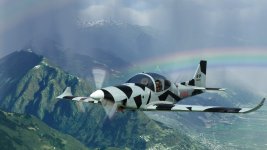
It also flies like on steroids:smile-new: The power it offers is great for mountain flying.
MSFS_150.jpg

MSFS_151.jpg

Though it feels a tiny bit wobbly on approach, a bit unlikely for a sporty plane like this. But since it´s WIP it may get adressed.

Alex
 
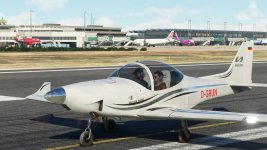
It's a very nice little plane, but I have no pilot or co-pilot visible in the external view. Pilot and co-pilot are set to "default"
in the general options. I tried changing to other pilot/co-pilot selections, but no luck. The pilots and co-pilots are showing
in external views for other default and third-party aircraft. I tried re-downloading twice, but again no luck.

Any thoughts? Could it be a pathway problem? I have Steam MSFS, with MSFS, including the Community folder, on D drive.

Otherwise, the plane looks good and seems to fly quite well, although I haven't had it out much yet.

Thanks - RobM

PS: there was an error message when extracting that the "BREEZER_SPORT_SILVER_AIRFRAME_PROP_BLURRED_SIDE.PNG.DDS"
was too long to be copied, but I managed to get around that. I don't think that would have had any effect on pilot visibility.
 
Had the same problem with the invisible pilots. Just open the flight_model.cfg file and set/replace the lines/values under [WEIGHT_AND_BALANCE] as following:

station_load.0 =160, -1.379667, -0.86, 0, pilot, 1
station_load.1 =160, -1.379667, 0.86, 0, copilot, 2
station_load.2 =10, -5.379667, 0, 0, , 3

That at least gives you the default pilot. Weight an ballance settings now work, but passenger stays invisible in external view, even when included in the weight section.
 
Had the same problem with the invisible pilots. Just open the flight_model.cfg file and set/replace the lines/values under [WEIGHT_AND_BALANCE] as following:

station_load.0 =160, -1.379667, -0.86, 0, pilot, 1
station_load.1 =160, -1.379667, 0.86, 0, copilot, 2
station_load.2 =10, -5.379667, 0, 0, , 3

That at least gives you the default pilot. Weight an ballance settings now work, but passenger stays invisible in external view, even when included in the weight section.

Thanks loads! That worked great.

-RobM
 
Sticky well deserved.

First update is released at flightsim.to The pilot and copilot issues are obviously addressed and solved.:applause:

Looks a lot better this way!
MSFS_152.jpg
 
Last edited:
Back
Top