highpockets
SOH-CM-2025
Where do I find this. It shows up in the upper right of the screen. There are two types, I think. It appears by pressing F3.

Please see the most recent updates in the "Where did the .com name go?" thread. Posts number 16 and 17.
Please see this thread for updates. Update Thread
SOH ADMINISTRATION




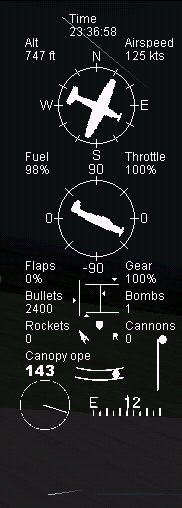
V3 HUD for Combat Flight Simulator 2
A simple revision of the stock HUD that came with the game, complete with control surfaces indicator, pitch trim indicator, MPH reading, spoiler activation indicator, more accurate compass reading, vertical speed indication, side slip and yaw indication.
by ELE
View attachment 165574
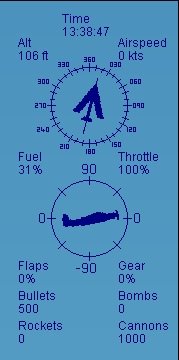
Props HUD in CFS2
Place my HUD gauge in your CFS2 GAUGES Folder.
Then install the Default_Panel.CFG file in the main CFS2 folder.
Backup the old HUD.Gau from GAUGES folder.
PLEASE BACKUP YOUR OLD DEFAULT_PANEL.CFG OR RENAME TO Default_Panelcfg.bkp BEFORE YOU START.
RAF_Prop
View attachment 165576

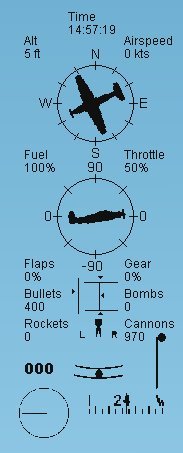
This gauge is 25+ years old and I have no idea who put it together so long ago. Nor can I find it posted anywhere any longer so I am adding it to the SOH library for preservation.
Installation:
Put the HUD.gau in your CFS2/GAUGES folder.
Put the five CFS2xELE gauges in your CFS2/GAUGES folder.
Put the default_panel.cfg file in the main CFS2 folder replacing the stock cfg file.
View attachment 165749
This gauge is 25+ years old and I have no idea who put it together so long ago. Nor can I find it posted anywhere any longer so I am adding it to the SOH library for preservation.
Installation:
Put the HUD.gau in your CFS2/GAUGES folder.
Put the five CFS2xELE gauges in your CFS2/GAUGES folder.
Put the default_panel.cfg file in the main CFS2 folder replacing the stock cfg file.
View attachment 165751