• Please see the most recent updates in the "Where did the .com name go?" thread. Posts number 16 and 17.

    Post 16 Update

    Post 17 Warning old domain name stealing credentials

  • Special Server Maintenance

    Just when you think you have everything running some what better...

    You get a message from the Hosting company. Short story they need to move us to a new server. I have been working with them to plan a good date for all concerned. Here is what we have come up with as a schedule.

    1. November 4th 17:00 -5UTC shut off the forums and start backup proceedures. During this time there will be no access to the forums or the Resource Section.
    2. November 5th Continue with Backups and download same until complete.
    3. November 6th 7:00 turn over server to hosting company to move system to new server
    4. November 7th - 8th restore backups and upgrade forum software.

    If all goes well we should be back online on November 8th.

    To keep you updated we will post updates on AVSIM forums.

    Thank you for your support.

Installation Woes

Spad54

SOH-CM-2026
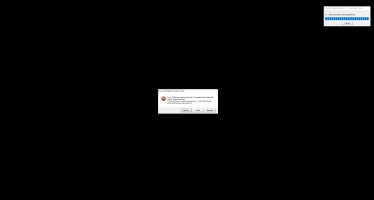
Upgrading to Windows 10 and installed Steam client and then FSX SE install went okay but when I attempt to run the program I get the following message which by the way I get after installing SP2 on the Deluxe box version as well. Flight Simulator was unable to load some program files and will now exit. Please reinstall Flight Simulator to restore or repair program installation. I've tried uninstalling and reinstalling to a separate drive and no joy. I've found that others have had this problem but can find no solution for the either versions of FSX. Any thoughts and possible solutions would be appreciated with free GAS product to whoever can offer a solution. Thanks
 
Do you have both the boxed and Steam editions installed?

Uninstalled both and reinstalled still get same error. Decided to leave FSX and FSXSE running on my Win 7 machine for purposes of model development and limited testing. Will be using P3D v4.5 as my primary simulator on my new Win 10 system going forward. Thanks though for giving my installation problems some thought and attempting to help.
 
Uninstalled both and reinstalled still get same error. Decided to leave FSX and FSXSE running on my Win 7 machine for purposes of model development and limited testing. Will be using P3D v4.5 as my primary simulator on my new Win 10 system going forward. Thanks though for giving my installation problems some thought and attempting to help.

Just a final thought before you completely drop FSX:SE, did you just use the normal uninstall routine to remove them? If so, they can leave behind unused folders and a lot of rubbish in the registry for both versions which can confuse subsequent attempts to reinstall the software. It's worth reading through the following 2 links to ensure you have a complete uninstall of both versions then give just FSX:SE (the best and easiest to install version) a final try:

https://support.precisionmanuals.com/kb/a87/how-to-uninstall-and-reinstall-fsx.aspx

https://dovetailgames.kayako.com/kn...ll-microsoft-flight-simulator-x-steam-edition
 
Back
Top