Yes there are quick start options.
QUICKSTART INSTRUCTIONS
We all realize that so many armchair joystick jockeys (that‟s you!) may not have time or necessarily the patience to go through a lengthy start-up procedure every time you want a flight… with that in mind, we have incorporated the „Q‟ system into the aircraft.
The Q-Start and Q-Cut-off systems will rapidly set your aircraft up for flight or shut it down as necessary, sparing you time and effort!
Below is a simplified checklist for the Q-Start and Q-Cut-off system.
1. Left mouse-click the BATT switch to the ON position.
2. On the left console, left mouse-click and hold the APU switch into the „START‟ position until the green „APU‟ light illuminates.
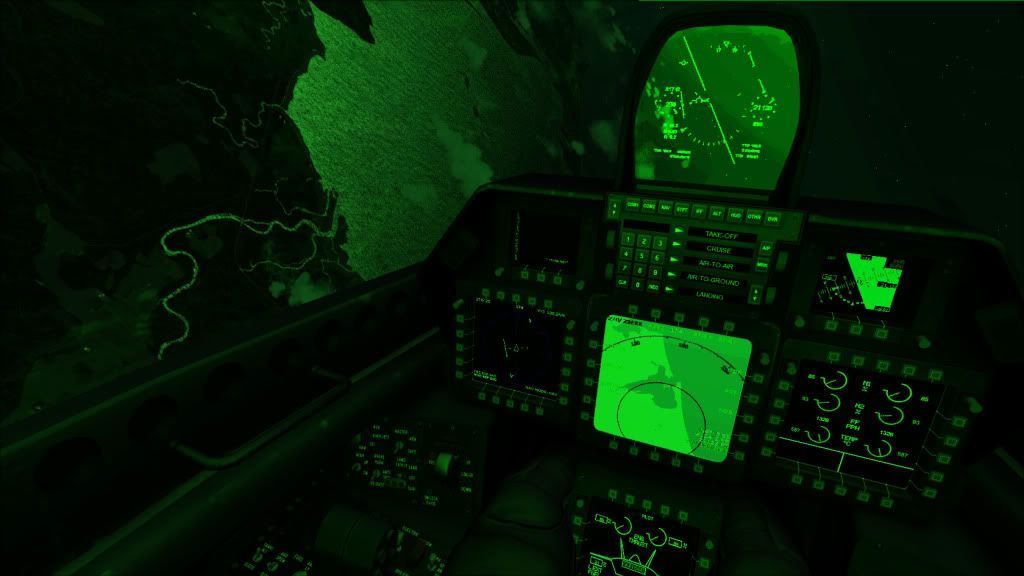
3. Press the „OTH‟ key on the ICP (Integrated Control Panel).
4. Left mouse-click the Arrow pushbutton next to Q-Start to start the aircraft up, or Q-Cut-off to shut the aircraft down.
The F-22 Raptor tactile usage of switches and knobs
In general, a LEFT mouse-click (LC) places a switch AWAY from the pilot and a
rotary selector COUNTER CLOCKWISE.
A RIGHT mouse-click (RC) places a switch TOWARDS the pilot and a rotary
selector CLOCKWISE.
In some circumstances this does not apply, but the majority of switches and knobs operate in this fashion.
Quick-start & Tactile usage