
-
Please see the most recent updates in the "Where did the .com name go?" thread. Posts number 16 and 17.
-
IMPORTANT DOWNLOADING INFORMATION - ALL MEMBERS PLEASE READ
Please see this thread for updates. Update Thread
SOH ADMINISTRATION
You are using an out of date browser. It may not display this or other websites correctly.
You should upgrade or use an alternative browser.
You should upgrade or use an alternative browser.
Lockheed T-33 shots
- Thread starter HenryW
- Start date

Radioman123
SOH-CM-2025
Lockheed T-33 Shots and revised air files
I just post a revised air and conf file to SOH
http://www.sim-outhouse.com/sohforums/local_links.php?action=jump&catid=34&id=3645
I fixed the oil pressure and fuel pressure instruments to they operate correctly, I also tweaked the engine parameters to get closer to pilot reports of the T-33 performance. Any feedback from T-33 pilots, past and present would be appreciated.
Radioman123
I just post a revised air and conf file to SOH
http://www.sim-outhouse.com/sohforums/local_links.php?action=jump&catid=34&id=3645
I fixed the oil pressure and fuel pressure instruments to they operate correctly, I also tweaked the engine parameters to get closer to pilot reports of the T-33 performance. Any feedback from T-33 pilots, past and present would be appreciated.
Radioman123

kimdahl
SOH-CM-2026
Hi Henry
Congratulations on your great set of repaints. I have actually thought of uploading my own RDAF repaint of DT-404 that was used by the station flight at the former Vaerlose Airbase:
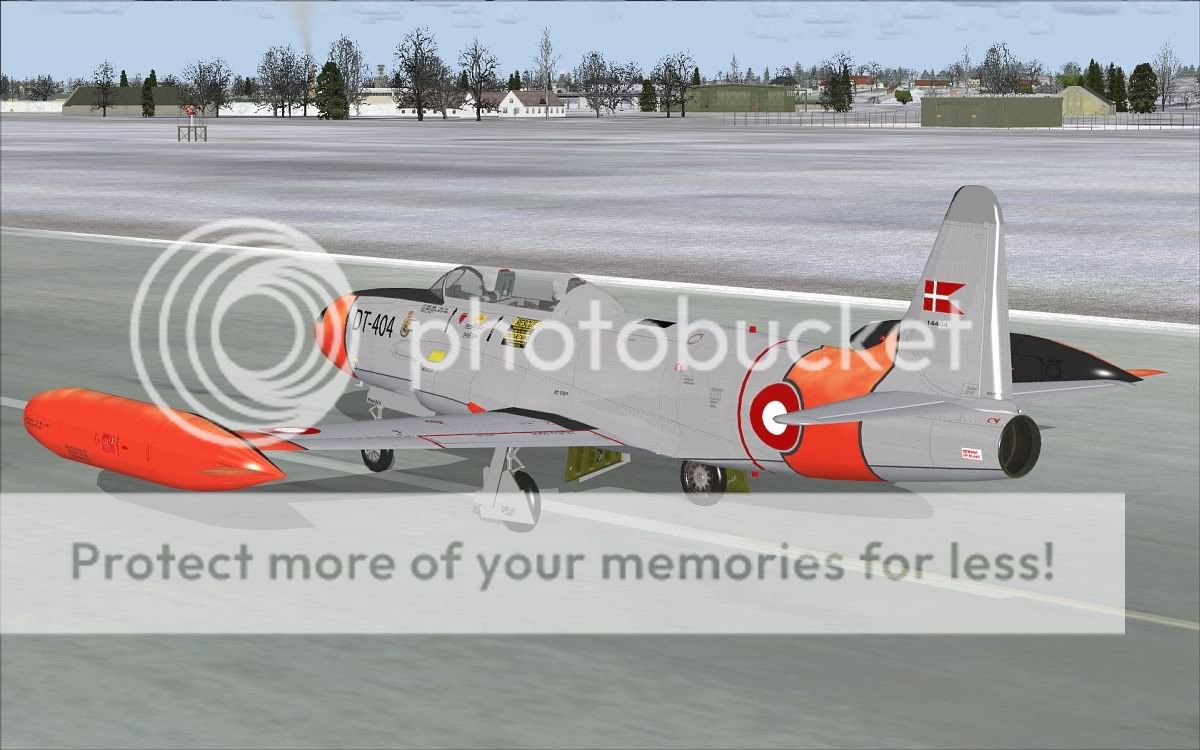
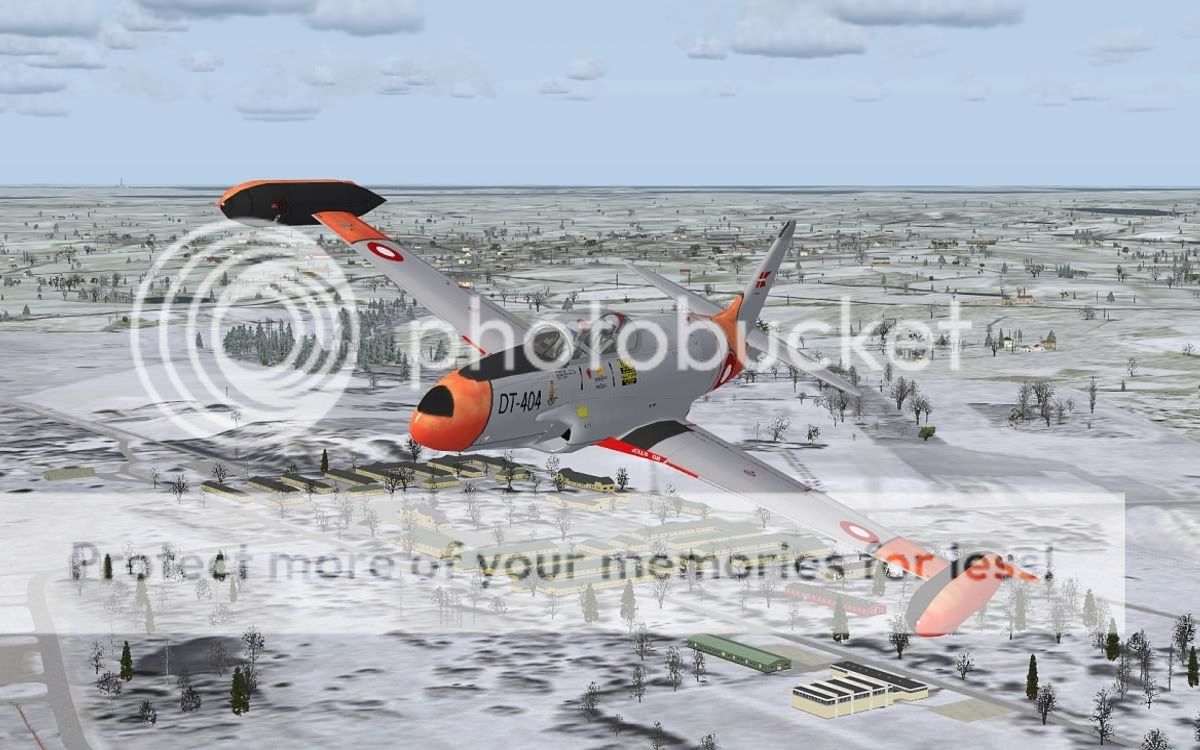
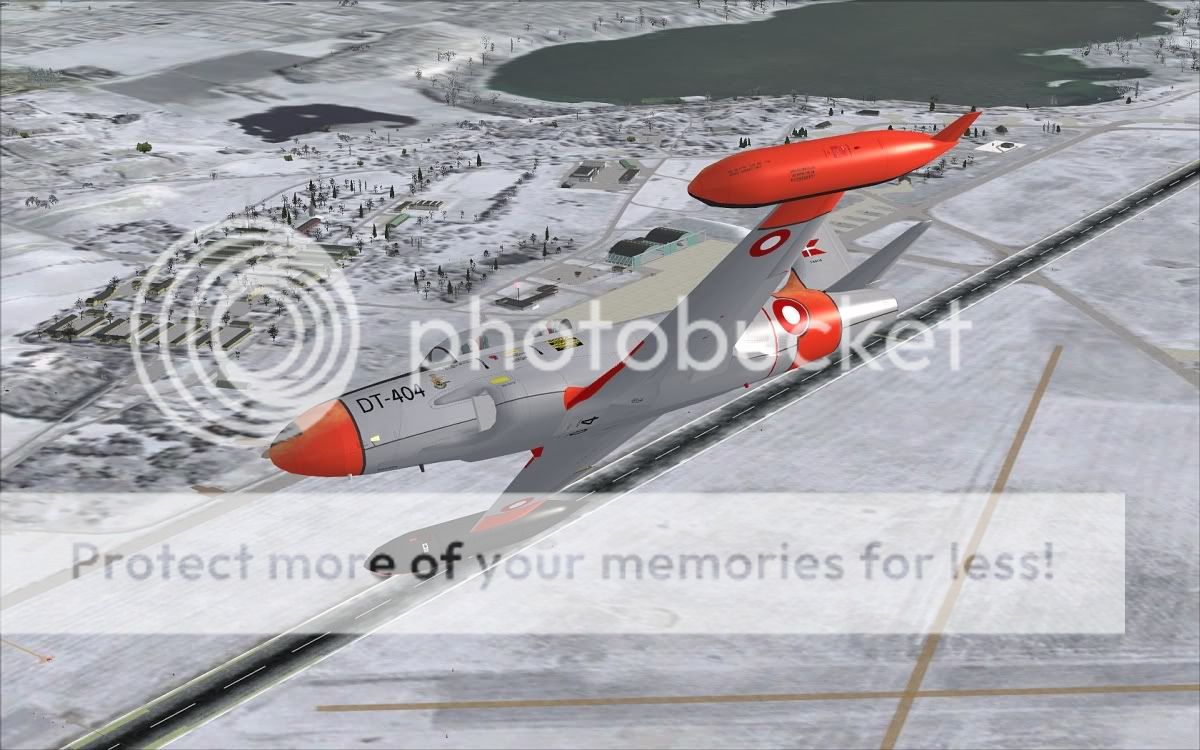
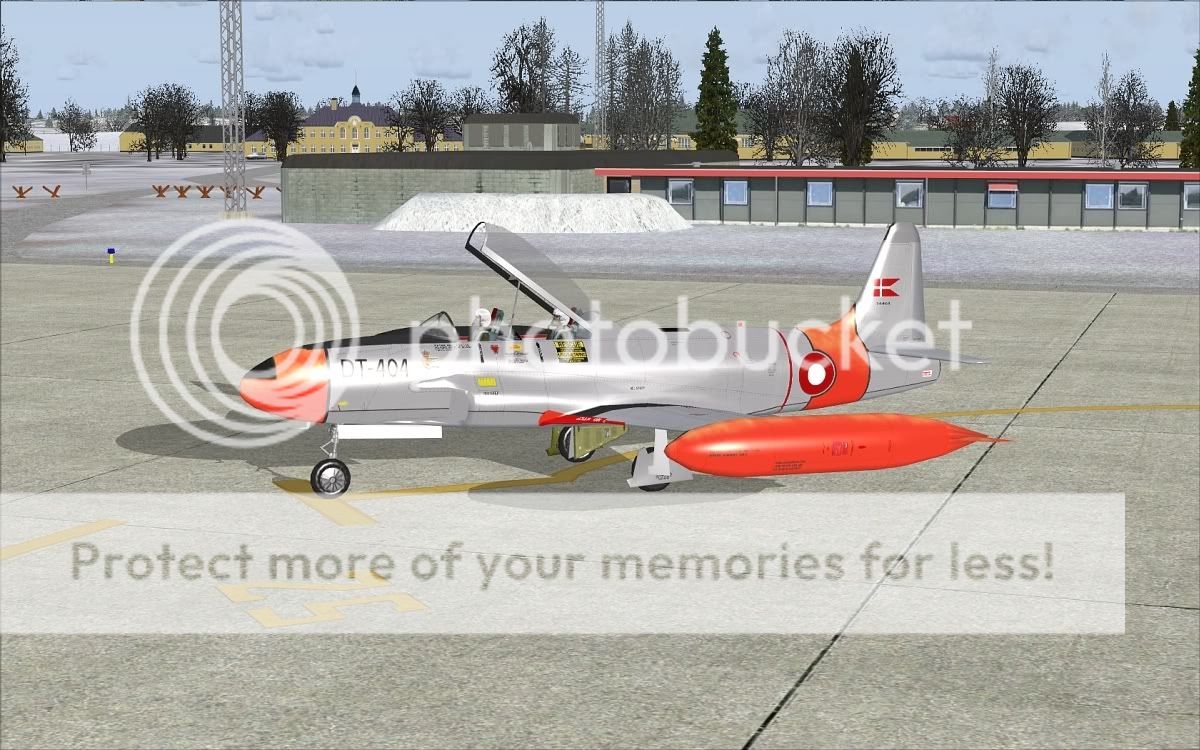
But as you can see, the repaint seems much too shiny on this version of the model, and I have never quite understood the inner workings of FSX textures. I mean both the visible texture + alpha channel AND the specular texture with its own alpha channel. So I guess that this bird just stays here on my own computer...
Best regards
Kim Dahl
Congratulations on your great set of repaints. I have actually thought of uploading my own RDAF repaint of DT-404 that was used by the station flight at the former Vaerlose Airbase:
But as you can see, the repaint seems much too shiny on this version of the model, and I have never quite understood the inner workings of FSX textures. I mean both the visible texture + alpha channel AND the specular texture with its own alpha channel. So I guess that this bird just stays here on my own computer...
Best regards
Kim Dahl
snowbird552
Charter Member
Loving the RCAF/ CAF birds, simply beautiful! Found some other cool schemes online...
CAF Standard: http://www.airliners.net/photo/Canada---Air/Canadair-CT-133-Silver/1815242/M/
Interior: http://www.airliners.net/photo/Canadair-CT-133-Silver/1758095/&sid=67c88eb80e58e2d027f8e3690bd42eb1
Private (Ex-CAF) - http://www.airliners.net/photo/Jet-...1516491/&sid=67c88eb80e58e2d027f8e3690bd42eb1
CAF special Scheme - http://www.airteamimages.com/big44754.html (trying to find some other angels for this beauty)
CAF Standard: http://www.airliners.net/photo/Canada---Air/Canadair-CT-133-Silver/1815242/M/
Interior: http://www.airliners.net/photo/Canadair-CT-133-Silver/1758095/&sid=67c88eb80e58e2d027f8e3690bd42eb1
Private (Ex-CAF) - http://www.airliners.net/photo/Jet-...1516491/&sid=67c88eb80e58e2d027f8e3690bd42eb1
CAF special Scheme - http://www.airteamimages.com/big44754.html (trying to find some other angels for this beauty)


Wild Bill Kelso
Charter Member 2011
Where the exact location of the Ed Wells paintkit?
Here you go, buddy:
PSP format:
http://www.sim-outhouse.com/sohforums/local_links.php?action=jump&catid=8&id=3367
PSD:
http://www.sim-outhouse.com/sohforums/local_links.php?action=jump&catid=8&id=3377
Cheers,
Markus.
Fantastic Henry, I'm downloading as soon as they're available!
Any Dutch T-33's in the works..?
A regular KLu T-33:


Ferry,
judging by the shape of the nose, isn't this one an RT-33A? The recce trainer version?
Nice pics though!

ZsoltB
Charter Member
Here you go, buddy:
PSP format:
http://www.sim-outhouse.com/sohforums/local_links.php?action=jump&catid=8&id=3367
PSD:
http://www.sim-outhouse.com/sohforums/local_links.php?action=jump&catid=8&id=3377
Cheers,
Markus.
Hi Markus,
Thank you!
Regards,
Zsolt
ZsoltB
Charter Member
W. Bleddyn
Charter Member
They all look great Henry. I am really looking forward to those two Canadian ones :salute:
Thanks!
Thanks!

Ferry_vO
Retired SOH Administrator
judging by the shape of the nose, isn't this one an RT-33A? The recce trainer version?
Nice pics though!
You are correct! It was the best colour photo I could find of a Dutch T-33 at the moment though. Most are black & white.

Roger
Senior Administrator
I just post a revised air and conf file to SOH
http://www.sim-outhouse.com/sohforums/local_links.php?action=jump&catid=34&id=3645
I fixed the oil pressure and fuel pressure instruments to they operate correctly, I also tweaked the engine parameters to get closer to pilot reports of the T-33 performance. Any feedback from T-33 pilots, past and present would be appreciated.
Radioman123
Thanks for that Radioman!:ernae:

Thanks everyone!
I'm now on vacations at my cabin, no photoshop, nor Fsx, i'll be back soon and look to the requests.
To Kim Dahl and other painters, i'll post a tutorial with pics for photoshop how to experiment with the spec maps, also i will share some metal overlay. Regarding spec maps, basically you just copy the painted main texture in another map.
Then convert to greyscale, imediately convert it back to RGB mode.
Then invert.
Now, if you want shiney regulate the "brightnes/contrast" switch to bright, the more bright, the more shine.
If you wish less shine, regulate to darker with the brightness/contrast switches.
Now you can experiment to the desired result. All in all it is a matter of tril and error.
Cheers
I'm now on vacations at my cabin, no photoshop, nor Fsx, i'll be back soon and look to the requests.
To Kim Dahl and other painters, i'll post a tutorial with pics for photoshop how to experiment with the spec maps, also i will share some metal overlay. Regarding spec maps, basically you just copy the painted main texture in another map.
Then convert to greyscale, imediately convert it back to RGB mode.
Then invert.
Now, if you want shiney regulate the "brightnes/contrast" switch to bright, the more bright, the more shine.
If you wish less shine, regulate to darker with the brightness/contrast switches.
Now you can experiment to the desired result. All in all it is a matter of tril and error.
Cheers

delta_lima
Charter Member 2015
Convairs, T-birds, and Vampires ... and the man's takes a vacation to his cabin ... where's his priorities? LOL
Just kidding - of course. They're looking awesome. The "silver/bare metal" balance is a tricky one - but I think your recent bare metal shots show you're really nailing it perfectly (to my mind, anyway). The stenciling is just delightful.
Take your time - these and the Vampires - I know will be a superb hit!
many thanks again!
dl
Just kidding - of course. They're looking awesome. The "silver/bare metal" balance is a tricky one - but I think your recent bare metal shots show you're really nailing it perfectly (to my mind, anyway). The stenciling is just delightful.
Take your time - these and the Vampires - I know will be a superb hit!
many thanks again!
dl
wilycoyote4
Charter Member
Riveting
Couple DX 9 screenys of 80540 and DX 10 80676
great paints
Couple DX 9 screenys of 80540 and DX 10 80676
great paints
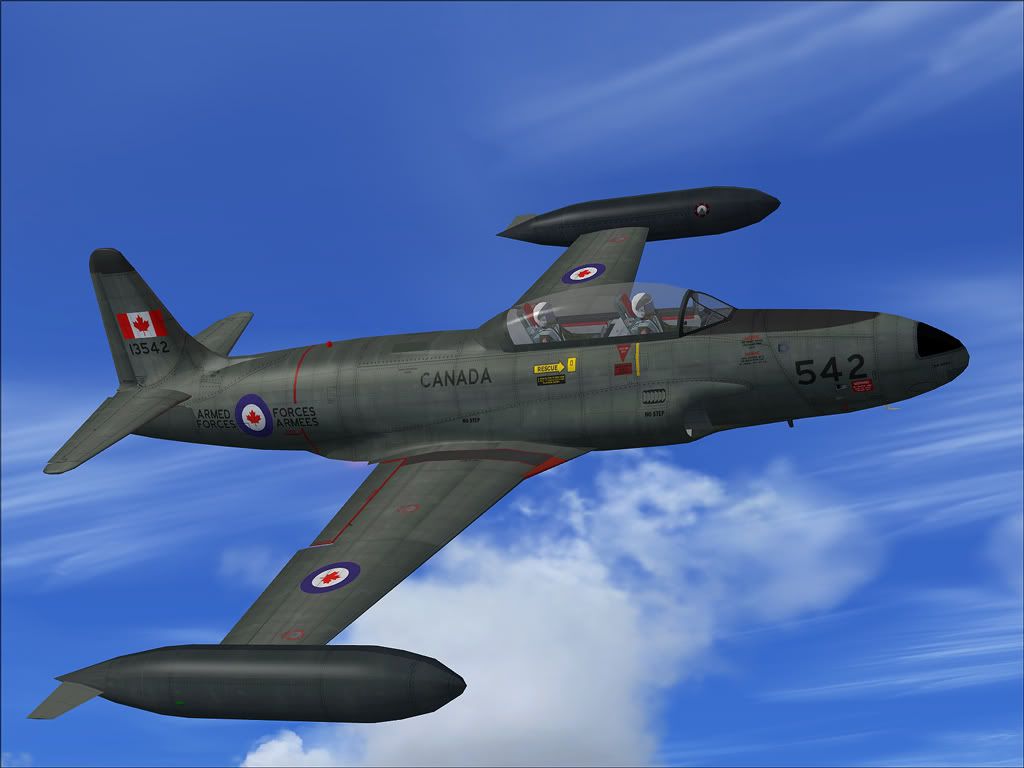
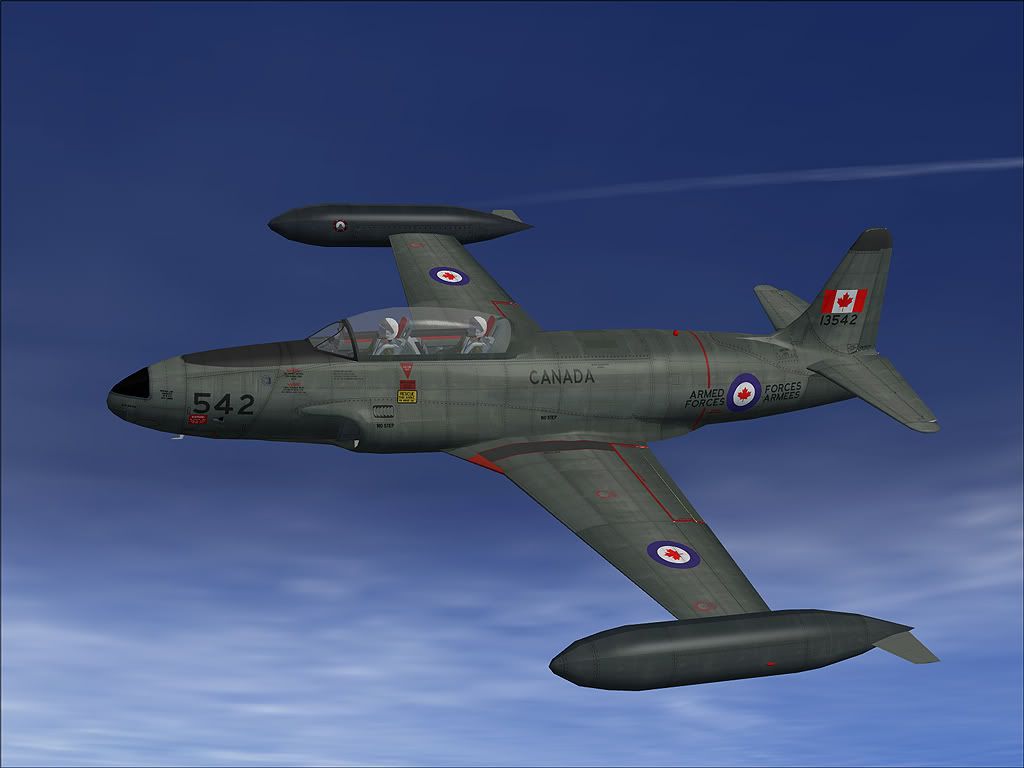
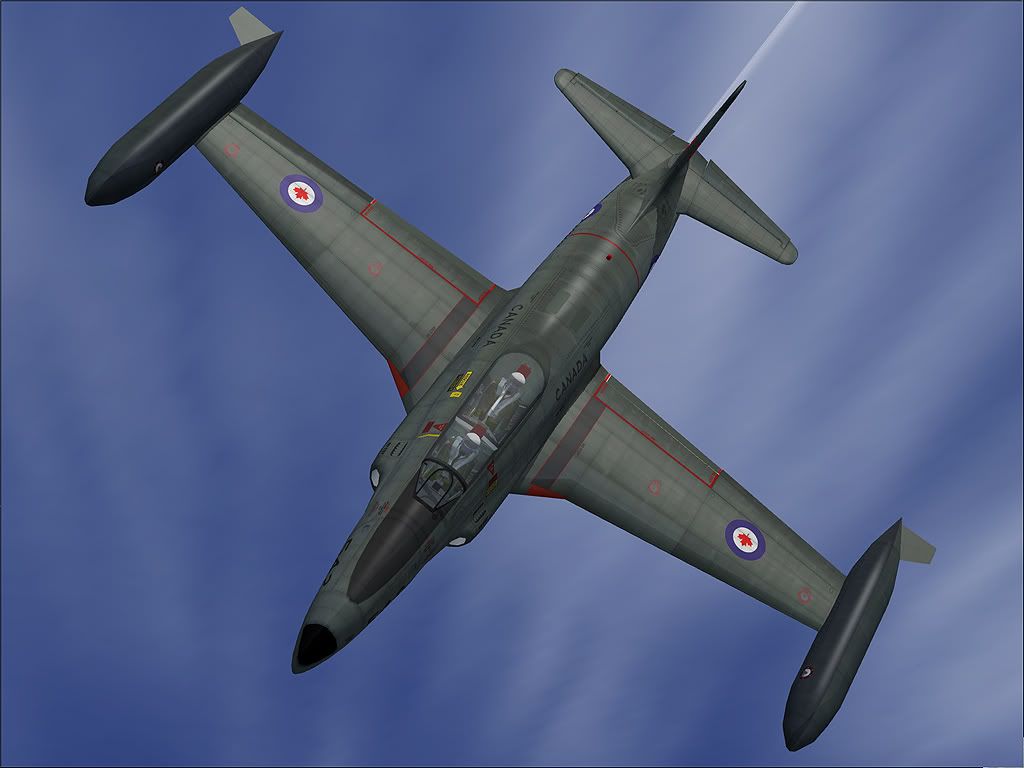
delta_lima
Charter Member 2015
Awesome Henry - these were certainly worth the wait!!!
many thanks.
dl
many thanks.
dl

doublecool
Charter Member
Sweet...Looks modern for some reason
I like
Thanks Henry
I like
Thanks Henry