Logitech 3d pro stick reversed

gray eagle

SOH-CM-2026
The climb and dive on my Logitech 3D Pro just started act in reverse in Windows 10.

I tried to calibrate the device in Windows and when I pull back on the stick the + goes to the bottom of the BOX and push forward the + goes to the top of the calibrate box.

I uninstalled and reinstalled the joystick and used a different usb port and same results. Don't know why that started to reverse like that.
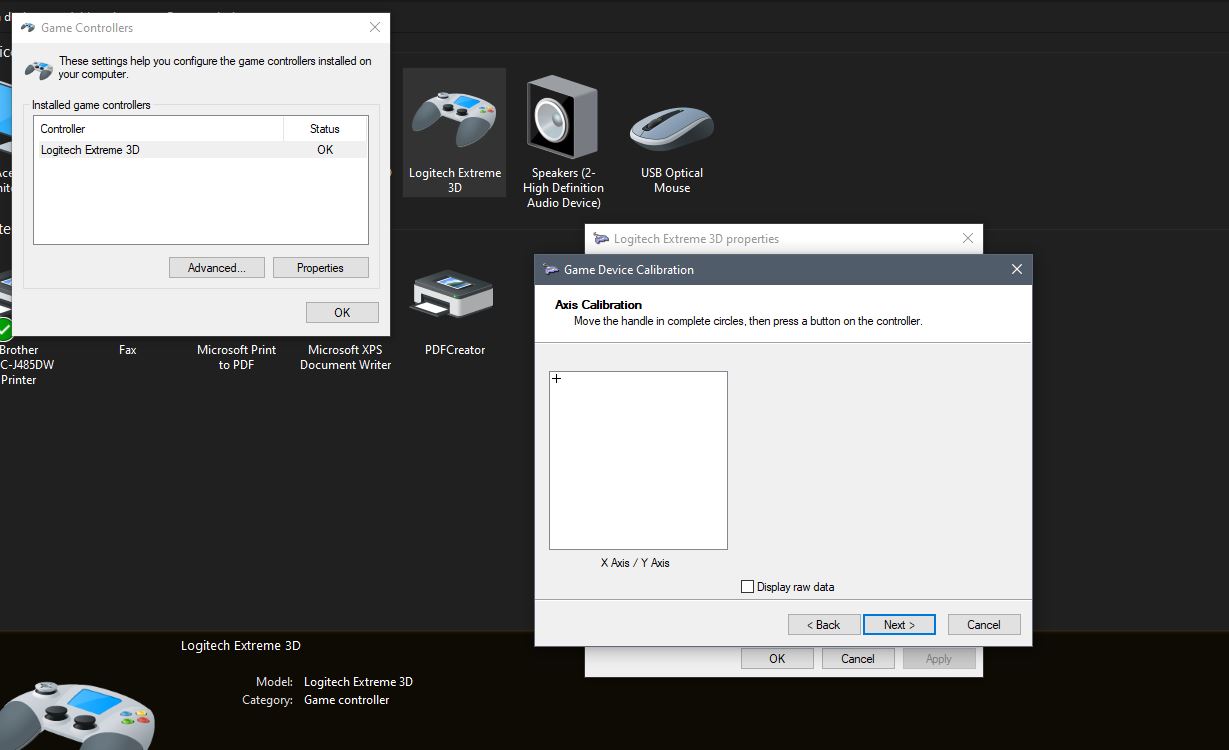
 
There is a separate box available for your use when you calibrate the joystick. It's a small one up toward the top of the big dialog box you use when you calibrate the joystick. IIRC there are one or two boxes allowing you to reverse axes on the joystick. If the boxes are checked try unchecking them and see if that produces results for you. Or you could try checking them if they are not checked, and see if that clears this up for you.

Pushing forward on the throttle lever on the joystick base would normally apply power. If the axes are reversed pushing forward on the throttle lever will retard power. Check to see that is not the case with your joystick as well. If it is working that way, it's likely your axes are reversed.
 
There is a separate box available for your use when you calibrate the joystick. It's a small one up toward the top of the big dialog box you use when you calibrate the joystick. IIRC there are one or two boxes allowing you to reverse axes on the joystick. If the boxes are checked try unchecking them and see if that produces results for you. Or you could try checking them if they are not checked, and see if that clears this up for you.

Pushing forward on the throttle lever on the joystick base would normally apply power. If the axes are reversed pushing forward on the throttle lever will retard power. Check to see that is not the case with your joystick as well. If it is working that way, it's likely your axes are reversed.

I didn't find or see any separate box like you mentioned.

Capture.jpg
 
Is it actually reversed in the sim?

All the way "down" of the little + sign means the stick is commanding elevators all the way up. Look which way you move the stick to make all the buildings get smaller. You pull it towords you. That should make the little + go to the bottom of the box, no?

Just a thought I had. I get so very few... :pirate:

Pat☺
 
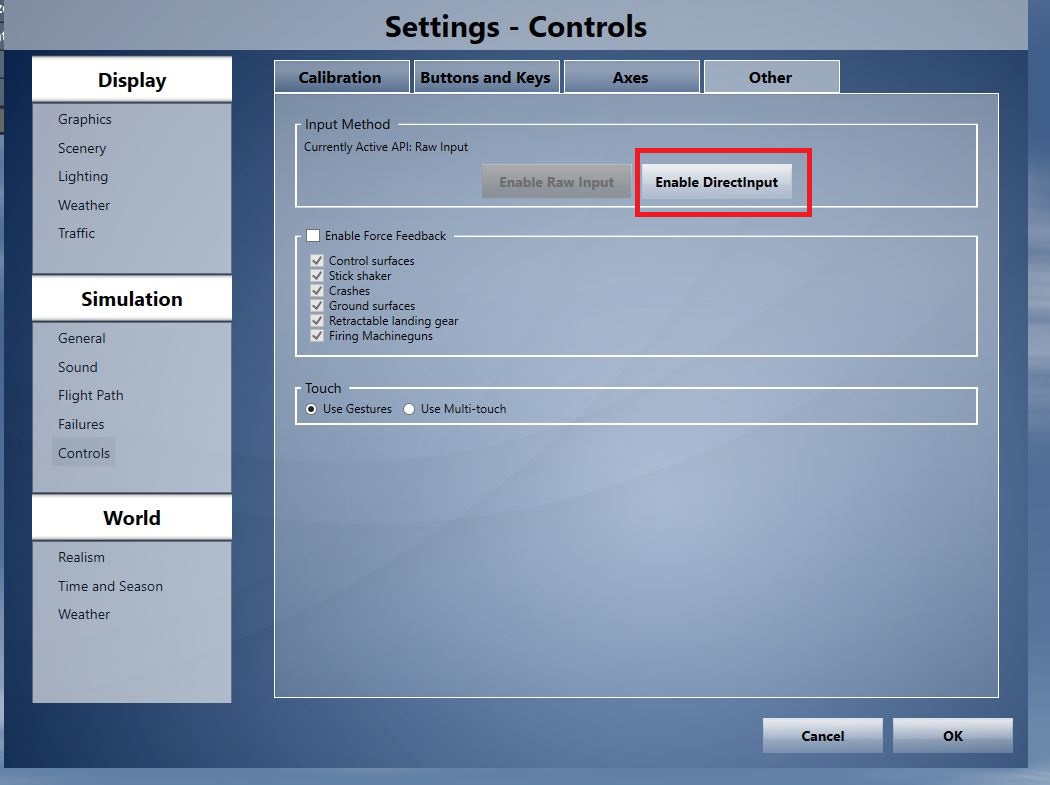
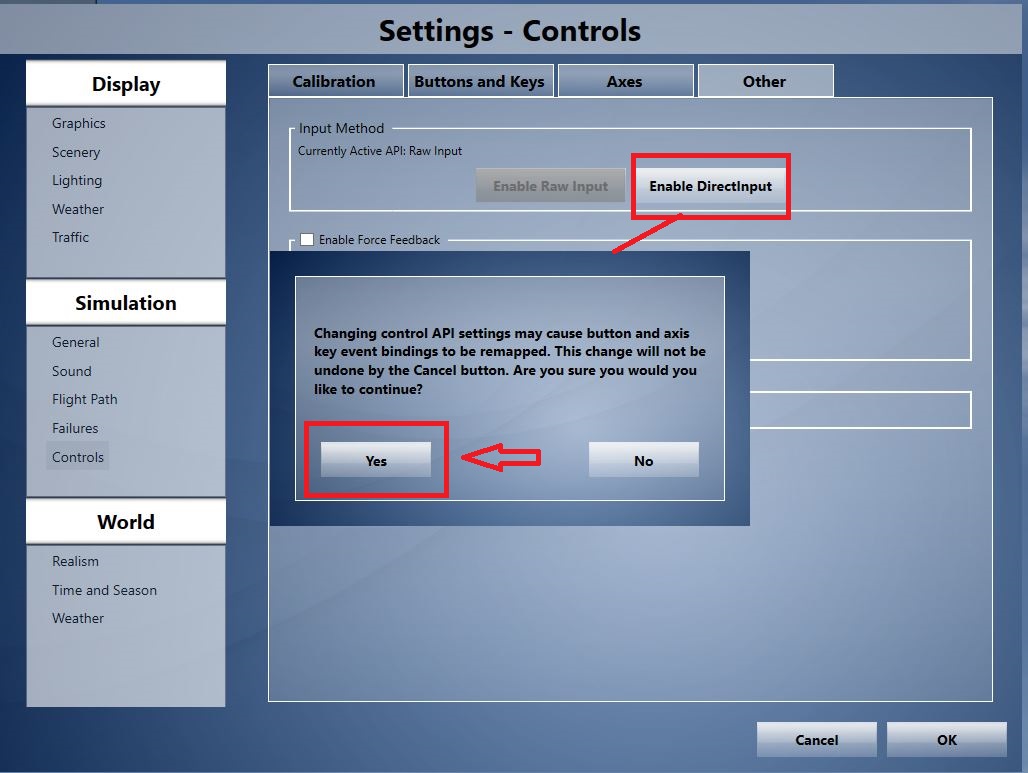
I managed to find a place in P3D where I could fix this backwards stick movement.

Capture.jpg


Capture1.jpg


I find that making this "change" allows proper stick response i.e. push the stick forward and the plane will dive, Pull the stick back= the plane will climb.

How that got all mixed up in the first place is a conundrum to me.
 
Back
Top