

-
Please see the most recent updates in the "Where did the .com name go?" thread. Posts number 16 and 17.
-
IMPORTANT DOWNLOADING INFORMATION - ALL MEMBERS PLEASE READ
Please see this thread for updates. Update Thread
SOH ADMINISTRATION
You are using an out of date browser. It may not display this or other websites correctly.
You should upgrade or use an alternative browser.
You should upgrade or use an alternative browser.
Mirage 2000C
- Thread starter dhazelgrove
- Start date
Are you using TacPack?
Dave
Yes, P3Dv4.4 and Tacpack upgraded to version 1.5.0.5.
However, I have the Mirage in an outboard .xml folder (I like putting planes without proper P3Dv4 installers in outboard folders
if possible; for me it makes fixing, or deleting if it can't be fixed, easier). I don't know if that makes a difference.
Are your external tanks loading filled? You can check this by looking at the total fuel available in the default payload and fuel manager,
before and after adding any external fuel tanks, and seeing if there's any change.
Also in the Mirage's vc, once the plane has power, after adding external tanks, just to the right pf the radar screen, is there a row of
little yellow lights lit up, each light marked with "RL" (the number of lights on will correspond to the number of external tanks loaded)?
Or are all the lights there off?
As I think I understand from reading the manual, if the external tanks are added and the lights are off, it means they're filled; if the
lights are on, it means the external tanks are empty.
Thanks for replying and sorry for being so pedantic. I guess it doesn't make that much difference, I'm just glad to have the plane in
P3Dv4.
- RobM

Dimus
SOH-CM-2025
Yes, P3Dv4.4 and Tacpack upgraded to version 1.5.0.5.
However, I have the Mirage in an outboard .xml folder (I like putting planes without proper P3Dv4 installers in outboard folders
if possible; for me it makes fixing, or deleting if it can't be fixed, easier). I don't know if that makes a difference.
Are your external tanks loading filled? You can check this by looking at the total fuel available in the default payload and fuel manager,
before and after adding any external fuel tanks, and seeing if there's any change.
Also in the Mirage's vc, once the plane has power, after adding external tanks, just to the right pf the radar screen, is there a row of
little yellow lights lit up, each light marked with "RL" (the number of lights on will correspond to the number of external tanks loaded)?
Or are all the lights there off?
As I think I understand from reading the manual, if the external tanks are added and the lights are off, it means they're filled; if the
lights are on, it means the external tanks are empty.
Thanks for replying and sorry for being so pedantic. I guess it doesn't make that much difference, I'm just glad to have the plane in
P3Dv4.
- RobM
I also confirm this behavior. Tanks load empty. As you said though, I'm more than happy I can fly it even this way.
chrissykes
Members +
IIRC the wing tanks fuel level could be controlled by the other dll file that controls the weight but without looking or testing I can not confirm.

dhazelgrove
Charter Member
IIRC the wing tanks fuel level could be controlled by the other dll file that controls the weight but without looking or testing I can not confirm.
They're all declared as having zero capacity, so won't show on the 'fuel and payload' screen:
// External Tanks
LeftTip = 0, 0, 0, 0, 0 // Left External Tank
External1 = 0, 0, 0, 0, 0 // Centerline External Tank
RightTip = 0, 0, 0, 0, 0 // Right External Tank
The fourth digit is the tank capacity.
Dave

dhazelgrove
Charter Member
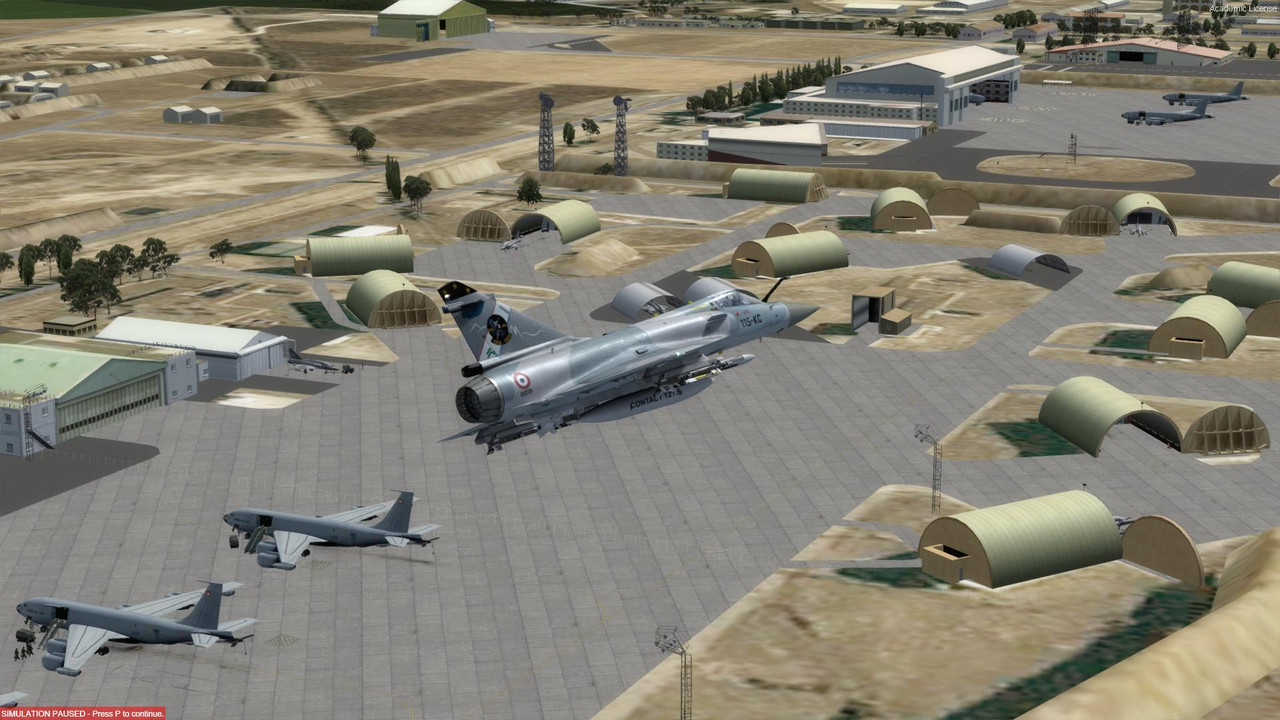
Over LFMI Le Tube.
Dave

odourboy
SOH-CM-2020
Thanks Daube and Chris!
This indeed worked. ACM and HUD, as well as radar worked fine with TacPack installed and patched to 4.4 version. A favorite one is back!
I've been out of town for the Christmas break but got back home today and had a chance to try this. By golly it does work! I didn't try the ACM, but the HUD and radar are working. I've forgotten how to operate this beast, it's been so long, but it was sure nice to be back in the saddle.
dhazelgrove
Charter Member
So. We're all thrilled and wanting some French air bases to fly from.
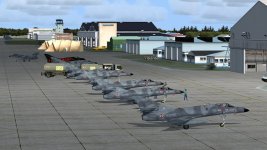
The good news is that the SkyDesigners French air bases all seem to work in P3Dv4.3 (see earlier screenshots) -- although some of the statics could do with some rework. They don't look too bad if you keep your distance.
There are some texture issues with taxiways, but they are useable.
I'm waiting for MAIW to produce some French aircraft, so I can populate the air bases with AI traffic. I'm having to make modifications to the AFCADs in some cases, as the bases were poorly finished for AI (orphan parking, etc).
I won't be able to release the changes, because the air bases are still commercial products (Simmarket).
Dave
The good news is that the SkyDesigners French air bases all seem to work in P3Dv4.3 (see earlier screenshots) -- although some of the statics could do with some rework. They don't look too bad if you keep your distance.
There are some texture issues with taxiways, but they are useable.
I'm waiting for MAIW to produce some French aircraft, so I can populate the air bases with AI traffic. I'm having to make modifications to the AFCADs in some cases, as the bases were poorly finished for AI (orphan parking, etc).
I won't be able to release the changes, because the air bases are still commercial products (Simmarket).
Dave

hschuit
SOH-CM-2026
Dave, I am aware this is off topic but I want to respond to your comment about AI aircraft: At Military AI Works (MAIW) we are converting FS9 military AI aircraft for FSX/P3Dv4. Several models have been released in 2018. For the French Air Force/Aeronavale, these models are already available in the MAIW download library:
- HTAI C-130 Hercules
- NBAI Airbus A400
- NBAI Mirage F1
- NBAI Rafale
- NBAI Sepecat Jaguar
- NBAI Super Etendard
Currently in packaging/quality check, to be released in 2019:
- PSAI Alpha Jet
- MKAI Br.1150 Atlantique
Note: MAIW does not have the rights to convert the FMAI Mirage 2000 models created by Fernando Martinez so do not expect those from the MAIW conversion team.
Henk.
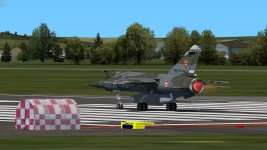
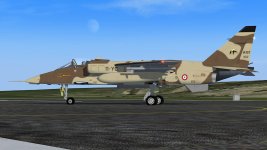
Screenshots from P3Dv4:
- HTAI C-130 Hercules
- NBAI Airbus A400
- NBAI Mirage F1
- NBAI Rafale
- NBAI Sepecat Jaguar
- NBAI Super Etendard
Currently in packaging/quality check, to be released in 2019:
- PSAI Alpha Jet
- MKAI Br.1150 Atlantique
Note: MAIW does not have the rights to convert the FMAI Mirage 2000 models created by Fernando Martinez so do not expect those from the MAIW conversion team.
Henk.
Screenshots from P3Dv4:
Attachments

Last edited:
dhazelgrove
Charter Member
Thanks Henk,
The Mirage F1 gives me enough to be going on with for the present. You haven't mentioned KC-135s or E3As for Avord.
The Jaguars are very welcome for Coltishall and RAFG.
I'll use what's available -- when/if it becomes available.
Dave
The Mirage F1 gives me enough to be going on with for the present. You haven't mentioned KC-135s or E3As for Avord.
The Jaguars are very welcome for Coltishall and RAFG.
I'll use what's available -- when/if it becomes available.
Dave
hschuit
SOH-CM-2026
Dave, we are working on the FSX/P3Dv4 MGAI *C-135 family conversion right now and yes, the French AF models will be included. The (Elvis) E-3F is not in the MAIW conversion plans.
Henk.
Henk.
Thanks Henk,
The Mirage F1 gives me enough to be going on with for the present. You haven't mentioned KC-135s or E3As for Avord.
The Jaguars are very welcome for Coltishall and RAFG.
I'll use what's available -- when/if it becomes available.
Dave
Last edited:

fsafranek
SOH-CM-2024
Another source of French military AI is from the Royale French Navy group.
Go to the Scenes page (http://royalefrenchnavy.restauravia.fr/RFN-Creations.htm#Sce) and scroll to the image of the US Navy E-2C. Click the first link in the paragraph.
Here is a description of the package: http://mirage4fs.com/preview34.html
The package was tuned for use with BAN Landivisiau but the aircraft could be used anywhere.
Hope this helps.

Go to the Scenes page (http://royalefrenchnavy.restauravia.fr/RFN-Creations.htm#Sce) and scroll to the image of the US Navy E-2C. Click the first link in the paragraph.
Here is a description of the package: http://mirage4fs.com/preview34.html
The package was tuned for use with BAN Landivisiau but the aircraft could be used anywhere.
Hope this helps.
EmmanuelJacob
Members +
Maybe the loadout manager works only if you have TacPack installed. I do, and I can definitely change the loadouts (I need to click on the "set loadout" red button for it to appear, though...)
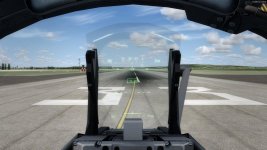
The HUD is turned on using the switch which is almost hidden *under* the HUD block. I've seen many people forget about the location of that switch, so I thought perhaps it was the same for you ? The HUD displayed properly on my system.
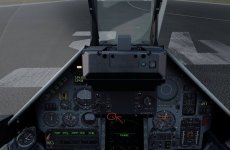
I 've managed to get the model to load fine on P3D4, with the only problem unsolved, being the HUD. I know where's the power switch as I mark in the picture, but it won't work no matter the switch position.
So my question is... Do I need the tacpack to get the HUD working or is it just for arm selecting, cause I don't care to have the plane armed with fighting effects that tacpack provides.
Attachments
dhazelgrove
Charter Member
Just fyi, I found out how to add payloads (missiles, bombs, external tanks), along with the correct weights, without Tacpack, using
the default Payload and Fuel Manager. But maybe everybody already knows how to do this (I'm sometimes slow on the uptake).
Anyway, I'll print here in case anyone doesn't know. If you look in the plane's Fuel and Payload Manager, you'll see there's a set of
Stations ST1 to ST5. These require a special two digit code for the relevant payload. There is then a set of corresponding "ballast"
stations BST1 to BST5 for the relevant weights.
When you first go into the Fuel and Payload Manager, you'll see a bunch of dummy numbers in the ST1 to ST5, like 200, 800, etc.
You can just make these 0.
The relevant codes and weights are:
Magic II 550: ST1,ST5 12 BST1,BST5 196
Super 530 D: ST2,ST4 13 BST2,BST4 606
RP541 Fuel: ST2,ST4 20 BST2,BST4 100
RP522 Fuel: ST3 21 BST3 214
MK82: BL1,BL2,BL3,BL4 14 BRW1,BRW2 1000
MK82 SE: BL1,BL2,BL3,BL4 15 BRW1,BRW2 1000
GBU12: ST2,ST4 16 BST2,BST4 500
LFR4: ST2,ST4 17 BST2,BST4 270
AS37 ARMAT: ST2,ST4 18 BST2,BST4 1210
AS39 EXOCET: ST2,ST4 19 BST2,BST4 1480
CANONS: RGUN,LGUN 1 (no corresponding weights)
I copied these from the Fuel and Payload Manager in P3Dv4.4 with Tacpack enabled. Maybe these are printed somewhere in
the Mirage's Manual, but I didn't see them.I haven't tried mixing and matching different codes and their weights to different
stations to see what happens.
The Fuel and Payload manager reverts back to default once you close the sim.
I hope this helps.
-Rob
the default Payload and Fuel Manager. But maybe everybody already knows how to do this (I'm sometimes slow on the uptake).
Anyway, I'll print here in case anyone doesn't know. If you look in the plane's Fuel and Payload Manager, you'll see there's a set of
Stations ST1 to ST5. These require a special two digit code for the relevant payload. There is then a set of corresponding "ballast"
stations BST1 to BST5 for the relevant weights.
When you first go into the Fuel and Payload Manager, you'll see a bunch of dummy numbers in the ST1 to ST5, like 200, 800, etc.
You can just make these 0.
The relevant codes and weights are:
Magic II 550: ST1,ST5 12 BST1,BST5 196
Super 530 D: ST2,ST4 13 BST2,BST4 606
RP541 Fuel: ST2,ST4 20 BST2,BST4 100
RP522 Fuel: ST3 21 BST3 214
MK82: BL1,BL2,BL3,BL4 14 BRW1,BRW2 1000
MK82 SE: BL1,BL2,BL3,BL4 15 BRW1,BRW2 1000
GBU12: ST2,ST4 16 BST2,BST4 500
LFR4: ST2,ST4 17 BST2,BST4 270
AS37 ARMAT: ST2,ST4 18 BST2,BST4 1210
AS39 EXOCET: ST2,ST4 19 BST2,BST4 1480
CANONS: RGUN,LGUN 1 (no corresponding weights)
I copied these from the Fuel and Payload Manager in P3Dv4.4 with Tacpack enabled. Maybe these are printed somewhere in
the Mirage's Manual, but I didn't see them.I haven't tried mixing and matching different codes and their weights to different
stations to see what happens.
The Fuel and Payload manager reverts back to default once you close the sim.
I hope this helps.
-Rob
EmmanuelJacob
Members +
Besides the power switch underneath the HUD, you also need to turn on (switch up) the three switches just above the warning light panel.
-Rob
Oh it worked... !!! Thank you sir...

PCN/INS issues
Hi all!
Hadn't really thought about this aircraft at all until I saw some pics of it in P3Dv4.
Got it working thanks to this thread...more or less anyways.
I haven't tested too much of the functionality yet, I've had it only 3 days, so I've only flown around and buckled its wings a bit
I do have one issue though, I'm sure it must be my own fault.
For the life of me, I can't get the INS to align. I follow the procedure in the manual to the letter, but something is not right.
All the switches and buttons are in the right position (according to the instructions in the manual, that is; PSM/MIP to ALN with the operation selector to N, PCN/INS is pressed and lit), I'm inputting the correct Lat/Long format and locking it in, same with altitude and locking that in (the local altitude does seem to come up on its own in the display, btw, before I input anything), but the VALIDATE button does not light up.
After that the ALN indicator light just keeps on happily blinking, waaaaaay past the 8 minute mark. When I turn the PSM/MIP operation selector to STS, the display reads "00.00.00 100", and it keeps on like that forever. I also have a N.DEG (Degraded Performance Failure) indicator light showing on the PCN/INS unit, but no clue why; I'm still sitting on the tarmac, parking brakes on, and the aircraft haven't moved. I haven't done anything other than switch on the system.
Any ideas or tips to sort this out?
Hi all!
Hadn't really thought about this aircraft at all until I saw some pics of it in P3Dv4.
Got it working thanks to this thread...more or less anyways.
I haven't tested too much of the functionality yet, I've had it only 3 days, so I've only flown around and buckled its wings a bit
I do have one issue though, I'm sure it must be my own fault.
For the life of me, I can't get the INS to align. I follow the procedure in the manual to the letter, but something is not right.
All the switches and buttons are in the right position (according to the instructions in the manual, that is; PSM/MIP to ALN with the operation selector to N, PCN/INS is pressed and lit), I'm inputting the correct Lat/Long format and locking it in, same with altitude and locking that in (the local altitude does seem to come up on its own in the display, btw, before I input anything), but the VALIDATE button does not light up.
After that the ALN indicator light just keeps on happily blinking, waaaaaay past the 8 minute mark. When I turn the PSM/MIP operation selector to STS, the display reads "00.00.00 100", and it keeps on like that forever. I also have a N.DEG (Degraded Performance Failure) indicator light showing on the PCN/INS unit, but no clue why; I'm still sitting on the tarmac, parking brakes on, and the aircraft haven't moved. I haven't done anything other than switch on the system.
Any ideas or tips to sort this out?