Hi E,
Yes there is, but it comes with a caveat. If you adjust your UC for
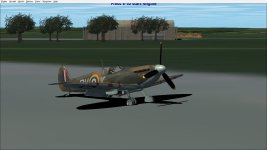
this airfield, it may be out for many others. You need to see if this ac sits badly on other airfields, stock and installed ones. If on balance it's out, then it's worth adjusting. If not, you have then to make a choice whether it's worth doing for just this one airfield, as it could be the runway elevation or land mesh that is out at this location and not the ac's fault.
Having bored you with that, if you still want to adjust it.
Go to the aircraft.cfg file (back up this original just in case and hold safe). Go down the info until you reach the [contact points] section. Point entry 0,1, and 2 are for the tail wheel, left hand main wheel and right hand main wheel. You need to adjust the main uc wheels the same amount and the tail wheel slightly less.
If you go to each entry and see that there are a line of entries with various numbers in them. Go along the line to the fourth entry (after the initial = sign), this is the vertical datum point (based on an immaginary zero line along the length of the ac).
The numbers are in the negative /minus, as they are below this line, to raise the uc up, you need to reduce the negative/minus figure, moving it 'up' towards the datum line. Use small amounts, save and re-load the ac in the sim and check the height, when satisfied, save and exit.
Caleb Flerk's Speshul Efeks is a very useful site..here is about contact points
http://www.cfgse.calebflerk.com/CFG_CtcPoints.htm.
Give it a go!
Cheers
Shessi