H
harleyman
Guest
Henry...there all on quack
AHHHHHHHHHHHHHHHHHH Thats priceless.....

Please see the most recent updates in the "Where did the .com name go?" thread. Posts number 16 and 17.
Please see this thread for updates. Update Thread
SOH ADMINISTRATIONHenry...there all on quack
I hate to burst your bubble on that expanding to two or three monitor but that screen shot I posted above Henry is three monitors, also in FSX all three monitors are as one. You can even hit the alt button and open up another screen and put the cock pit on one and the outside of the plane on the other two.That is in Vista and in W7.

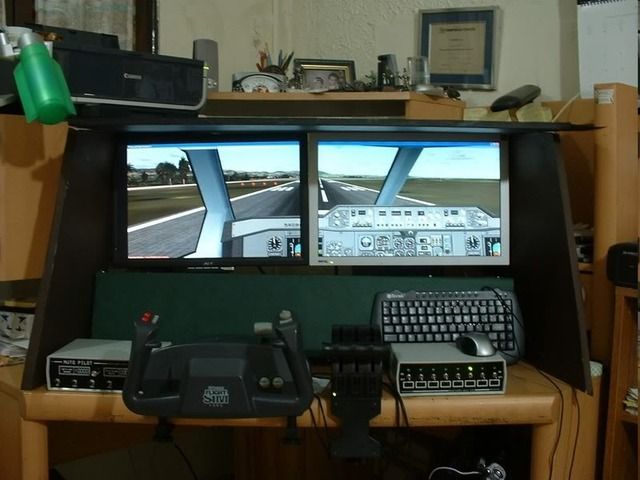
 , since this is so...I sometimes place "all" instruments in one monitor and the front view on the other...there is also a freeware program that sets up "instruments" for you in one monitor...I usually do this with "old" FS9 planes where the 2D panel looks like rut extended.....
Aside from additional monitors, you'll need a video card that can support multiple monitors, or a system that can support multiple video cards.
Consult your computer vendor for recommendations and installation instructions.
Flight Simulator can run in either full screen or windowed mode.
When using full screen mode with multiple monitors, Flight Simulator fills the primary monitor and the other monitors will appear black.
You can move windows, such as the GPS, a spot view window, the throttle quadrant, or an overhead panel, onto a secondary monitor.
<table summary="SummaryTBD" class="SideBarTable" border="0" cellpadding="0" cellspacing="0"> <tbody> <tr> <td> EXAMPLE: To set up a cockpit like the one pictured above
</td></tr></tbody></table>
- Make the center moniotor your primary display. Run Flight Simulator full screen or in windowed mode.
- On the Views menu, point to New View, point to Cockpit, and then click Virtual Cockpit.
- Drag the window to the left monitor and size the window to fill the screen.
- Pan the view in that window until you're looking at the left wing.
- Repeat steps 2 through 4 for a view of the right wing on the right monitor.
- Press SHIFT+3 to display the GPS.
- Drag the GPS to one of the secondary monitors.
- Press [ (left bracket) to display the a small view window.
- Press S to display the view you want in the small window.
Gera: what is that freeware program that you are referring to? Thanks,
Steve in Kansas


LOL..
It was actually just user error...And helper error....:isadizzy:
Its working great just as it should....