My First Airport Scenery

tgycgijoes

Members +
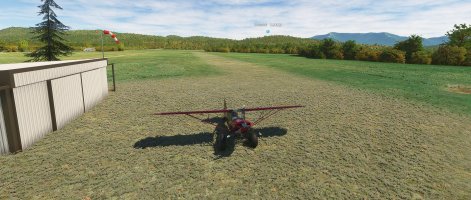
I followed the video on "Your First Airport" by Patriot Six today and am creating a remake of Cox Lane Farm Field in West Virginia. I originally created this in FSX when a friend from church who has his Piper Cub stored here was tellng me about it as I told him how I flied on my computer. I decided it was a really nice, simple airport to start with. Here is what I was able to accomplish so far and will continue tomorrow with the next steps. In FSX it was impossible to achieve the rising runway as in real life but MSFS 2020 accomplished that quite realistically. Is this beautiful or what?
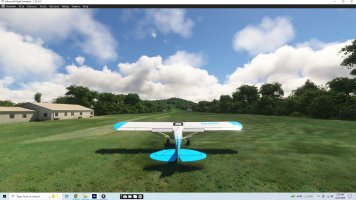
Cox Lane Field WV.jpg
 
Ed, pick the simplest airport you've created for Prepar3D V4 to begin with and save the video. I am playing it again today because MSFS 2020 in it's infinite wisdom didn't save all of what I created yesterday, so it's start over but I picked up a bit replaying the video. You have to look into it even though he really is instructive. Here is a link to the video:
You need a youtube downloader to save it on your PC so you can pause and go back again and again. Good luck. I have made myself THIS TIME to not give up on msfs 2020 and quit like a few times before.
 
It probably did - look for a 'Projects' folder and start diggin'. Maybe inside your MSFS folder.....?
 
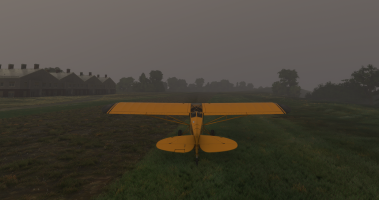
After working on this yesterday evening and then a morning and afternoon today starting/restarting the video, I was able to complete the airport and save it in the community folder in MSFS 2020. It's raining there in real weather so I am just sitting on the grass. Had to adjust the grass material three times to get this to build and export in the Developer. I will download and find the video that places objects because I have a tower that I WAS able to create from my Sketchup-dae in Model Converter X latest version to an MSFS package. That's for next week. Here is a screenshot:

Piper Cub at WV82 Cox Lane Field.png
I found another video made before this one called making a grass runway airport that I did not see before I used this one. This video is for an airport with two asphalt runways. There are a few tips that I am going to use next week and "tweak" this one now that I took two screenshots for reference: one was from Bing Maps and one from Google Earth. Stay tuned for chapter two of "Cox Lane Farm Field in West Virginia next week.
 
Last edited:
Oh man, that's a huge mistake. Be warned, it can become addictive. Ask my wife, or better not :D ....
Just a small tip, just for the fun and experimenting: make the runway transparent (material setting) and control the ground texture with a custom polygon. Assign the Asobo Soil texture #1 if you want grass not shining through, or #2 if you want to have some grass on the runway. That way, you also can adjust the color to the surroundings so it better blends in, as well as the transparency to let the original ground shine through and break texture patterns.
Way to go :)

Cheers,
Mark
 
Thank you for that. That was what I learned from Patriot Six grass runway airport video that I will try what you suggest and his recoloring of the texture too. I tried custom polygon but messed up my airport and had to start it over so now that it IS saved if I mess it up I just won't save it and start over. Have a good rest of the weekend.
 
Spent all day yesterday studying two videos still trying to discover how to place my custom tower LZ Blackhawk on WV82 Cox Lane Farm Field with no luck and put it away. No time today at the hospital test and US Cellular installing a new sim card because T-mobil bought them out. Probably no time tomorrow so I'm going to try again on Saturday. I really wish that Asobo hadn't made things so different.
 
For grass runways, what I do is use the runway tool and adjust where I want it. Then I use the Taxiway_Grass material on the new runway. Then I take the poly tool and lay out a poly (or use the apron tool instead) with the same material a bit bigger than the runway and a bit of irregularly to the general shape. Then I give the poly about a 4 meter fade and it blends in superbly. Also remember to save often and undo is your friend...
 
This is a shot of the technique I described above. the slightly lighter grass is the taxiway texture with the matching apron with the same texture with some fade in the edges.davis.jpg I like this texture since it looks like someone has actually mowed it in the last month or so :icon_lol:
 
This is a shot of the technique I described above. the slightly lighter grass is the taxiway texture with the matching apron with the same texture with some fade in the edges.View attachment 187106 I like this texture since it looks like someone has actually mowed it in the last month or so :icon_lol:
I'm happy with the grass runway but having trouble how to place the special tower. I watched two videos now and will have to go back and watch and pause, watch pause which is how I created the airport. I want to get this down. The tower is the only custom object. I know that I have to create a project for it etc. Just have to be patient and let this ol' mind comprehend what they are saying. Thank you.
 
After jumping the gun and not being successful beyond the basic airport with default ai bldgs, I am starting with video tutorials from the 1st onwards rather than just jumping around because jumping around just got me confused without a good basis of what to do. I will keep this going as I learn how to place the custom hangers and the LZ Blackhawk tower. Stay tuned. I want to recreate my 60J Ocean Isle Airport in MSFS 2020 with all the custom buildings like I created it first in FSX and then in Prepar3D. I had six years experience and airports under my belt when I made it in FSX so with MSFS so much more complex I guess I thought it wouldn't be this hard, but........
 
Back
Top