Seahawk72s
SOH-CM-2023
SH72,
Seems I left out the effect in the beta release although it was in the pre-beta.
Attached
Thank you...
Are the lights meant to be that different in brightness...?

Please see the most recent updates in the "Where did the .com name go?" thread. Posts number 16 and 17.
Just when you think you have everything running some what better...
You get a message from the Hosting company. Short story they need to move us to a new server. I have been working with them to plan a good date for all concerned. Here is what we have come up with as a schedule.
If all goes well we should be back online on November 8th.
To keep you updated we will post updates on AVSIM forums.
Thank you for your support.
SH72,
Seems I left out the effect in the beta release although it was in the pre-beta.
Attached

With the landing light switch controlling the extension of both it and the taxi light, you can be left with the taxi light
floating below the wing with no housing.

Thank you...
Are the lights meant to be that different in brightness...?
Yes, taxi lights are not as bright as landing lights.
However, with that said, FS does a poor job of the whole taxi light handling tied to landing light switches. And, there is no real taxi light effect with the sim; it uses the landing light effect as that is the only light that lights the ground.
The effect I am using belongs to Lionheart, and it does not hit the ground. Such is life.
I'm a little confused as from what you can see in GMan's video the landing light looks equally as bright.

Gman replaced my FSX light effects with something else. Those are not my primitive lights.

I took a detour from painting the B-26 to play with the A-20 paintkit. Still some stuff to add (anti-glare panels) and I need to
find some stencils for it, then to start to work on the alpha's. Is this model setup to be reflective?
Joe
Thank you Joe,
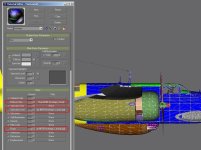
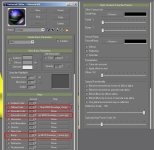
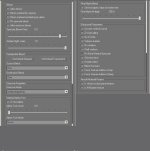
The A-20 has specular and bump map place holders in the common texture folder, named as shown in the attachment.
However, the material settings are different than the B-26 so your work will respond differently than on the B-26.
If you need the rest of the material settings, or do not use MCX, I'll post them for you.
Thanks Milton. I have MCX but only use it to check textures I might be working on as it's easier than starting up the sim
to see if things line up or how the texture looks overall. I'm not looking to do a highly polished bird like Rick has done with
his work, I'm after a more used/weathered combat look. If you don't mind posting those settings for the materials I would
be more than grateful.
Joe
Hi,
I've been trying to fly with the correct loadout for each variation. Having a different aircraft.cfg for each doesn't seem practical. It seems the best solution is to have all possible station loads available and then choose only those applicable to the chosen model. As each fltsim.x can reference a different kb_reference the correct info could be found there. Or while previewing the aircraft the performance data displayed could show the loadout info for each model and the correct payload could be selected before starting a flight. Any other suggestions?
Jim F.


Well...
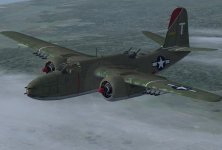
I couldn't resist doing one skin and a set of bumps for the G Model. The PK was just too irresistible.
WIP, but will be loaded here when I get the detail work refined.


Shaping up very nicely G; should be a keeper.