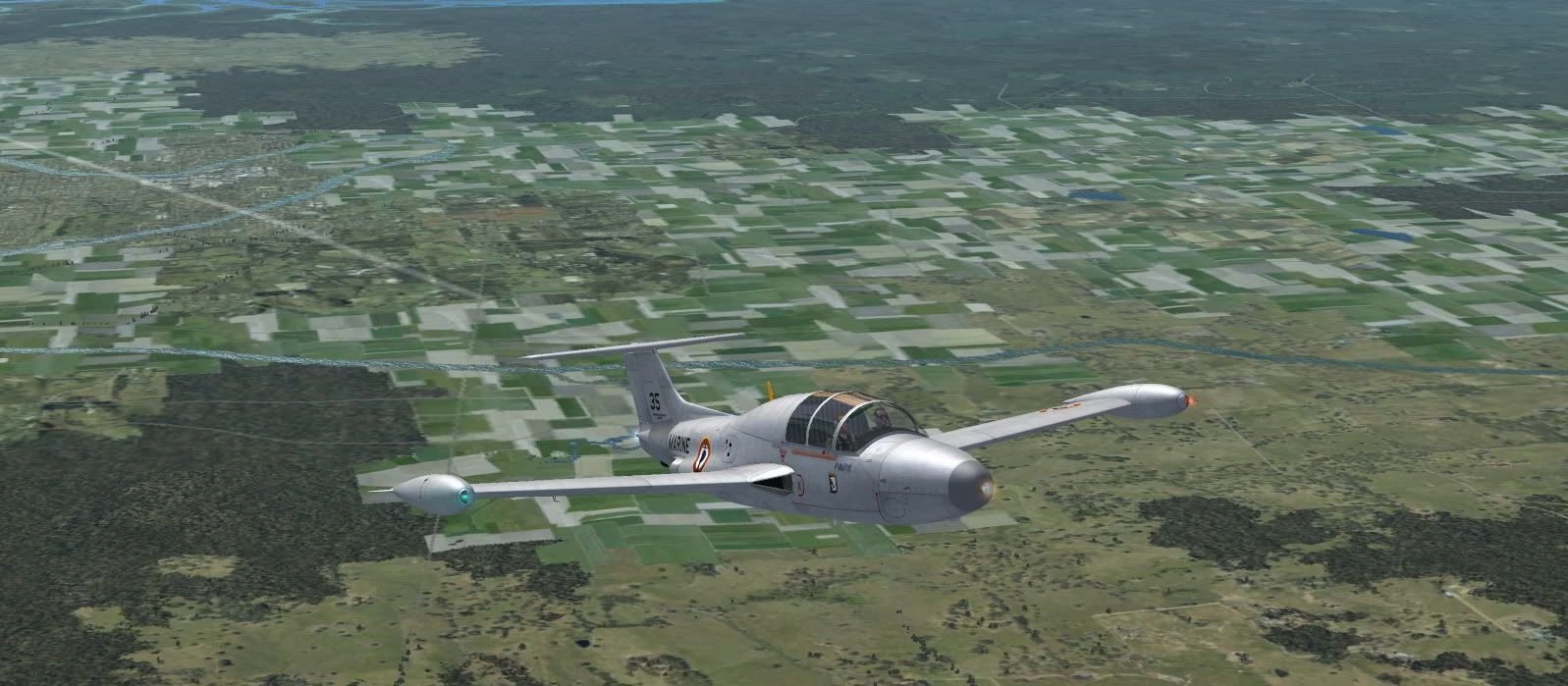
Just uploaded a Fix Kit for the MS-760 Paris Jet. Use the kit if you have bugs with missing radios, misaligned attitude ind. (new ind. stolen from the default Baron, adds a little color to panel.), or just want a cleaner windshield. Also fixes missing glass over the G-meter.

-
Please see the most recent updates in the "Where did the .com name go?" thread. Posts number 16 and 17.
-
IMPORTANT DOWNLOADING INFORMATION - ALL MEMBERS PLEASE READ
Please see this thread for updates. Update Thread
SOH ADMINISTRATION
You are using an out of date browser. It may not display this or other websites correctly.
You should upgrade or use an alternative browser.
You should upgrade or use an alternative browser.
Paris Jet Fix Kit
- Thread starter Piglet
- Start date



ryanbatc
Charter Member
I have same problem as Vratan
The radios are an easy fix though.
You find the VCockpit02 section in the panel.cfg:
gauge01=Bendix_king_radio!Bendix-King Radio Nav-Comm 1, 274,6,213,78
Originally it will read _dark! but change it to radio! so you have your NAV1/COM1 in the VC
But I still have the missing gauge with this fix
The radios are an easy fix though.
You find the VCockpit02 section in the panel.cfg:
gauge01=Bendix_king_radio!Bendix-King Radio Nav-Comm 1, 274,6,213,78
Originally it will read _dark! but change it to radio! so you have your NAV1/COM1 in the VC
But I still have the missing gauge with this fix
jungle_balloo
SOH-CM-2023
Hi all
First, a thank you, Tim for his great work.
Then, I have the same problem that Vratan for attitude indicator.
First, a thank you, Tim for his great work.
Then, I have the same problem that Vratan for attitude indicator.
Problem is in CAB , I think.
original panel.cfg:
gauge00=MS-760!ahi, 380,828,186,177
gauge02=MS-760!ahi, 405,6,100,100
original MS-760.cab:
ahi.xml and bmp in file, but gauge are bad
fixed MS-760.cab:
no ahi.xml in file, but new Attitude Indicator.xml and BMPs.
But we still have MS-760!ahi in original panel.cfg.
Screen with new MS-760.cab and gauge00=MS-760!Attitude Indicator, 380,828,186,177 in panel.cfg. Two bugs?

original panel.cfg:
gauge00=MS-760!ahi, 380,828,186,177
gauge02=MS-760!ahi, 405,6,100,100
original MS-760.cab:
ahi.xml and bmp in file, but gauge are bad
fixed MS-760.cab:
no ahi.xml in file, but new Attitude Indicator.xml and BMPs.
But we still have MS-760!ahi in original panel.cfg.
Screen with new MS-760.cab and gauge00=MS-760!Attitude Indicator, 380,828,186,177 in panel.cfg. Two bugs?

falcon409
SOH-CM-2026
Yep same here, not sure why so many folks are having problems with this.Did you install the new gauge .cab file to your FSX gauges folder? I just checked all my MS-760 files and all looks OK.
neptuneman
Members +
hello,
with that will be right
Neptuneman
I noticed a problem with the radio altimeter. I found the problem.
The xml is searching for the needle! To fix it you can download the F5A_PACK by Mr Piglet for fs9
http://www.sim-outhouse.com/index.php?lloc=downloads&loc=downloads&FileType=fs2k4&page=downloads&Category=aircraft&ammm=100&pap=2#download
extract the file f5_asi_ndl.bmp from the f5a.cab
insert it in the MS-760.CAB
Now you can low pass with the Paris!
(you can view the result on the above screen shot)
with that will be right
Neptuneman
neptuneman
Members +
hello,
with that will be right
Neptuneman
I noticed a problem with the radio altimeter. I found the problem.
The xml is searching for the needle! To fix it you can download the F5A_PACK by Mr Piglet for fs9
http://www.sim-outhouse.com/index.php?lloc=downloads&loc=downloads&FileType=fs2k4&page=downloads&Category=aircraft&ammm=100&pap=2#download
extract the file f5_asi_ndl.bmp from the f5a.cab
insert it in the MS-760.CAB
Now you can low pass with the Paris!
(you can view the result on the above screen shot)
with that will be right
Neptuneman
neptuneman
Members +
hello,
with that will be right
Neptuneman
I noticed a problem with the radio altimeter. I found the problem.
The xml is searching for the needle! To fix it you can download the F5A_PACK by Mr Piglet for fs9
http://www.sim-outhouse.com/index.php?lloc=downloads&loc=downloads&FileType=fs2k4&page=downloads&Category=aircraft&ammm=100&pap=2#download
extract the file f5_asi_ndl.bmp from the f5a.cab
insert it in the MS-760.CAB
Now you can low pass with the Paris!
(you can view the result on the above screen shot)
with that will be right
Neptuneman

doublecool
Charter Member
Maybe we could get some kind soul to post there new MS-760.CAB file 
I have tried at dozen times and I end up with a zip file not a cab file:isadizzy: I've created files and don't know where the are now...
have pity on us
I have tried at dozen times and I end up with a zip file not a cab file:isadizzy: I've created files and don't know where the are now...
have pity on us
I Googled how to make a FSX cab file and was directed back here to a post by Piglet. He uses a program called IZArc. I downloaded it and was able to convert a non-functioning zip file of the gauges into a functioning cab file.
Link to the IZArc program download http://www.izarc.org/old/IZArc_Setup.exe
Link to the IZArc program download http://www.izarc.org/old/IZArc_Setup.exe

GypsyBaron
Charter Member
I Googled how to make a FSX cab file and was directed back here to a post by Piglet. He uses a program called IZArc. I downloaded it and was able to convert a non-functioning zip file of the gauges into a functioning cab file.
Link to the IZArc program download http://www.izarc.org/old/IZArc_Setup.exe
If you have the FSX SDK installed you will find the cabdir.exe
file located in the following place:
[your installation drive]\Microsoft Flight Simulator X SDK\SDK\SimObject Creation Kit\Cabdir SDK
Simply drag & drop the folder you want to create a CAB ffor
onto the cabdir.exe file in the above directory.
It will create a CAB file in the directory where the source
folder resides, with the same name as the source folder.
Just as a note, I always leave any XML gauge files that
I de-cab'ed in the panel folder or the main gauge folder.
FSX searches for FOLDERS with the named gauge files
first before it searches for CAB files. Just my personal
preference in eliminating unnecessary FSX 'searches'.
For the same reason I always rename all "aircraft.cfg"
files to "sim.cfg" since that is what FSX searches for first.
Paul