Jacek_Kasprowicz
Members +
Good morning
I recently bought a Mitsubishi A6M-2 Zero. It's a very nice aircraft, but I'm having a problem with it.
If I press the reset button (like in the videos), the entire MSFS2020 simulator freezes
and then shuts down after a few seconds.
A similar thing happens with the early Supermarine Spitfire. Clicking this button shuts down the simulator.
I tested it on a clean, updated simulator without any add-ons or third-party aircraft.
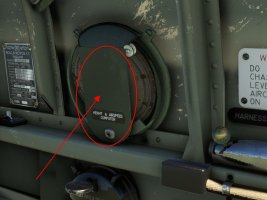
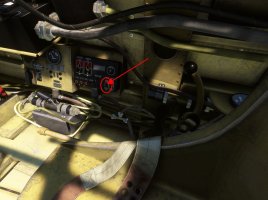
Here are photos of the areas that cause the simulator to freeze. Is this a known issue,
or is something wrong with my settings?
Best regards
I recently bought a Mitsubishi A6M-2 Zero. It's a very nice aircraft, but I'm having a problem with it.
If I press the reset button (like in the videos), the entire MSFS2020 simulator freezes
and then shuts down after a few seconds.
A similar thing happens with the early Supermarine Spitfire. Clicking this button shuts down the simulator.
I tested it on a clean, updated simulator without any add-ons or third-party aircraft.
Here are photos of the areas that cause the simulator to freeze. Is this a known issue,
or is something wrong with my settings?
Best regards