You can do this using a corrected *.zip from your computer. An excerpt by Allen...
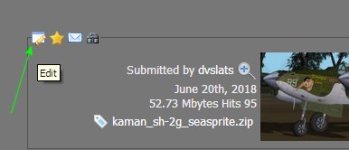
You can edit any file that you have uploaded by going to the upload and click on the edit icon near your avatar.
Once you click on the "edit" it will take you to a page that looks like your uploading a new addon but this is the edit page. It will have all of the thing for the upload your editing already filled out. All you have to do is go to "Uploaded file" part and put in a new file and hit "Submit" and wait tell it is done.
Once done I go back and download the file to make sure it updated just to be safe.
Now that I've gotten some of my traveling out of the way, I'm spending more of my summer break at home, going over materials to prepare for the school year. I will check to make sure the package is updated this evening as I brush up on all things SOH.
This site uses cookies to help personalise content, tailor your experience and to keep you logged in if you register.
By continuing to use this site, you are consenting to our use of cookies.