-
Please see the most recent updates in the "Where did the .com name go?" thread. Posts number 16 and 17.
-
Special Server Maintenance
Just when you think you have everything running some what better...
You get a message from the Hosting company. Short story they need to move us to a new server. I have been working with them to plan a good date for all concerned. Here is what we have come up with as a schedule.
- November 4th 17:00 -5UTC shut off the forums and start backup proceedures. During this time there will be no access to the forums or the Resource Section.
- November 5th Continue with Backups and download same until complete.
- November 6th 7:00 turn over server to hosting company to move system to new server
- November 7th - 8th restore backups and upgrade forum software.
If all goes well we should be back online on November 8th.
To keep you updated we will post updates on AVSIM forums.
Thank you for your support.
You are using an out of date browser. It may not display this or other websites correctly.
You should upgrade or use an alternative browser.
You should upgrade or use an alternative browser.
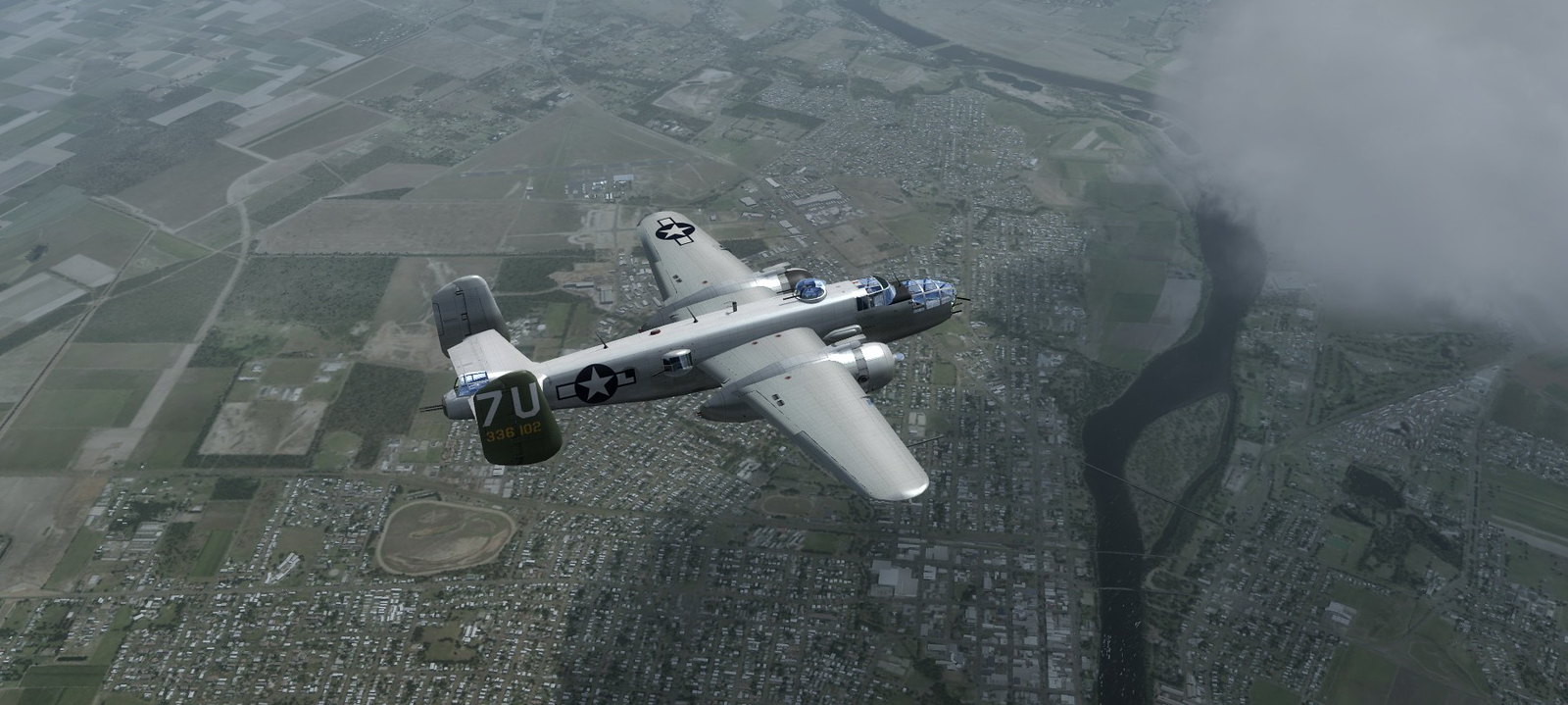
RCS North American B-25J RAF MkII FSX native
- Thread starter Postbaer61
- Start date


simtech
SOH-CM-2026
LouP, that was my question. How did Postbaer61 get the VC so clear? You mentioned increasing pixel size to 4096. Are you referring to max texture size, or did you modify the cockpit textures offline first? I'm afraid my wimpy computer chokes when I put in anything over 2048. I'll live with the 2D. Excellent model though.


Mike71
SOH-CM-2026
Anyone have a problem with RPM max being only around 1800 at FULL INCREASE? Even at max MAP of 44" - I can reduce RPM, but max is only 1350 RPM. Prop levers also show 100% (FSX Steam /Windows 10). The cfg file shows:
max_rated_rpm=2600.000
gear_reduction_ratio=1.778
Any ideas? maybe the tach gauge is wrong?
max_rated_rpm=2600.000
gear_reduction_ratio=1.778
Any ideas? maybe the tach gauge is wrong?
simtech
SOH-CM-2026
Mike, I noticed that also. I installed RCS original panel and the rpm does exceed 1800 and go to 2400. But on the panel that ships with this d/l, I also noticed about 1800 max. I even tried moving the prop levers manually in this panel..no change. In the air, prop rpm increases slightly, but not in the 2400-2800 range we're used to seeing on these engines. I remember with Dean's Recorder, the prop rpm on the ground was below 2000. In the air, it seemed to eventually get to normal. Not sure if this was modeled purposely or not..Airplane flies good though. Roy's original panel really looks authentic in this one. Caution, if you install his original panel, don't open the flight in windowed mode or you'll only see a black screen and a spinning cursor. Load in full screen and you will see a click box at the middle bottom of the page that then opens fsx window. I thought at first that FSX had crashed, it hadn't. It was waiting for the CLICK that I hadn't seen in windowed mode.. Great panel..Hope we find out about the props though.
Last edited:
Mike71
SOH-CM-2026
Mike, I noticed that also. I installed RCS original panel and the rpm does exceed 1800 and go to 2400. But on the panel that ships with this d/l, I also noticed about 1800 max. I even tried moving the prop levers manually in this panel..no change. In the air, prop rpm increases slightly, but not in the 2400-2800 range we're used to seeing on these engines. I remember with Dean's Recorder, the prop rpm on the ground was below 2000. In the air, it seemed to eventually get to normal. Not sure if this was modeled purposely or not..Airplane flies good though. Roy's original panel really looks authentic in this one. Caution, if you install his original panel, don't open the flight in windowed mode or you'll only see a black screen and a spinning cursor. Load in full screen and you will see a click box at the middle bottom of the page that then opens fsx window. I thought at first that FSX had crashed, it hadn't. It was waiting for the CLICK that I hadn't seen in windowed mode.. Great panel..Hope we find out about the props though.
Thanks for the feedback - I meant 1400 vice 1800 in my first statement.
I agree about the original panel in the older version. I had tried it to see if it had RPM issues too, and got the "oh-oh moment" you talked about. I think mine was the FSX "do you want to use " trusted gauge thing. I noticed to late that he had a bat file that would eliminate the black screen issue supposedly.

Postbaer61
Bluebear
I think i found the culprit for the RPM issue.
In the B25.cab the PROP_RPM_12.xml has a value setting (A ROP1 RPM, rpm)
and (AROP2 RPM, rpm)
and must have (A:General eng rpm:1, RPM) and (A:General eng rpm:2, RPM)
as settings.
I have attached a updated file.
View attachment RPM_Patch.zip
Simply replace the B25.cab with this file
In the B25.cab the PROP_RPM_12.xml has a value setting (A
ROP1 RPM, rpm) and (A
ROP2 RPM, rpm)and must have (A:General eng rpm:1, RPM) and (A:General eng rpm:2, RPM)
as settings.
I have attached a updated file.
View attachment RPM_Patch.zip
Simply replace the B25.cab with this file

jankees
SOH-CM-2026
Is that because Roy wouldn't let you publish them?? Perhaps we can ask again??
feel free to ask him, I tried, twice, in the past.
Mike71
SOH-CM-2026
PERFECT! Thanks for looking at this. Works great now --I think i found the culprit for the RPM issue.
In the B25.cab the PROP_RPM_12.xml has a value setting (A
and (A
and must have (A:General eng rpm:1, RPM) and (A:General eng rpm:2, RPM)
as settings.
I have attached a updated file.
View attachment 63497
Simply replace the B25.cab with this file
simtech
SOH-CM-2026
I think i found the culprit for the RPM issue.
In the B25.cab the PROP_RPM_12.xml has a value setting (A
and (A
and must have (A:General eng rpm:1, RPM) and (A:General eng rpm:2, RPM)
as settings.
I have attached a updated file.
View attachment 63497
Simply replace the B25.cab with this file
 Postbaer61, thank you for checking this out. Works very well.
Wings of Gold
Charter Member
Texture aircraft
Does anyone know which squadrons are associated with these textures? I tried Googling "Moon Drop", for example, but didn't learn anything.
Bill
Does anyone know which squadrons are associated with these textures? I tried Googling "Moon Drop", for example, but didn't learn anything.
Bill
jamminjames
Charter Member
Thanks for this! Outstanding work and the fix works great....
It looks like this wonderful add-on may not work in FSX-SE. Roy says in the installation instructions that the auto-installer is the only way to use his B-25. SE, as you may know, has a couple of other steps in the installation sequence due to the SE file structure. I can get everything to install except the gauges.
jacquesvde
Members +
hello
Thanks for this! Outstanding work and the fix works great....
Jacques
Thanks for this! Outstanding work and the fix works great....
Jacques
Postbaer61
Bluebear
Thanks folks, for the nice comments.

@downwind
I'm sorry to hear.
I only have FSX ACC and P3Dv4.3 in use, so i don't know the
special installation routine and structure from FSX SE.
If i understand you right, is there a working FSX SE version by Roy Chaffin.
Why don't you use this version ?
This new version isn't much different to the original and the original panel is also
more complex then the new one.
Perhaps you can try to install Roy's FSX version and replace the model and the
texture folders against the new ones, if that makes sence for you.
@downwind
I'm sorry to hear.
I only have FSX ACC and P3Dv4.3 in use, so i don't know the
special installation routine and structure from FSX SE.
If i understand you right, is there a working FSX SE version by Roy Chaffin.
Why don't you use this version ?
This new version isn't much different to the original and the original panel is also
more complex then the new one.
Perhaps you can try to install Roy's FSX version and replace the model and the
texture folders against the new ones, if that makes sence for you.

dharris
Charter Member
Roy and I had been friends for quite some time, before he left maamsim, We lost touch for the last couple of years, as I had no time, my wife was criticall ill, and finally passed, he shared with me several of his textures. I will try to find his email address and see if he would be willing to release them. I have 8. The textures extras are the Yellow Rose, 7B,9A,nok, usa1,usa1942,and usaAfrica.