• Please see the most recent updates in the "Where did the .com name go?" thread. Posts number 16 and 17.

    Post 16 Update

    Post 17 Warning

  • Bandwidth Drive 2026 is over

    Thanks to everyone who donated.

Restauravia Curtiss H75 A3 Hawk

D5turbi

Members +
Hello,

A new model is available on the RESTAURAVIA website.


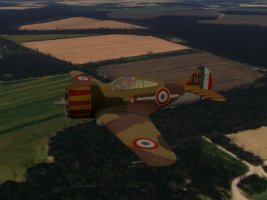
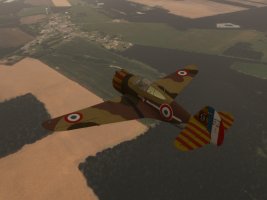
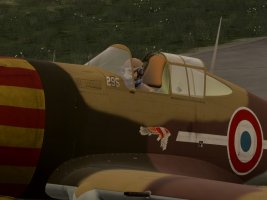
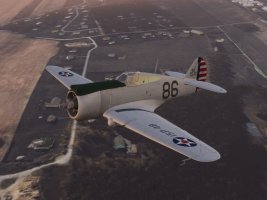
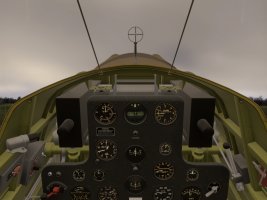
A new aircraft, the Curtiss H75 A3, a contemporary of the Bloch 152, is now available on the Restauravia.fr website. Perfect for group flights.

Note: Speeds are listed in mph, not knots or km/h.

The Curtiss P-36/H75 Hawk was modeled for X-Plane 12 by Bernard JUNIOT "Berju83" (Liveries and paintkit by Antonio "AFNavarro".
Due to the lack of detailed documentation, some controls were not animated and remain inactive in this version.
Others were implemented in positions that may not correspond to those of the real airplanel.
The model proposed here is the adaptation made, with the authorization of the creator, by Jean Lacante for Flight Simulator 2020 and 2024 (MSFS) with the help of André Chancel

Have a good flight!
Curtiss_H75_12.jpg

Curtiss_H75_13.jpg

Curtiss_H75_14.jpg

Curtiss_H75_16.jpg

Curtiss_H75_19.jpg
 
Well, just tried this new Restauravia aircraft creation - I have following problem:
I cannot move the aircraft mixture lever, neither with the mixture lever on my trottle equipment nor with the mouse. It doesn't move.
Is this a model error or is the problem "on my side"?

Dieter
 
Hi kdl

There is no mixture lever in the X-Plane model.

Since the MSFS model is simply an adaptation of the Curtiss X-Plane, this function is not implemented.

Jean
 
You can move the mixture lever using the mouse. Left-click on the knob to move it down a step (i.e. from full rich to auto rich, auto rich to auto lean, etc.) and right-click on the knob to move it up a step. It seems to be functional as well, at least insofar as the engine quits when you select cut off.

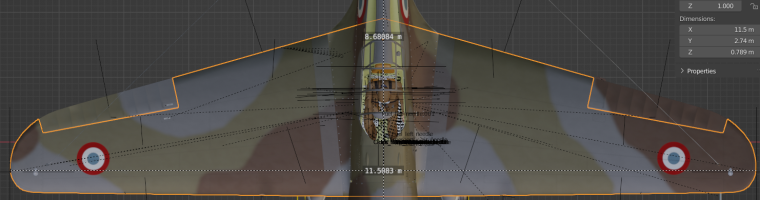
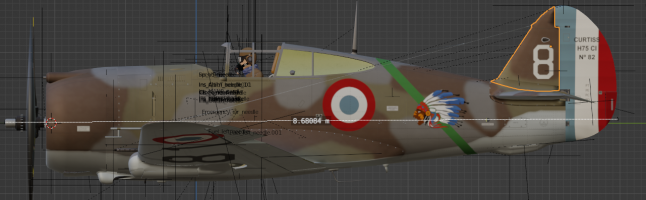
Overall I'm a bit ambivalent about this plane. I always appreciate a free product and it is nice to have this type in the sim. However, the 3d model has some dimensional issues, with the fuselage being too short; it reminds me almost as much of a P-35 as a P-36. The main landing gear are too tall and the tailwheel too short, which combined with the shortened fuselage, gives it a weirdly high ground angle. This seems to translate into an excessively high CG when on 3 points, such that it is unrealistically difficult to avoid scraping a wing tip on takeoff or landing roll or even while taxiing. Once in the air, it is not bad, although it seems a bit overpowered to me. "Once in the air, it is not too bad" seems llke something we say so often about MSFS aircraft due to the sim's wonky ground physics. Anyway, my advice is to get the tail up as quickly as possible on takeoff, land 2-point and keep the tail flying as long as possible on landing. Although, since the engine delivers too much power at idle, getting speed down enough to get the tail down at all on landing can be a challenge in itself. With a few flight model tweaks this could be a fun one, though.
 
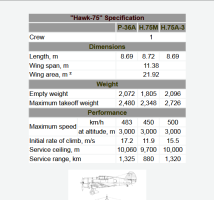
The dimensions are correct.
Only the wingspan is too long by 12 cm

Capture d'écran 2026-01-11 173026.png

Capture d'écran 2026-01-11 172340.png

Capture d'écran 2026-01-11 174532.png

Regarding the power, it's true that the power is too high on takeoff. I couldn't find a good balance between taxiing and maintaining the maximum speed.

For landing, remember that speeds are in mph, not knots or km/h. Also, with the engine at idle, the aircraft barely stalls.
Therefore, it's possible to land at low speed.
 
I find that if I set idle_rpm_mechanical_efficiency_scalar = 0.5 in engines.cfg, it reduces the plane charging forward at idle, tames the acceleration on takeoff, and makes it easier to slow down on landing roll. I also find it helpful to keep max flaps down after landing, using the drag to help slow down until a safe tail-down speed is achieved. It actually was (and is) standard practice in the P-36/P-40 to leave the flaps down until parked, because the flap lever is right next to the gear lever and there is a big penalty for raising the wrong one while taxiing in.

In flight_model.cfg, I changed the static compression parameter for the main gear from 0.5 to 0.3. This reduces the plane's tendency to teeter on its gear and tip over with any side force.

With those band-aids, I'm enjoying the plane quite a bit now.
 
Thanks K5083.
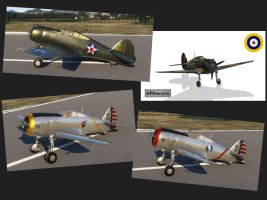
I will test these modifications as soon as I have access to my PC again and incorporate them into the next version, which will also include several other liveries.
 
Ooh, more liveries! I was hoping there would be some. I don't have x-plane so I didn't know what other skins might have been done for it, but was thinking of poking around for them. Looking around quickly, I see a nice olive drab one, one that looks like the ex-TFC machine, RAF, some wargames special schemes, even a Luftwaffe captured one. That will increase the replay value for sure.

August
 
Back
Top