• Please see the most recent updates in the "Where did the .com name go?" thread. Posts number 16 and 17.

    Post 16 Update

    Post 17 Warning old domain name stealing credentials

  • Special Server Maintenance

    Just when you think you have everything running some what better...

    You get a message from the Hosting company. Short story they need to move us to a new server. I have been working with them to plan a good date for all concerned. Here is what we have come up with as a schedule.

    1. November 4th 17:00 -5UTC shut off the forums and start backup proceedures. During this time there will be no access to the forums or the Resource Section.
    2. November 5th Continue with Backups and download same until complete.
    3. November 6th 7:00 turn over server to hosting company to move system to new server
    4. November 7th - 8th restore backups and upgrade forum software.

    If all goes well we should be back online on November 8th.

    To keep you updated we will post updates on AVSIM forums.

    Thank you for your support.

Royal Navy Westland Lynx Mk8 for FSX wanted

This from the readme:

STARTING & SHUTDOWN : Use ctrl-shift-F4 to start the engines, not ctrl-e. Shut them down with ctrl-shift-F1. Expert users may wish to follow the realistic procedure outlined in the checklist.

Yeah did that too and still no go!?! She just shuts down when I go to throttle up!

I have given up on this one!!
 
Hi falcon,
Yes, that's the problem that I came up with, it completely messed up the order of my other aircraft files; so I had all of my aircraft listings AFTER the Alpha AH7 Lynx, with the thumbnail image Not matching the aircraft description, a real pain in the rear!
I didn't get around to flying it, will try again later! I'll apply the Lynx fix as well!
Maybe, if I insert some thumbnail images in the texture files; would that sort out the order of things perhaps ?
All the best,
ChipShopšŸ‘šŸ˜‰
 
Okay, here's the progress I've made; I did add thumbnail images to the texture files and that seemed to do the trick, all aircraft listings are back in their correct order!:encouragement:
If i'm honest, I think the AH-7 version with update, handles better than the Mk8 'future' Lynx! (Which as it turns out, you get one in the AH-7 package anyway).
I'm quite happy with it now; not sure why you're still having troubles with it though Tim:indecisiveness:?
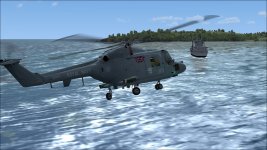
attachment.php

ChipShop:loyal:
 

Attachments

  • 2016-3-19_8-34-56-12.jpg
    2016-3-19_8-34-56-12.jpg
    73 KB · Views: 24
Yeah did that too and still no go!?! She just shuts down when I go to throttle up!

I have given up on this one!!
Only other suggestion I would have is to grab one of the default Heli's. Shut it down completely (all switches, levers, etc. off) and save as your default flight. Restart the sim and load that flight with the cold and dark Heli, then switch to the Lynx and try to start. Beyond that I am at a loss as to why you're having problems. Since no one else has reported a similar problem, I'm guessing something about your setup (what is loaded when you start your Sim) is causing it. Usually it's some parameters left over from a previous flight that carry over to the next aircraft, that's why setting up a default flight with a similar aircraft seems to help many times.
 
Back
Top