-
Please see the most recent updates in the "Where did the .com name go?" thread. Posts number 16 and 17.
-
IMPORTANT DOWNLOADING INFORMATION - ALL MEMBERS PLEASE READ
Please see this thread for updates. Update Thread
SOH ADMINISTRATION
You are using an out of date browser. It may not display this or other websites correctly.
You should upgrade or use an alternative browser.
You should upgrade or use an alternative browser.
screen capture
- Thread starter Henry
- Start date

H
harleyman
Guest
Google FSScreen.. I believe its for Vista too....
Very simple to use
But in Vista can't you just keep hitting Print screen??... I forget ...
Very simple to use
But in Vista can't you just keep hitting Print screen??... I forget ...
Henry, if you don't mind larger files, just hit the "V" key in FSX which saves a BMP.
I gave the commercial "Aerosohot" a whirl, which works fine as long as you're not running DX10 software. Ie. FSX in DX10 mode or Crysis, which it saves as a black screenie!
Sadly GrabClipSave, which I've used for years, didn't make the transition to Vista, it crashes often.
I gave the commercial "Aerosohot" a whirl, which works fine as long as you're not running DX10 software. Ie. FSX in DX10 mode or Crysis, which it saves as a black screenie!
Sadly GrabClipSave, which I've used for years, didn't make the transition to Vista, it crashes often.

Apart from the "prtscr" and "V" keys, I use payware "Snagit". But you don't need any payware or freeware addons. Just open the snapped shots in windows paint or picture viewers and crop to size, save as jpg...
Most printer software also comes with some simple picture sizing and basic editing tools too.
Most printer software also comes with some simple picture sizing and basic editing tools too.
kilo delta
Charter Member 2015
I use FRAPS..works a charm. 
A
Alvega
Guest
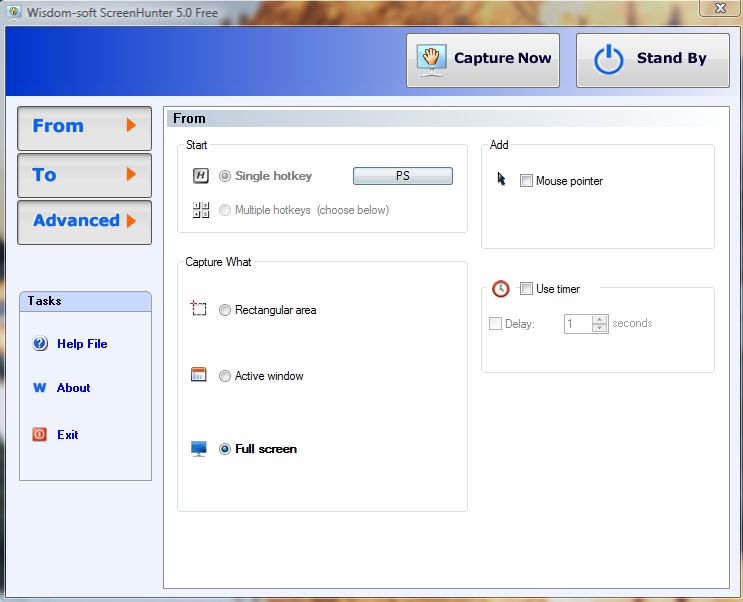
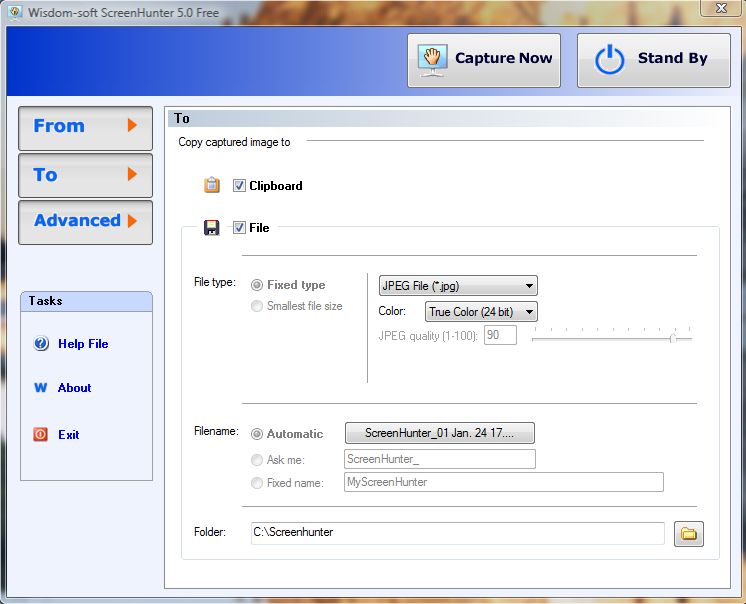
I also use Screenhunter 5.0 Free. Used it on XP 32 bits and now on Vista 64 bits.
A
Alvega
Guest
screen hunter is not working
H
Not working? Check if you are using these settings: