• There seems to be an uptick in Political comments in recent months. Those of us who are long time members of the site know that Political and Religious content has been banned for years. Nothing has changed. Please leave all political and religious comments out of the forums.

    If you recently joined the forums you were not presented with this restriction in the terms of service. This was due to a conversion error when we went from vBulletin to Xenforo. We have updated our terms of service to reflect these corrections.

    Please note any post refering to a politician will be considered political even if it is intended to be humor. Our experience is these topics have a way of dividing the forums and causing deep resentment among members. It is a poison to the community. We appreciate compliance with the rules.

    The Staff of SOH

  • Please see the most recent updates in the "Where did the .com name go?" thread. Posts number 16 and 17.

    Post 16 Update

    Post 17 Warning

section 8 Sabre help..

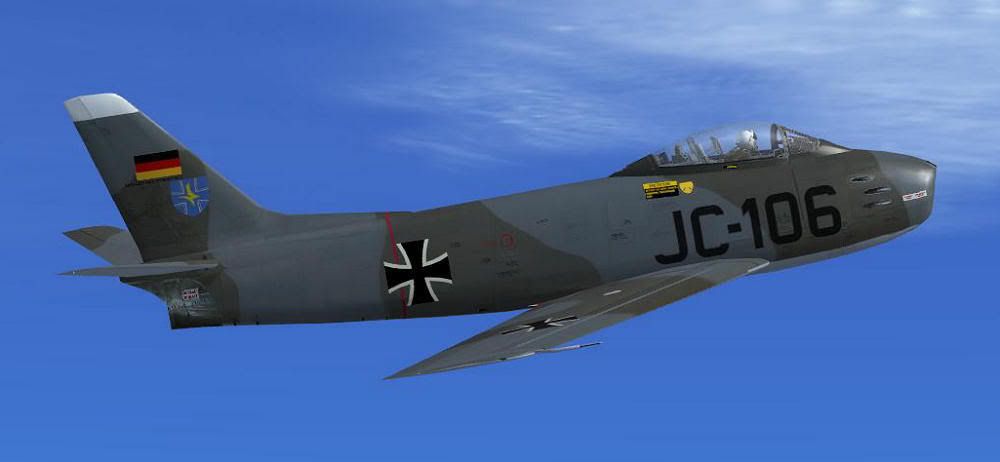
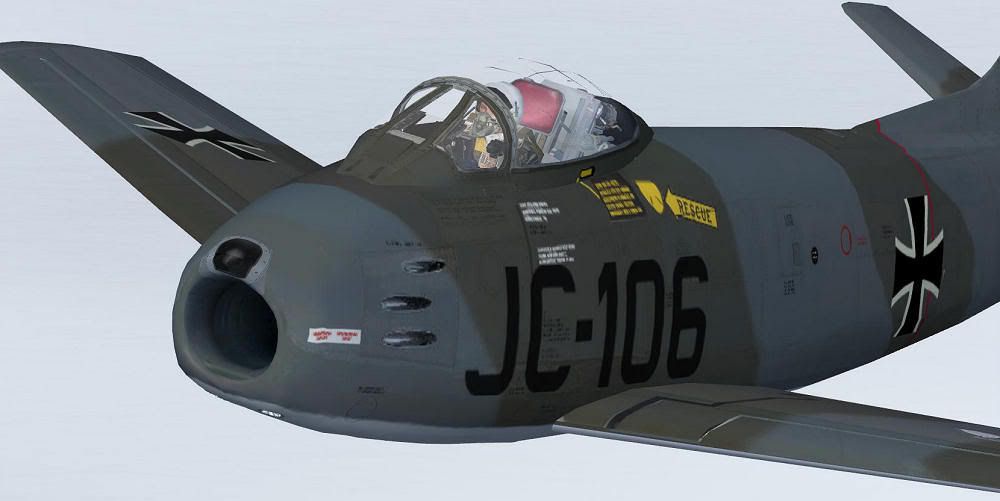
Yessir, new external texture sets down to the last pixel. All handpaint this time. Comes with repaint kit in psd format, lots of seperate layers for rivets, panellining, weathering (all light and/or dark), legends, paint chips, smoke, oil stains, dirt, etc and what not. Next to hard wing ( with removable inner wing root tip to allow armament door/step to be opened ) a.o. redesigned nose section with wider air inlet and more pronounced 'lip' and 3D radio stack in VC. Also optional 1950/60's RAF pilot figure. Here's a couple more piccies although getting bit long in the tooth because of temporary suspension of finishing up the update.


Really want to finish up and release this update but i have to wait for Rob to deliver the altered FD for the hardwing ( bit more difficult to land a.o. )

Fingers crossed

cheers,
Jan


would a little repaint request be in order ?

f86-025.jpg


Jugoslav Sabre

f86-006.jpg


Jugoslav Stars acrobatic team


or i could just post this link, most of them here are really cool

http://www.gaetanmarie.com/en/f86.htm

if any one could tackle this when the update is released, i would be most grateful
 
Thank you so much!

Alternatively, if you do not have the port-over in FSX already this is a package that installs the model in FSX complete with fixes, thumbnails, and 5 liveries. Just unzip in your FSX root folder and you're good to go.

http://sectionf8.com/f86files/sf86fsx_fixup.zip

Cheers,
Jan

Jan, thanks for this. I've wanted for so long to fly this wonderfull bird in FSX and here it is. Just give it a whirl, and I'm awed!!

Thank you so much mate!!

DV
 
FSX Jet Exhaust

I can't check FSX myself at the moment. FS9 has a slider with which you can set the amount of light effects. Check if it's still there in FSX ?.. ( i actually don't think so.... ? )

Also there are two sets of '9,10,11' light effects. Did you try them both ?

Been quite a while, i can't exactly remember what these particular exhaust effects look like.... We tried a LOT of 'em ! There's various sorts of smoke, thick or thin, 3 sorts of exhaust 'glow' depending on 3 stages of rpm, plus exhaust 'heat shimmering' effects. What exactly are you looking for ? Did you use the model in FS9 ?

cheers,
jan


Hello Jan,

I activated both sets of lights at the same time.

I'm looking for your typical jet exhaust for effect. Not a big deal, sounds like your pretty close to launching your "true" FSX Sabre soon ...... can't wait !!

As always, keep up the great work !


Aircanuck
 
Am just installing this in FSX for the first time - wondering if any of the nice camo paints done by Markus will work in FSX - and if that's the purpose for that batch tool.

Sorry for joining the party a bit late ... looks like a number of you have figured this out a while ago now.

thanks,

dl
 
Welcome to the Party!!!!
:ernae::ernae::ernae:

I'm afraid I can't answer your question, but I think you will love this aircraft.
 
Am just installing this in FSX for the first time - wondering if any of the nice camo paints done by Markus will work in FSX - and if that's the purpose for that batch tool.

Thanks, mate! :salute:
Didn't try the amazing Sabre in FSX yet (just downloading the patch right now), but since the exterior model wasn't altered, all repaints should work fine (within the portover's limits).
I'll give it a try...

Cheers,
Markus.
 
Thanks SB and WBK. I thoroughly enjoyed this plane in FS9, so am eager to see it in FSX. Even as a portover, it looks superb.

Won't be at the sim pc for a few days, so am fine to wait for your test, Markus.

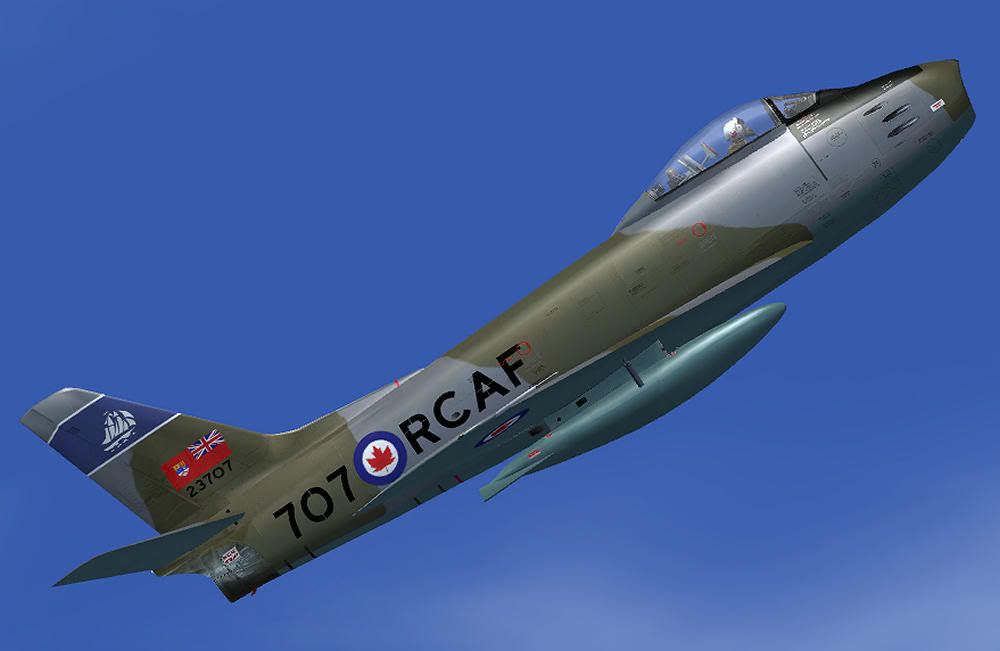
Would be nice to fly the RCAF scheme around the Marville area ...

Many thanks.

DL
 
Works like a charm here (SP2):

sabre_x1.jpg


sabre_x2.jpg


The batch files included with the FSX patch are a gorgeous help - many thanks to our Bjoern for creating these handy tools! :applause: :ernae:

btw:
Did my drop tanks got lost in translation?
I could have sworn I had 'em in FS9...

Cheers,
Markus.
 
btw:
Did my drop tanks got lost in translation?
I could have sworn I had 'em in FS9...

Using the default skins, or yours I have no drop tanks but when I use Grant MacLean's silver "Bluenose" Sqn skin I have tanks. Some of the planes I see pics of here have them, when I do not in the sim.. very strange.

** after posting the above I went back in game and they were working on all planes now. Didn't change my settings at all.
 
Drop tanks ... check!

That's strange indeed:

sabre_x3.jpg


Dunno why they're attached now - good to have some extra gallons available anyway...

Cheers,
Markus.
 
Landing lights

On my PC the landing lights on this plane are extremely bright. Like "blot out everything in their path, triangle-of-doom" bright. I have tried changing the effect that it uses in the aircraft.cfg file but I either get the exact same thing or nothing (lights on the plane still come on, just nothing on the ground). Is anyone else experiencing this, and if so is there a known tweak?

It is not a big issue but it is the only real one for me in an otherwise gorgeous aircraft. I love flying this thing.

** Side note for anyone who flies with textures of Canadair Sabres most of the time (RCAF, Luftwaffe, etc.) In the aircraft.cfg under [General] I changed the type entry to atc_type=Canadair and ATC recognizes it, at least it does with EditVoicePack but default may as well because of the CRJ. It won't recognize CL-13 but being called Canadair F86 is better then North American if you are flying one built in Montreal ;)
 
Howdy,<?xml:namespace prefix = o ns = "urn:schemas-microsoft-com:eek:ffice:eek:ffice" /><o:p></o:p>
<o:p></o:p>
First off THANKS!!, the S8 F-86 is one of my favorite FSX aircraft, I really appreciate the hard work.<o:p></o:p>
<o:p></o:p>
For anyone else that has the reticle issue it is easy to fix:<o:p></o:p>
<o:p></o:p>
1) rename f86jv_rect.part. to 'f86jv_rectpart. (remove the period between rect and part)(in the shared textures folder)<o:p></o:p>
2) using DXTBMP set the alpha for BOTH f86jv_rectpart and f86jv_rect to:<o:p></o:p>
85,85,85 for normal reticule or 0,0,0 for no reticule.<o:p></o:p>
<o:p></o:p>
Viola, normal transparent target reticle.<o:p></o:p>
<o:p></o:p>
If I ever get a few moments from school, I plan to build a CS Weapons mod to keep the S8 effects and reticle but use the CS AI shoot down to chase those pesky MiG 15's. Anyone tempted to build a Korea timescape scenery similar to the awesome Vietnam set? An aircraft this good deserves a place of its own to call home.<o:p></o:p>
<o:p></o:p>
--Dan<o:p></o:p>
 
Hi everybody
I have landig gear problems: anybody experienced no retract after takeoff ???
Italo
W7 - 64k
 
Hi everybody
I have landig gear problems: anybody experienced no retract after takeoff ???
Italo
W7 - 64k

What was your airspeed? If you get above 185 knots IAS before they are up they will jam. You will top that very quickly on a full throttle takeoff.
 
If I remember correctly they mention in the pilots notes and caution you to retract the landing gear and flaps before you reach 160 knots IAS ( or there abouts ) to avoid any damage due to excessive airflow. This A/C is about as close as you can get to the real McCoy !!


"Keep it straight and level"


Aircanuck:jump:
 
For anyone else that has the reticle issue it is easy to fix:<?xml:namespace prefix = o ns = "urn:schemas-microsoft-com:eek:ffice:eek:ffice" /><o:p></o:p>
<o:p></o:p>
1) rename f86jv_rect.part. to 'f86jv_rectpart. (remove the period between rect and part)(in the shared textures folder)

<o:p>That's a great 'point' you make there, Dan ! Wow!! That pesky recticle has been buggin me a lot! No clue why i didn't notice that period myself, i never use periods in my texture naming..... :blind:</o:p>
<o:p></o:p>
<o:p>What made you see 'the point'...... ?</o:p>
<o:p></o:p>
<o:p>Thanks a lot, mate, you are one dirty Crew Chief ! :salute: :ernae:</o:p>
<o:p>Cheers,
Jan </o:p>
 
Back
Top