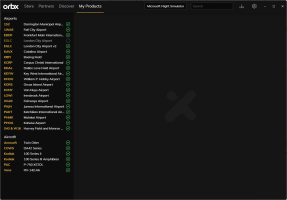
well im hoping to get a new pc since im building a cockpit. How do i go about moving what i have on my old one to the new one, the guy from ecollegepc said the new SSD is a lot faster than the one im using now. its been so long since ive bought some of my addons, im not sure what to do to get them back. i doubt i have receipts for most of them. thankfully the majority came from the in sim market place or orbix. thanks

-
Please see the most recent updates in the "Where did the .com name go?" thread. Posts number 16 and 17.
-
Special Server Maintenance
Just when you think you have everything running some what better...
You get a message from the Hosting company. Short story they need to move us to a new server. I have been working with them to plan a good date for all concerned. Here is what we have come up with as a schedule.
- November 4th 17:00 -5UTC shut off the forums and start backup proceedures. During this time there will be no access to the forums or the Resource Section.
- November 5th Continue with Backups and download same until complete.
- November 6th 7:00 turn over server to hosting company to move system to new server
- November 7th - 8th restore backups and upgrade forum software.
If all goes well we should be back online on November 8th.
To keep you updated we will post updates on AVSIM forums.
Thank you for your support.
setting up new pc
- Thread starter Dave43H
- Start date