• There seems to be an uptick in Political comments in recent months. Those of us who are long time members of the site know that Political and Religious content has been banned for years. Nothing has changed. Please leave all political and religious comments out of the forums.

    If you recently joined the forums you were not presented with this restriction in the terms of service. This was due to a conversion error when we went from vBulletin to Xenforo. We have updated our terms of service to reflect these corrections.

    Please note any post refering to a politician will be considered political even if it is intended to be humor. Our experience is these topics have a way of dividing the forums and causing deep resentment among members. It is a poison to the community. We appreciate compliance with the rules.

    The Staff of SOH

  • Please see the most recent updates in the "Where did the .com name go?" thread. Posts number 16 and 17.

    Post 16 Update

    Post 17 Warning

Shade is released !

but every time i use it, it reverts my FSX.cfg setting back to the default settings ie texture load, terrain radius

Jeansy, I just finished a flight using Shade earlier tonight and after seeing your post checked my cfg, all of my mods were still there. At least in my case it's not giving me back the default settings.

Al
 
Jeansy, I just finished a flight using Shade earlier tonight and after seeing your post checked my cfg, all of my mods were still there. At least in my case it's not giving me back the default settings.

Al

hmm ok i just doubled checked mine and it did it again, dunno

i might re install it
 
I broke down and bought it. I must be reading more into this than most people because I don't seem to have caught on to the mechanics.

I want to load a preset, Mellow Yellow as an example and start FSX.

I must be really dense because I can't figure it.
I guess pain medication will do that to you.

Is this a simple 3 or 4 click process or does it take 50-60 clicks?

VCN-1
 
VCN-1, after you make sure to have read the manual:

1. Start the "Shade_GUI" program, by clicking on the desktop icon
2. Select 'Load Day 1 From Preset'
3. Select a preset and 'Open'
4. Select 'Clone Day 1' to apply the preset to each day of the FSX 10-day cycle
5. Close-out of the "Shade_GUI" program
6. Start the "Shade" program from the desktop icon, which will then start FSX for you

I hope this helps! And obviously this is the simplest, 'get in and go' routine. If you are happy with a preset that you have chosen, then all you need to do is start the "Shade" program to start FSX with the preset installed.

 
In your shade folder, open shade GUI. Choose 'Load Day 1 from a Preset', towards the middle of the box and select your preset. Close shade GUI. Double click 'shade.exe' in the same folder, you should get a message that it's inserting into FSX, then it'll tell you it's starting FSX. That's it (hopefully).
 
John

Thanks for the instructions.

Looks as if I can handle that.

Which preset is the most dramatic as far being able to see the significant changes.

Again thanks for taking the time to explain it to a dunce.

VCN-1
 
I'm not sure which specific one will show the most changes, but "Winter Chills" is my favorite of all of the presets I have looked at, trying to reach the most authentic, real-to-life look. Having said that, I have also modified "Winter Chills" into one of my own presets, correcting a few attributes that weren't quite how I would want them.

To answer your question in a different way, "Winter Chills" will give you enough to notice a change. If you are looking for the most difference applied to scenery/terrain, it is easiest to see this at dusk and dawn hours. However, the effect works all day and night within the sim, and during mid-day, you will see that your aircraft has much more shading applied to its surfaces that are not in direct-light, than there would be with the default FSX shading.

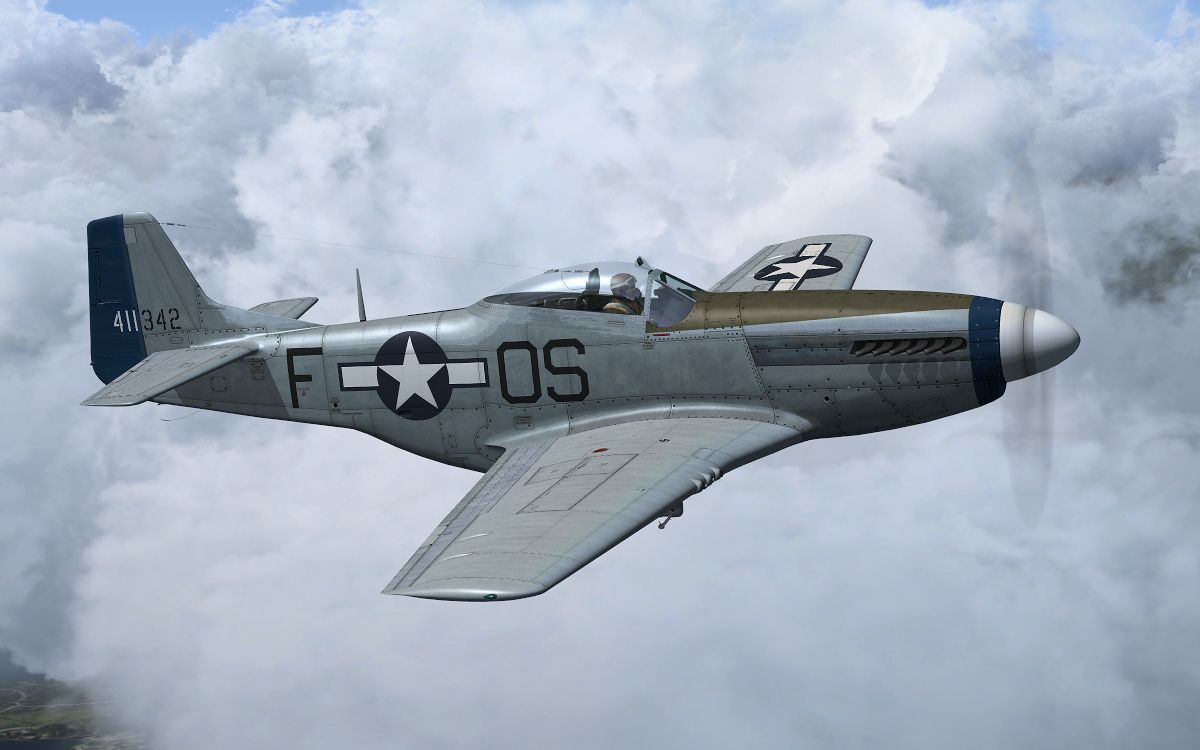
mustang_shade2.jpg
 
After the tabs "day 1" to "day 10" there is a tab called start stuff. Click on "start shade_NL". This has the action to close shade GUI and load the settings in FSX. Just after, you can launch Fs
 
Using Shade_GUI I notice there is a Start Stuff tab. If you click on it there is a button you can use to start Shade/FSX.

Thanks for the help.

VCN-1
 
Hey Guys

Sorry about not dropping by in the past day or so ive been working on some stuff for 1.01 this morning and i got dragged out to help fix some wind damage this afternoon (had the tail end of hurricane katia hit the UK earlyer this week) Again thanks for the fantastic support you've shown for this little app and for each other :)

@jeansy

Not sure why your getting a FSX.cfg reset???? Shade doesnt touch the FSX.cfg file in anyway shape or form,can i ask are you running any other kind of FSX autostarting app or making any changes to the insim options? (you dont have that texture load reset service running by any chance do you ?) also have you checked to see if the Cfg is getting re-seting without you running shade.exe?

Is anyone else seeing this re-seting cfg problem here? i havent received any reports of this from anyone else,i dont see it and it never came up in testing very strange but hope we can find out what the cause is though

Cheers
steve
 
Wow

Liking the look of this, I will track this forum and when the update is ready I will purchase from you :icon29:

Some fantastic pictures gent's :applause: Thank you.
 
1st impressions.
Did a quick read through and hit the shade gui. Opened a desert preset.loaded and then ran the exe which loaded fsx. At KEDW I quickly noticed it was lighter and a tan tone. I was dying to see some shadowing effects but cannot find any ???
Loaded a couple others,verified shadows in FSX graphics was on. Ran to some mountains and still see no shadows.
This is mid day, KEDW and otehr 3rs parties are Active Sky EVO, FEX and ULT.
Its getting late but I am still waiting for that one magic screen to appear so its off to more tweaking.


Edit- Ok Im feeling it now. I have played with a few lighting programs and alot turned sunset into mars and all around looked like a comic book. This one "at least the presets" are less dramatic and realistic, a good thing. From what I see this is a sunset flyers and screenshot artist dream. For me I will probably set it and forget about it. I have a new 40 inch led that super bright and bleaching the graphics. I am going to try and use this prog to enrichen the colors and add some surprises to each day.
 
Back
Top