Turbinee
Members +
Hi everyone,
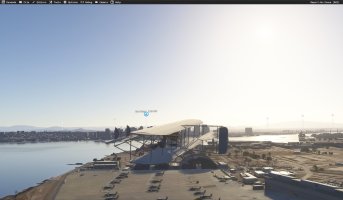
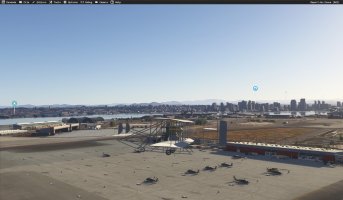
Following up on my introduction, here is a first look at the Wright Military Flyer I am building for MSFS2020. It is based on the original Signal Corps #1 flyer in the Smithsonian Institution.
I’m a big fan of low and slow flying to take in the scenery, and I have always been fascinated by the intricate mechanics and looks of early aviation. That is why I took on this project - I wanted something that could soar slowly over the landscape below, that just wasn't available.
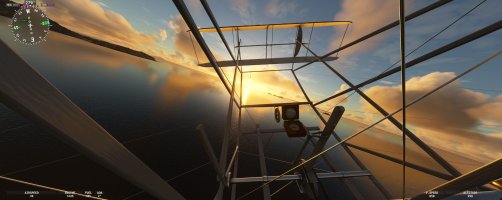
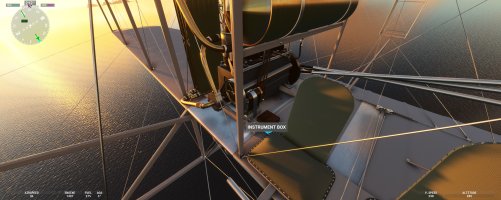
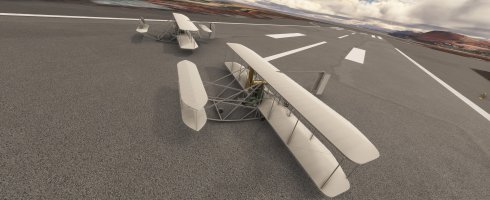
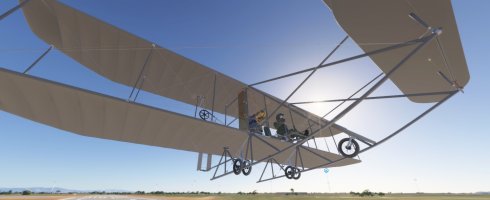
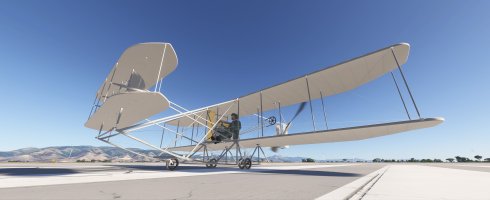
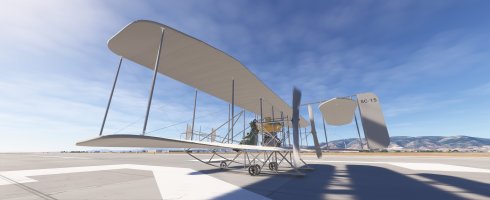
Here are a few unedited beauty shots from the sim:


I am very happy with how the 3D modeling and materials have come together, and I didn’t want to use the default MSFS config files, or templates for the engine, prop, and flight tuning. To avoid having this machine fly like a standard Cessna, I wrote my own custom engine logic, which I believe aligns closely with the Wright Military Flyer flight experience.
Here are a few of the custom systems running in the build:
Custom engine & prop logic: Hand-cranked starts. The engine idles at a historically accurate 450 RPM, which drives the chain-linked propellers at ~135 RPM.
Custom Wwise Sound, mechanical sounds of the early engine, chain drives, and wooden propellers.
All engine animations and wing warping.
The valve catch (compression release): You must manage the exhaust valves to build compression for startup, and use the release lever to kill the combustion just before touching down on landing.
No wheel brakes: Once the engine is idling, the thrust will cause the aircraft to begin creeping forward on the tarmac, so you have to be ready to steer!
Flight dynamics: You must hold forward stick pressure on the canards during the takeoff roll to counter the pitch-up torque from the engine, otherwise you will drag the rear skids.
Landing gear: Modeled the wheeled landing gear configuration used for the military deplyment, allowing for independent takeoffs and landings without needing a launch rail and catapult system.
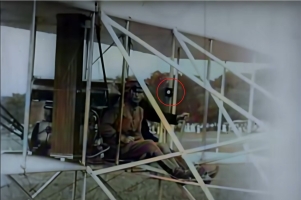
The weighted red rope: Included as a functional primitive attitude indicator that reacts to the relative wind.
I am currently fine-tuning the flight model and systems before release. As this is my first time developing an aircraft for MSFS, please don't judge too harshly! I’d love to hear your thoughts on the shots above, and if any of the historical aviation experts here spot a detail I should tweak or I’ve missed, please share.
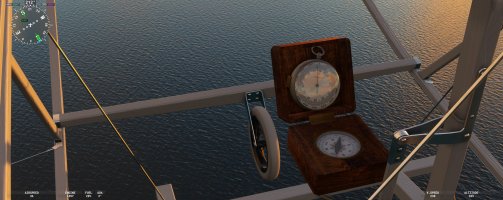
I am finishing up the hand held barometer/alltitude instrument and box compass used on the army trial flights, and these will be included as well.
Cheers,
George
Following up on my introduction, here is a first look at the Wright Military Flyer I am building for MSFS2020. It is based on the original Signal Corps #1 flyer in the Smithsonian Institution.
I’m a big fan of low and slow flying to take in the scenery, and I have always been fascinated by the intricate mechanics and looks of early aviation. That is why I took on this project - I wanted something that could soar slowly over the landscape below, that just wasn't available.
Here are a few unedited beauty shots from the sim:
I am very happy with how the 3D modeling and materials have come together, and I didn’t want to use the default MSFS config files, or templates for the engine, prop, and flight tuning. To avoid having this machine fly like a standard Cessna, I wrote my own custom engine logic, which I believe aligns closely with the Wright Military Flyer flight experience.
Here are a few of the custom systems running in the build:
Custom engine & prop logic: Hand-cranked starts. The engine idles at a historically accurate 450 RPM, which drives the chain-linked propellers at ~135 RPM.
Custom Wwise Sound, mechanical sounds of the early engine, chain drives, and wooden propellers.
All engine animations and wing warping.
The valve catch (compression release): You must manage the exhaust valves to build compression for startup, and use the release lever to kill the combustion just before touching down on landing.
No wheel brakes: Once the engine is idling, the thrust will cause the aircraft to begin creeping forward on the tarmac, so you have to be ready to steer!
Flight dynamics: You must hold forward stick pressure on the canards during the takeoff roll to counter the pitch-up torque from the engine, otherwise you will drag the rear skids.
Landing gear: Modeled the wheeled landing gear configuration used for the military deplyment, allowing for independent takeoffs and landings without needing a launch rail and catapult system.
The weighted red rope: Included as a functional primitive attitude indicator that reacts to the relative wind.
I am currently fine-tuning the flight model and systems before release. As this is my first time developing an aircraft for MSFS, please don't judge too harshly!
I’d love to hear your thoughts on the shots above, and if any of the historical aviation experts here spot a detail I should tweak or I’ve missed, please share.I am finishing up the hand held barometer/alltitude instrument and box compass used on the army trial flights, and these will be included as well.
Cheers,
George


 . Had to read bunch of warnings, suggestions, recommendations before hand, still definitely not sure if it will fly or be flagged. Learning never stops.