• Please see the most recent updates in the "Where did the .com name go?" thread. Posts number 16 and 17.

    Post 16 Update

    Post 17 Warning old domain name stealing credentials

  • Special Server Maintenance

    Just when you think you have everything running some what better...

    You get a message from the Hosting company. Short story they need to move us to a new server. I have been working with them to plan a good date for all concerned. Here is what we have come up with as a schedule.

    1. November 4th 17:00 -5UTC shut off the forums and start backup proceedures. During this time there will be no access to the forums or the Resource Section.
    2. November 5th Continue with Backups and download same until complete.
    3. November 6th 7:00 turn over server to hosting company to move system to new server
    4. November 7th - 8th restore backups and upgrade forum software.

    If all goes well we should be back online on November 8th.

    To keep you updated we will post updates on AVSIM forums.

    Thank you for your support.

SOS!!!

jmig

SOH-CM-2026
Somehow my zoom has taken a faceplant into the dash. When I first load an aircraft, doesn’t matter which, the zoom is normal. But as soon as I click the FLY button it goes to the copilot view with his nose stuck to the glareshield.

I have tried resetting both the Cockpit Camera and the Camera settings under General Options. Nothing works. I even went into the Camera config in MSFS and manually changed the pilot position, that didn’t work either.

I had buttons set to move forward, backward, and side to side. They aren’t working

I even reset MSFS from the Apps app in Settings. Of course, it didn’t work.

Anyone have any suggestions, I have been fighting this FUBAR all day and am out of ideas other than the nuclear option, which I DO NOT WANT TO DO.
 
Have you tried going to your controls option and mapping a key for "Reset Cockpit View"? I have a button on my joystick mapped to that. Control Options/Camera/Cockpit Camera/Reset Cockpit View. Not sure if that's what you meant when you said "I have tried resetting both the Cockpit Camera and the Camera settings under General Options" This is a specific setting in Control Options for whatever joystick/throttle (etc...) you have.
 
I hit F12 twice once my aircraft is on the runway (I normally do a hot start to avoid taking the time to go through start up check lists). I'm using an eye tracker.
 
Bezillion folks were metioning that they had to redo their switchiology after one of the latest updates - I'd look for some wheel brake axis firing some camera commands :costumed-smiley-071 :rocket:

If your System is stuffed like mine (USB wise) it will only take a day or two......
 
Yes I agree with the messages above, it simply looks like your controls assignations have been modified (some users have lost their settings completely after the recent server issues) and one of you controllers axis has been assigned to a view movement. You'll have to go though your controls settings again to check what is assigned to what :/
 
Somehow my zoom has taken a faceplant into the dash. When I first load an aircraft, doesn’t matter which, the zoom is normal. But as soon as I click the FLY button it goes to the copilot view with his nose stuck to the glareshield.

I have tried resetting both the Cockpit Camera and the Camera settings under General Options. Nothing works. I even went into the Camera config in MSFS and manually changed the pilot position, that didn’t work either.

I had buttons set to move forward, backward, and side to side. They aren’t working

I even reset MSFS from the Apps app in Settings. Of course, it didn’t work.

Anyone have any suggestions, I have been fighting this FUBAR all day and am out of ideas other than the nuclear option, which I DO NOT WANT TO DO.
Don't go nuclear just yet John, it could be that, after reinstalling, the same thing happens if this "setting" has been saved into the cloud.

I'll do some searching on this.

Priller
 
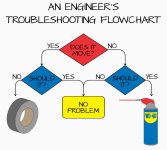
Thank you everyone for your suggestions. I have solved the blooming mystery. It was a hardware problem. I have four buttons to move the viewpoint around. The forward button got stuck (cheap Amazon switches) and caused the faceplanting.
 
Back
Top