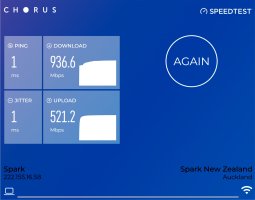
SpeedTest

Try living in the sub arctic where Starlink is spotty (few satellites), in the Boreal forest and nothing else but dial up available. Better than "now't".
 
I found out a while back why there's such a disparity between up and down on a cable connection. It comes from the fact that though cable modems have a broad range of frequencies at it's disposal, the upper 85-90% are used for downloads (higher freq. = faster data), while only the lowest freq's are used for upload.
 
I found out a while back why there's such a disparity between up and down on a cable connection. It comes from the fact that though cable modems have a broad range of frequencies at it's disposal, the upper 85-90% are used for downloads (higher freq. = faster data), while only the lowest freq's are used for upload.
There's a way around this if you log into the router/modem with admin rights and update the firmware. Not for the faint of heart! Pretty sure Dave could though!

Jan
 
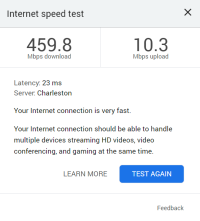
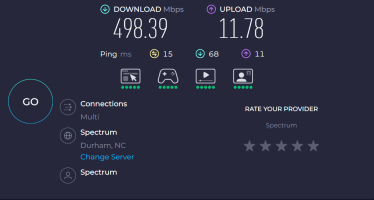
I actually updated my current access point when I first set it up. It still does the same thing. But it doesn't bother me too much, since I don't upload much in the way of large files, except for the occasional Google Drive backup. But now that I'm home, I can post these - one from the Google Chrome native test and the other from Ookla. I don't know where the Google test file was hosted, but the Ookla test connected to a host over an hour away and still came in faster both ways.


Screenshot 2025-08-27 180413.png
Screenshot 2025-08-27 180556.png
 
My service is rated for 600 Download so I can not complain.

18166391063.png


The download speed normally runs in the 400/450 range when everyone is home using their devices. This is the first time in a long time that I have been able to test with only one device being used.

Wheels
 
Back
Top