• There seems to be an uptick in Political comments in recent months. Those of us who are long time members of the site know that Political and Religious content has been banned for years. Nothing has changed. Please leave all political and religious comments out of the forums.

    If you recently joined the forums you were not presented with this restriction in the terms of service. This was due to a conversion error when we went from vBulletin to Xenforo. We have updated our terms of service to reflect these corrections.

    Please note any post refering to a politician will be considered political even if it is intended to be humor. Our experience is these topics have a way of dividing the forums and causing deep resentment among members. It is a poison to the community. We appreciate compliance with the rules.

    The Staff of SOH

  • Please see the most recent updates in the "Where did the .com name go?" thread. Posts number 16 and 17.

    Post 16 Update

    Post 17 Warning

Spot distance

Terry

SOH-CM-2016
Has anyone found a program like F1_View.dll that we have for FS9 which would change the eyepoint to plane distance with the mouse wheel? I'm not talking about the zoom factor, I want to leave that at 1:1. I tried Wheelcam 2.7 but cannot get it to work right.
 
Has anyone found a program like F1_View.dll that we have for FS9 which would change the eyepoint to plane distance with the mouse wheel? I'm not talking about the zoom factor, I want to leave that at 1:1. I tried Wheelcam 2.7 but cannot get it to work right.
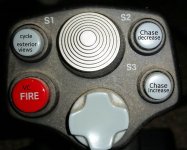
I don't suppose mentioning that a simple alternative is to tie the spot distance keyboard commands to a control on your HOTAS? I've always done it this way. Currently have spot distance tied to a wheel on my Saitek X-55 throttle unit. More convenient than using the mouse wheel IMHO.
 
I don't suppose mentioning that a simple alternative is to tie the spot distance keyboard commands to a control on your HOTAS? I've always done it this way. Currently have spot distance tied to a wheel on my Saitek X-55 throttle unit. More convenient than using the mouse wheel IMHO.


Good idea, I'll give it a shot. Thanks.
 
I connected it to an unused button on my Saitek joystick and it works perfectly. Thanks again.
 
Back
Top