P3D_V4 Tacan Gauge Not Finding XLM

hardlucksam

Members +
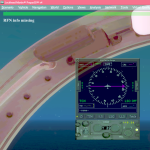
Have been using this gauge for several years. Recently; when I load the info to land on the AI Carrier, it is blank. How do I correct this? Ver 5.3.
Untitled.png
 
Last edited:
Hi hardlucksam
There is something wrong in the panel.cfg.
You have the new generation and the classic generation in the same instrument.

TACAN RFN NG
gauge01=RFN_CarrierGauge64!Aircraft_Carrier_Indicator_NG, 0, 0, 300, 310
gauge02=RFN_CarrierGauge64!Radio_Tacan_Panel, 0, 311, 300, 110

OR

//--------- TACAN RFN Classic -------
gauge01=RFN_CarrierGauge64!Aircraft_Carrier_Indicator, 0, 0, 300, 310
gauge02=RFN_CarrierGauge64!Radio_TACAN_ARN52B, 0, 311, 300, 100

You are using the New Generation Indicator (Aircraft_Carrier_Indicator_NG) with the Classic Radio TACAN (Radio_TACAN_ARN52B).
That is not correct.
Hope that will help you.

Regards
Michel
 
Michel: Thank you so much for the reply. I have been using this gauge/radio since version 5 if I remember correctly. As I stated; this problem happened a couple of weeks age. Again, thank you for the reply.
 
Last edited:
OK that seems good.
So, now, have a look here:

A) Note: the "RFN_CarrierGauge64.dll" file must be in the same "gauges" folder as the "RFN_Resources" and "RFN_Sounds" folders. (3-2 C)

B) Requirement (3-1)

- Redistribuable Microsoft Visual C++ x64. (2005, 2005 x64, 2008, 2008 x64, 2010, 2010 x64, 2013, 2013 x64, 2015-2019, 2015-2019 x64)
https://www.microsoft.com/fr-fr/download/search.aspx?q=visual+c++&first=11

- Microsoft.NET Framework.
https://www.microsoft.com/fr-fr/download/search.aspx?q=visual+c++&first=1


- Microsoft Flight Simulator SimConnect Client (v10.0.61242.0, 10.0.61259.0, 10.0.62615.0) Install all:
\Prepar3D vx\redist\Interface\ESPv1\SimConnect.msi
\Prepar3D vx\redist\Interface\FSX-RTM\retail\lib\SimConnect.msi
\Prepar3D vx\redist\Interface\FSX-SP1\retail\lib\SimConnect.msi
\Prepar3D v5\redist\Interface\FSX-SP2-XPACK\retail\lib\SimConnect.msi

Michel (RFN Webmaster)
 
Last edited:
Back
Top