• Please see the most recent updates in the "Where did the .com name go?" thread. Posts number 16 and 17.

    Post 16 Update

    Post 17 Warning old domain name stealing credentials

  • Special Server Maintenance

    Just when you think you have everything running some what better...

    You get a message from the Hosting company. Short story they need to move us to a new server. I have been working with them to plan a good date for all concerned. Here is what we have come up with as a schedule.

    1. November 4th 17:00 -5UTC shut off the forums and start backup proceedures. During this time there will be no access to the forums or the Resource Section.
    2. November 5th Continue with Backups and download same until complete.
    3. November 6th 7:00 turn over server to hosting company to move system to new server
    4. November 7th - 8th restore backups and upgrade forum software.

    If all goes well we should be back online on November 8th.

    To keep you updated we will post updates on AVSIM forums.

    Thank you for your support.

Team SDB USS Enterprise Update

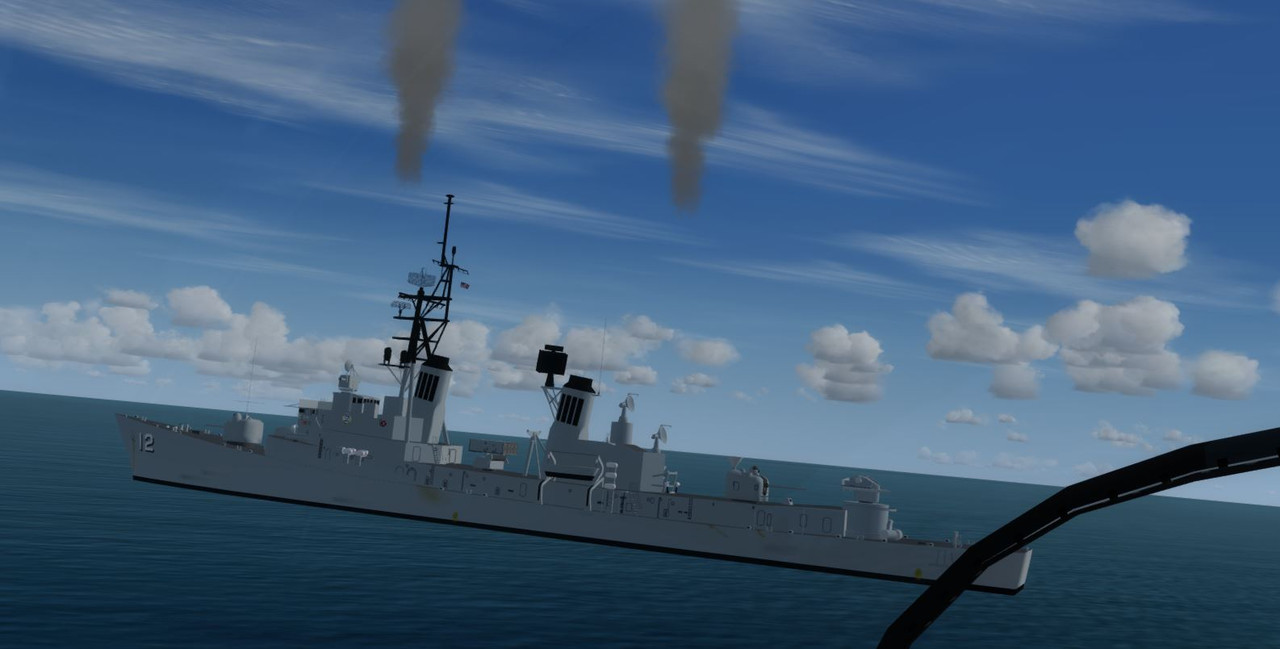
There's a DDG Robison supplied with the Team SDB Enterprise, Is there a fix for the misaligned exhaust smoke for the USS Robison DDG-12?

Exhaust is high and little off center of stacks. (P3D V3.4) Perhaps an effect file issue.

DDG_smoke_d17A.fx

DDG_smoke_d17B.fx


Capture.jpg


If you know your way around Modelconverter you can do it yourself.


:engel016:

Cees
 
Okay, couple things you need to do before you start editing the effects. Make sure you have the SDK installed for your version of P3D, and then to make sure you have MCX
setup with the right tools in the SDK so you can export the MDL once you have edited the effects.
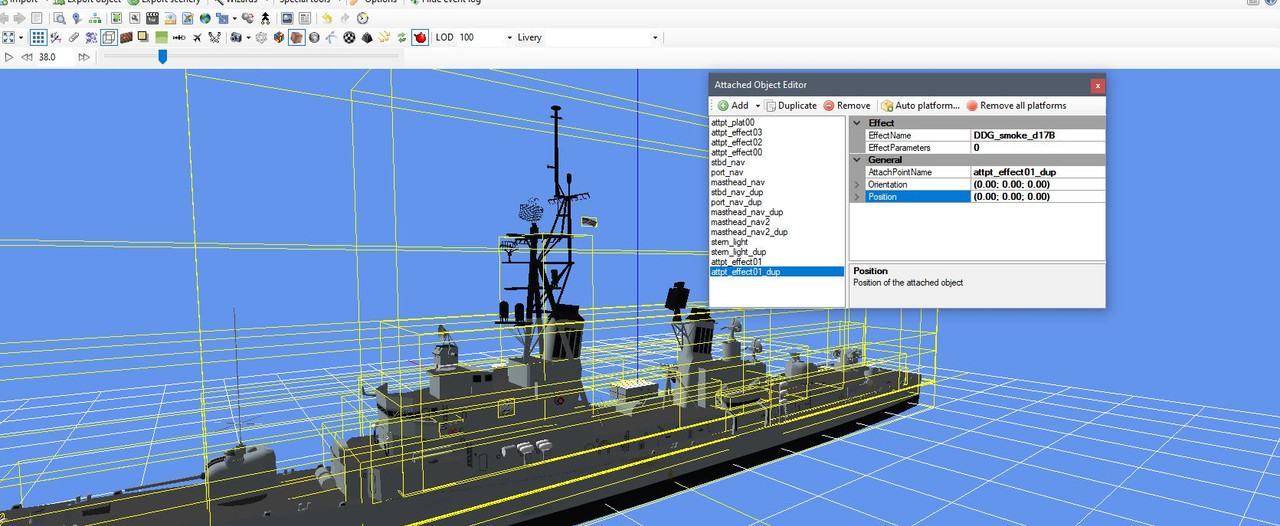
Once that is done a couple things to do in MCX is to turn off the Boundingbox. (bottom row, 6th tool from left "Display BoundingBox") Then click on the paperclip, (Same row
4th tool "Display Attached Objects". Then click on the "Wireframe Render Mode" (same row next to the camera). This way you can see where the effect is attached on the MDL.
Once you have the Attached Objects Editor open find the smoke effect (Left side) it will highlight in yellow on the model. In the "Position" under General the first set of numbers
is for left/right, 2nd is for back/forward, and last is for up/down.

left; back; up
(0.00; 0.00; 0.00)
right; forward; down

Remember that to move the effect left/back/down you will need to use the minus (-) in front of the number.

Joe
 
Okay, couple things you need to do before you start editing the effects. Make sure you have the SDK installed for your version of P3D, and then to make sure you have MCX
setup with the right tools in the SDK so you can export the MDL once you have edited the effects.
Once that is done a couple things to do in MCX is to turn off the Boundingbox. (bottom row, 6th tool from left "Display BoundingBox") Then click on the paperclip, (Same row
4th tool "Display Attached Objects". Then click on the "Wireframe Render Mode" (same row next to the camera). This way you can see where the effect is attached on the MDL.
Once you have the Attached Objects Editor open find the smoke effect (Left side) it will highlight in yellow on the model. In the "Position" under General the first set of numbers
is for left/right, 2nd is for back/forward, and last is for up/down.

left; back; up
(0.00; 0.00; 0.00)
right; forward; down

Remember that to move the effect left/back/down you will need to use the minus (-) in front of the number.

Joe


Thank you for all the info however, I have SDK and installed it once but don't know much about using it. I removed it since then. Don't know how to use it and I guess SDK doesn't provide a drop down
in my Main P3d. The other stuff after installing SDK is a bit over my skill set and is a little overwhelming for me.
Thanks anyway.
 
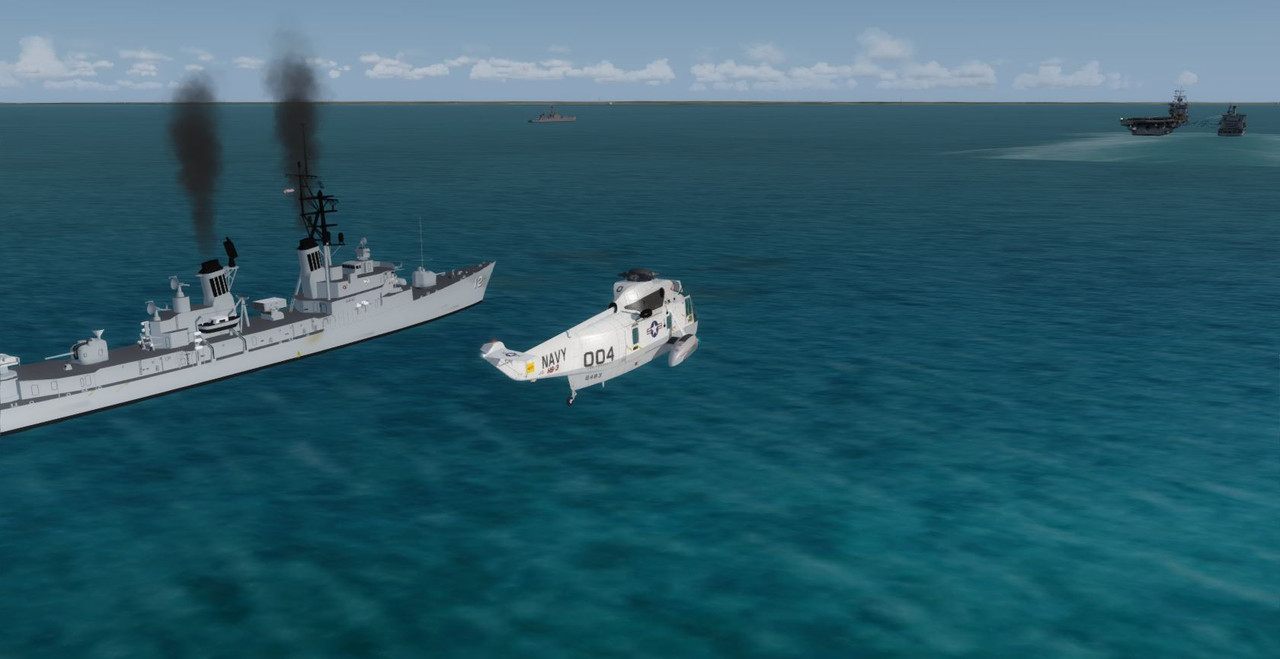
Thanks to Team SDB for fixing the misaligned smoke stack exhaust. :encouragement:
Works great in P3D V3.4
You're welcome.

Prepar3D seems to handle offset values in effects files differently than FSX. That is why the smoke was out of position.
We have edited the USS Robison mdl file to correct the issue and use a single effects file with no offset.

Eventually I'd like to do a small update to the original package with these sort of things but that may be a while.
In the meantime if anyone else wants to update their P3D (v3 and v4) installation to use this corrected ship
and darkened smoke you can get the file to fix it from the Team SDB Support Forum.
:ernaehrung004:
 
Back
Top